Is this a…:
Standard bug
Steps to reproduce this issue:
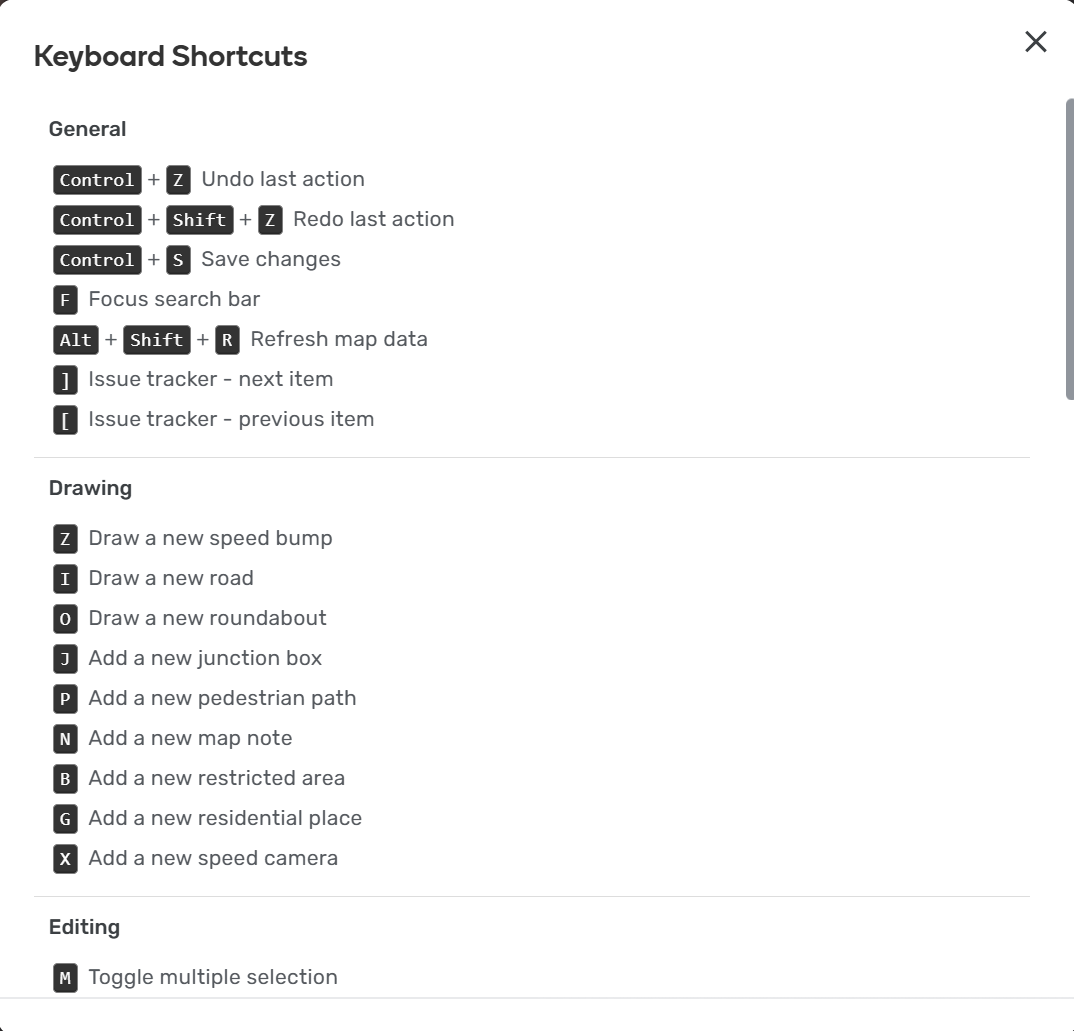
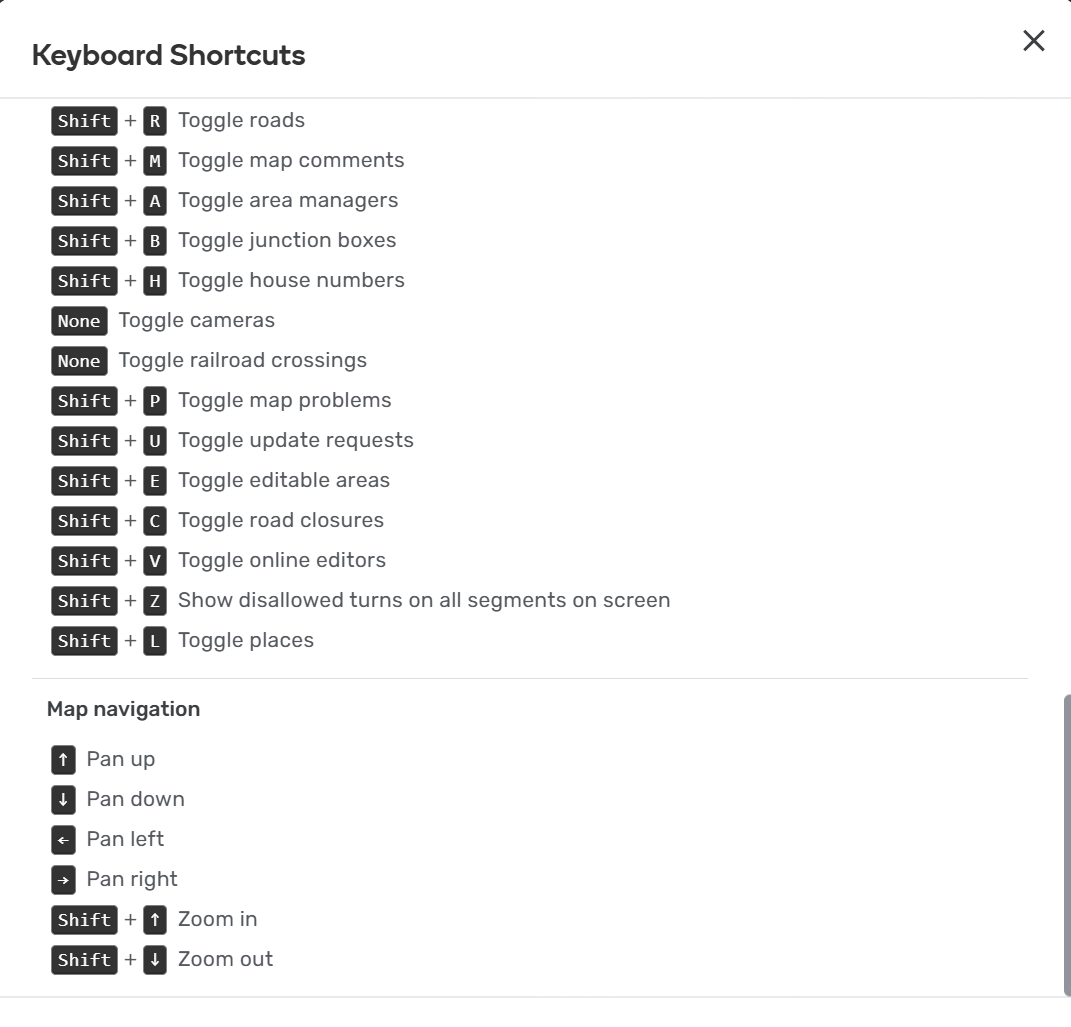
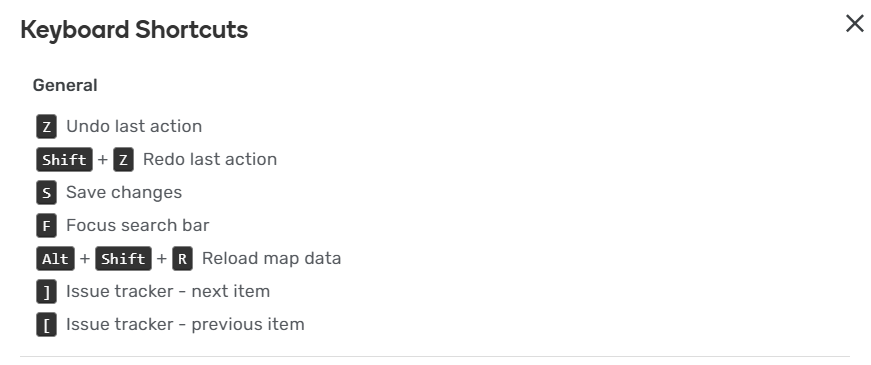
When we click on “Keyboard shortcuts” at the bottom of the map, some shortcuts are wrong.
Below are the ones I noticed:
Shortcut name: Undo last action
Displayed key: Z
Correct keys: I don’t know, but Z is no the correct key
Shortcut name: Redo last action
Displayed keys: Shift + Z
Correct keys: Ctrl + Z
Shortcut name: Select entire street
Displayed key: A
Correct keys: Ctrl + A
Shortcut name: Increase segment elevation
Displayed key: Up arrow
Correct keys: Ctrl + Up arrow
Shortcut name: Decrease segment elevation
Displayed key: Down arrow
Correct keys: Ctrl + Down arrow
Environment where the bug occurs…:
All environments
Permalink:
N/A
Browser name and version:
Google Chrome - 138.0.7204.184
1 Like
Note: my suggestion is to review all shortcuts, as I was unable to do this for all cases.
1 Like
Hi @georgenqueiroz,
Thank you for your input. I’ve been reviewing the shortcuts (on macOS for now).
As for the “General” shortcuts:
- Undo: the default should be Ctrl + Z
- Redo: the default should be Ctrl + Shift + Z
When it comes to the “Editing” shortcuts, you are right, the ones you have mentioned also need adding the Ctrl key.
I will check the other shortcuts as well and raise the issue internally.
Best regards,
Olesya
1 Like
Is this a…:
Standard bug
Steps to reproduce this issue:
1 - Open WME;
2 - Click on “Keyboard shortcuts” on the right bottom of the page;
3 - See the wrong shortcut for “Undo last action” (it’s displayed “Z”, but should be “Ctrl + Z” or “Cmd + Z”).
Environment where the bug occurs…:
All environments
Permalink:
Not Applicable
Browser name and version:
Google Chrome - version 145.0.7632.77
Are you using scripts? Please detail which ones.:
No.
For records and credits only, it was reported by @AllanBaruch here
7 Likes
Hello, everyone!
@Olesya-Staff and @Nataliia_Staff, is there any news about the progress regarding this bug?
Correct me if I’m wrong, but it looks like it’s easy to solve, despite being opened for over 6 months.
Thank you in advance!
1 Like
Hi @LFRRdeMFCS,
The team is currently addressing this issue. We will provide an update once we have more information.
Sorry for the inconvenience.
Nataliia
1 Like