esse trecho precisa ser marcado como pavimentado: https://waze.com/pt-BR/editor?env=row&lat=-5.99783&lon=-41.38013&s=13194210155796&zoomLevel=17&segments=433608328
Obrigado pela informação! Fiz a atualização no WME! 
Hi everyone.
I’m reaching out to more experienced editors to find a more elegant solution for the following case:
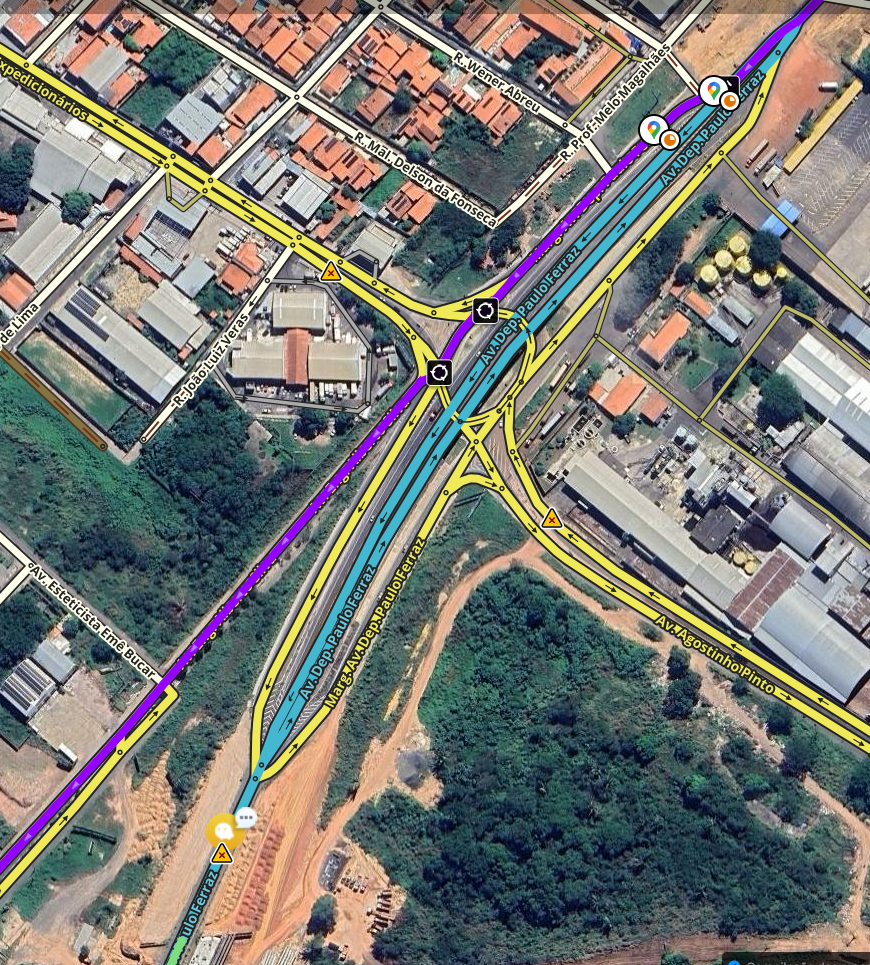
At this roundabout, it’s quite common for people to get confused between the second and third exits.
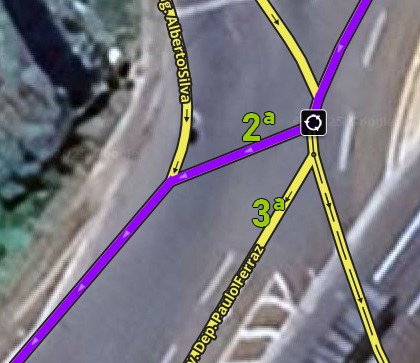
Take a look at the driver’s view on Street View:
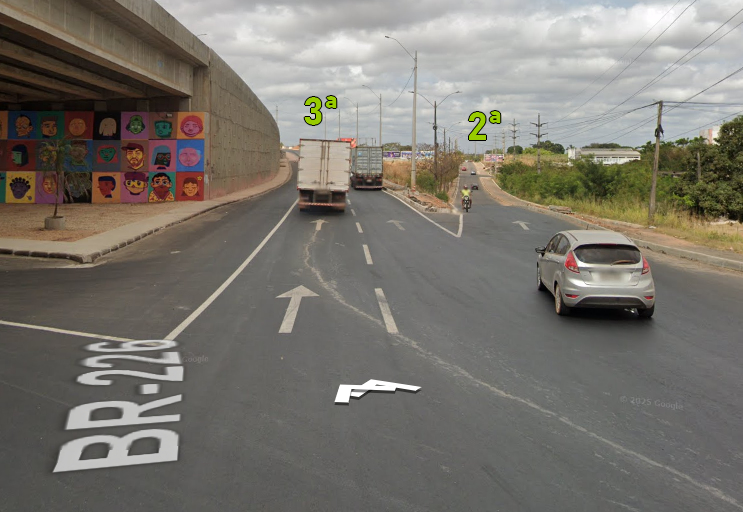
In the case of this UR, the instruction was correctly given to take the 2nd exit (which is on the right side), but the driver didn’t see it and took the 3rd exit (which is on the left side).
I understand that the problem is the physical signage on-site. It would be up to DNIT to install gantry signs over the lanes to make it clear which exit goes where.
I’ve added “complex intersection” instructions to the intersection approaches. I’d like to hear suggestions from colleagues on how to emphasize and/or simplify the instructions.
Paulo Gustavo, my suggestion is to make just one exit instead of two for a segment of about 20 meters, and at the end of this segment connect the two roads, forcing the “keep right” and “keep left” instructions.
In fact, you can use the existing segments, disconnecting Marg. Av. Dep. Paulo Ferraz from the roundabout and connecting it to the node that already exists on Av. Eng. Alberto Silva. Furthermore, the small segment there that will be the only exit from the roundabout in this location can be left unnamed, and there will be an extra node on the roundabout that can be removed, joining the two segments.
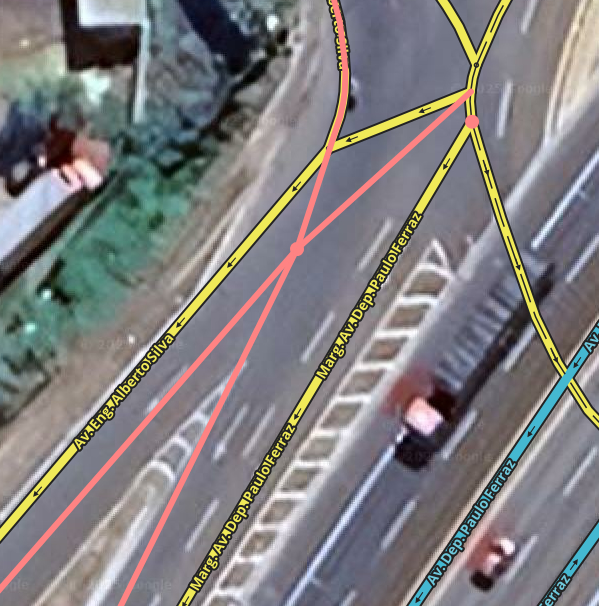
If I were mapping this location from scratch, I’m not sure I would categorize this road as a roundabout.
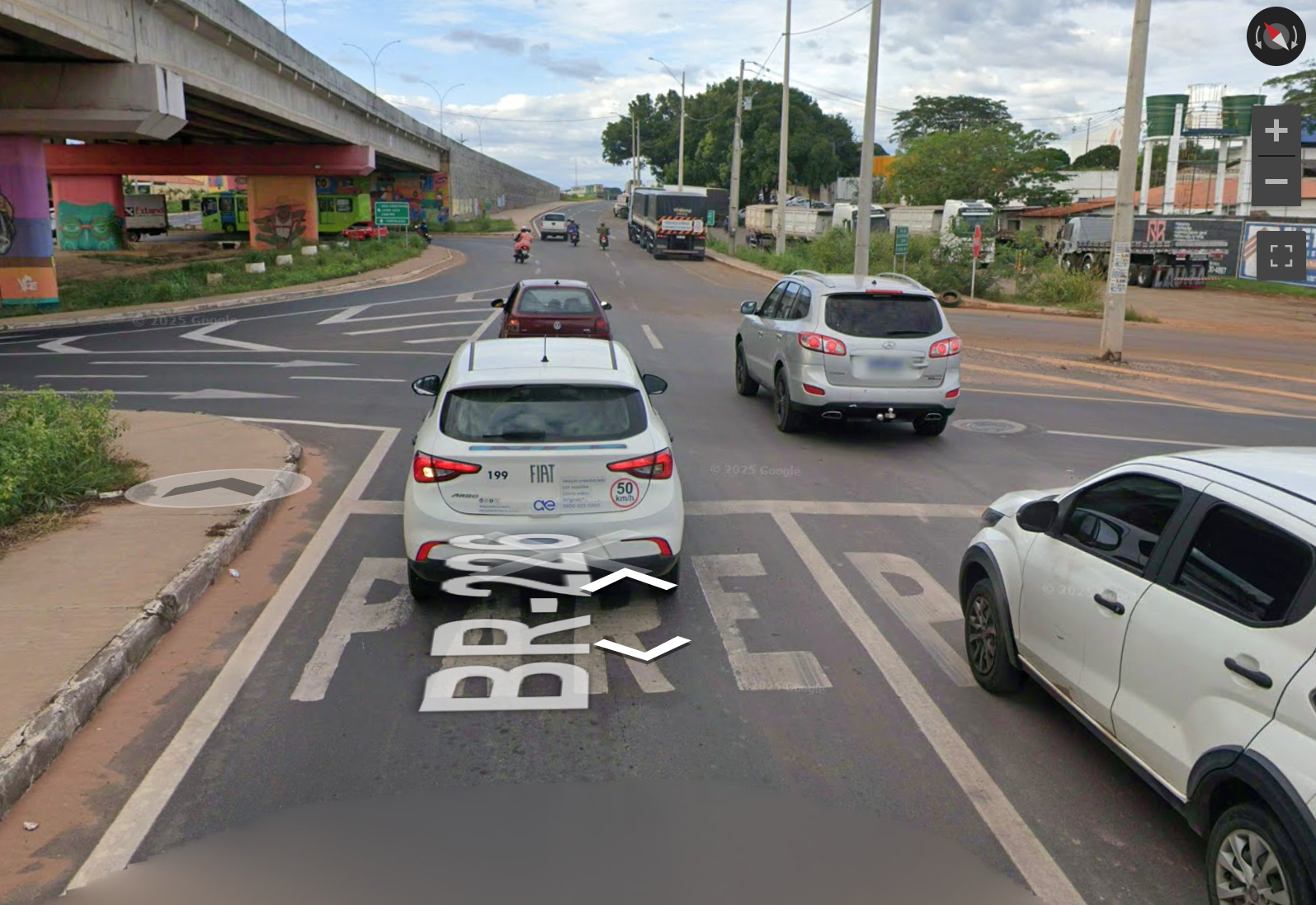
On the other side of the avenue, at the location in the image above, the driver approaches on a road that has two lanes and can stay in either one of them to go straight and then turn slightly right. It’s not a typical view of a roundabout.
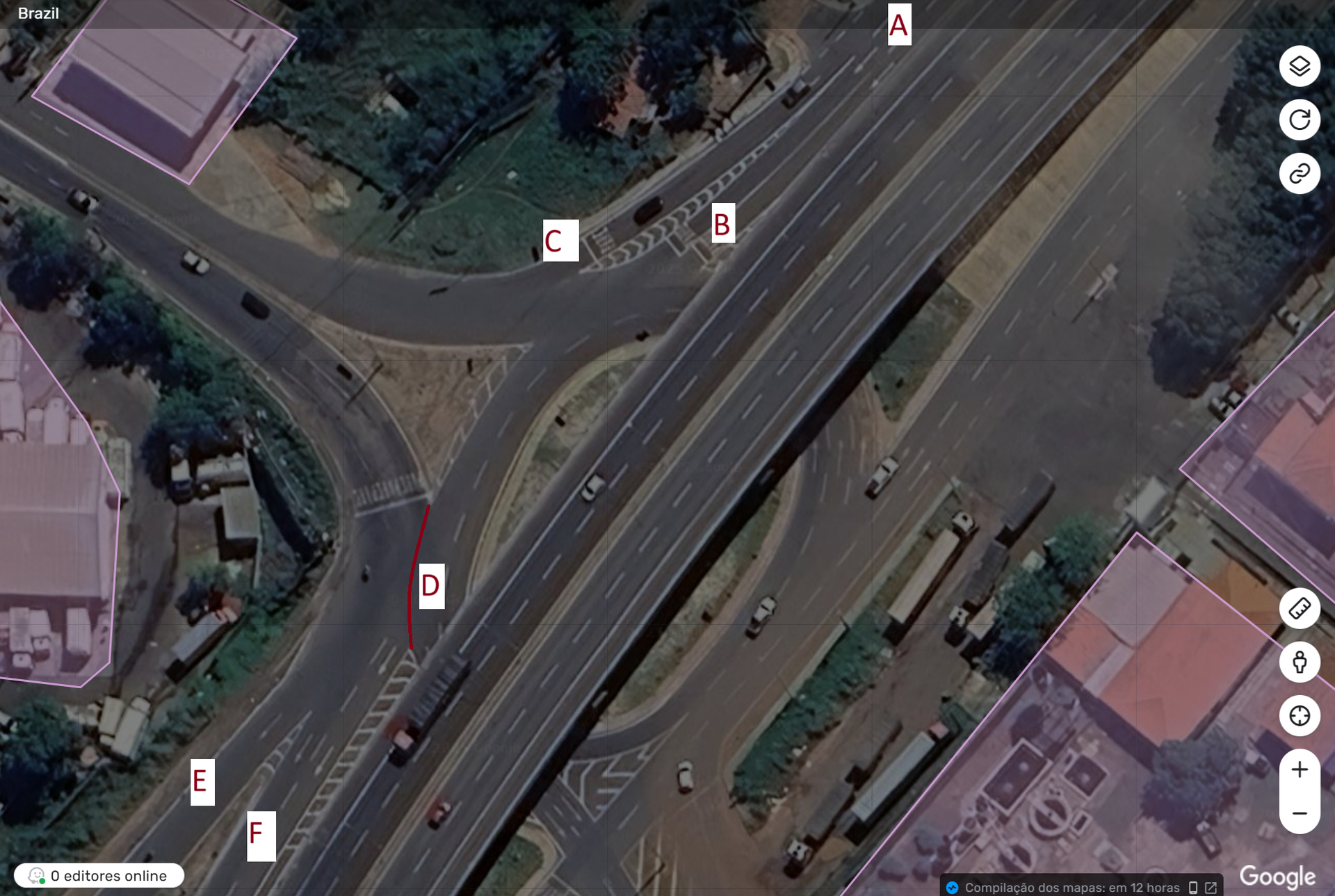
Anyway, assuming that it is categorized as a roundabout, I don’t think the count is appropriate. What would be the first exit (near point B), according to the road markings, wouldn’t even be permitted. Those at Point A who want to turn right must take the road toward Point C.
Further ahead, at Point D, I understand that there is only one exit and it is used for those heading to both Point E and Point F.
I agree with Augusto’s suggestion to force the instructions. Additionally, I would add lane guidance to better indicate where drivers should stay, depending on the case.
I would also simplify the segments a bit, something like this:
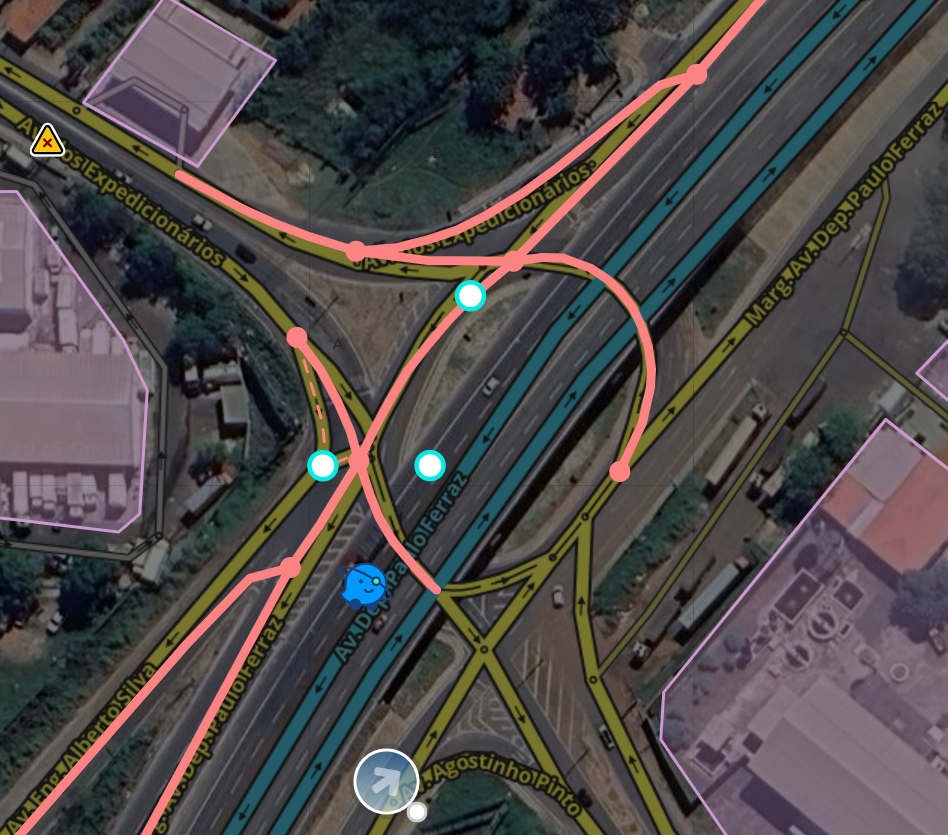
@paulogustavoPI has a very useful alternative: creating a Far Turn (Path) and overriding the TTS to provide guidance to “continue straight” or “keep right” instead of counting the exit number.
Based on the example @georgenqueiroz sent in the image, it does seem strange to treat it as a roundabout, despite the stop signs at every entrance.
Keep in mind that Paths have the advantage of not losing the instruction, even if someone changes the geometry or breaks one of the segments.
@daviaraujo93, @georgenqueiroz, @Augusto_NH
Thank you very much for the responses; all of them were excellent and complementary.
I worked through it here and I think I managed to implement the suggestions.
The roundabout did meet the requirement of having STOP signs, but it indeed added more complexity.
Converting it into a regular segment allowed for the simplification of the nodes and the correction of the geometry.
I also added the instructions for the far turns. This was the part I am least accustomed to. I hope I did it properly (I am open to suggestions and corrections).
Again, thank you so much to my colleagues! This is why I value our community so much.
I am adding several establishment names here in Teresina - PI for better identification. Please kindly verify my requests, and I am available if you need anything.
Hello @djhenriquemachado
Welcome
Looking at the places you are adding, I’ll say:
I have already moderated some by approving them, but others are outside of what the Place Editing Manual requires.
Most of those you are creating are on named streets, and you left all the places without the street name.
But I’m checking what I can already.
Thanks for editing.
Happy Holidays
Hello
Thanks for helping! But these streets exist, they just don’t have names, as stated here: Locais . If the Place doesn’t have an address (street name), the “None” option must be selected in the Street field.
But the ones I looked at had names in the segments and you didn’t put them in the place. That’s what I was saying.
Best.