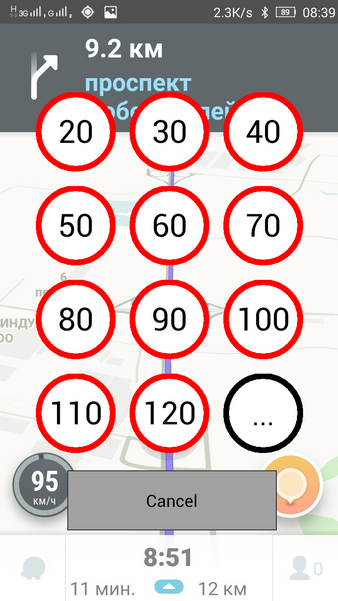
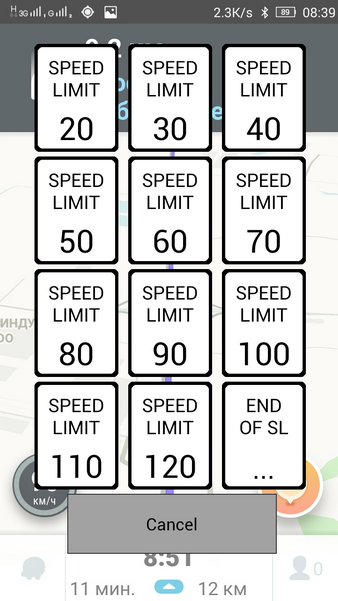
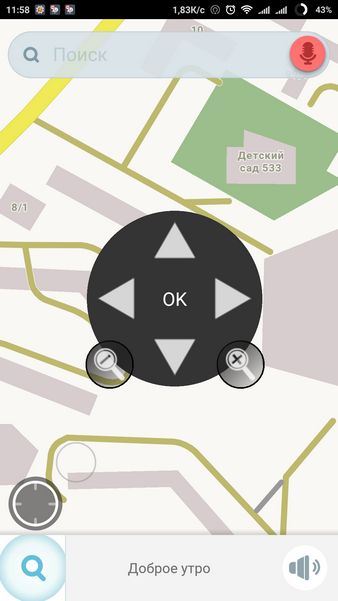
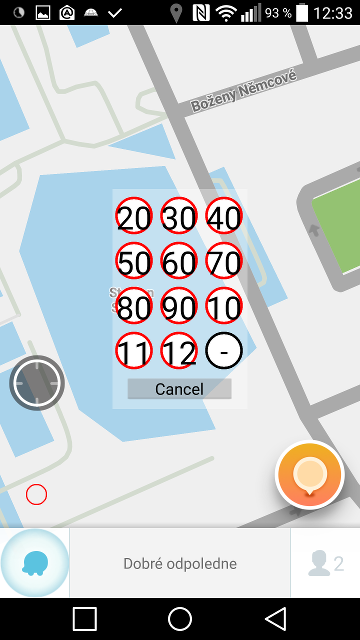
I created the android application Waze SLB (Waze Speed Limit Button) for sending speed limit reports (similar to existing web script). The main idea is to imitate tap on the speedometer icon to display Speed Limit form.
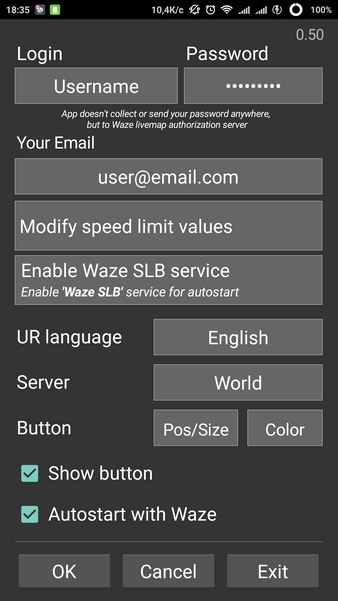
Waze SLB automatically starts and closes with Waze (on Android 4.1+ it is neseccary to enable Waze SLB service in phone settings for this feature).
After the first run you need to enter your real Waze nickname, password and valid email. Show button - display the Waze SLB button over the speedometer icon or make it invisible. Autostart with Waze - enable or disable autostart.
Disclaimer: Application doesn’t collect or send your password anywhere, but to Waze livemap authorization server.
Features:
app autostarts with Waze (can be disabled in settings) and closes automatically if Waze is closed or another app is on top. For autostart on Android 4.1+ please make sure that the Waze SLB service in enabled in phone settings (Accessibility service);
app won’t send URs if valid Name/Email is not filled or if coordinates weren’t received;
coordinates are saved when tapping the speedometer icon, then you can choose the speed when it’s convenient;
configuration form appears at the first start and can be called from the notification;
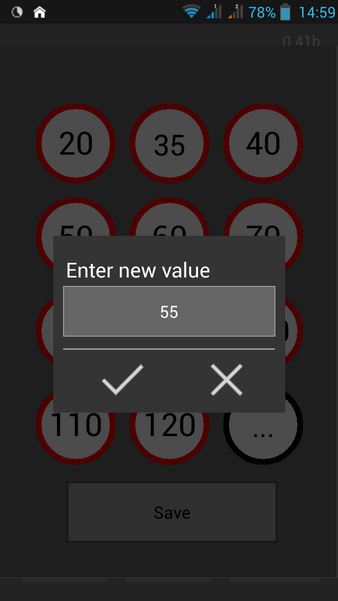
user-defined speed limit values;
on the config form: tap on version - check the updates, long tap - open WSLB home page;
if the version number is red - new version is available;
different sign style for Europe and USA;
long tap on sign value to set opposite direction - REV (reverse) will be added near arrow: [WSLM] Nickname End of SL [accuracy:2m direction:90° (→)REV];
user-defined comments on […] button. Examples: tap on black button (default text): [WSLM] Nickname End of SL [accuracy:2m direction:90° (→)] tap on black button (predefined text): @@@Nickname: user predefined comment [accuracy:2m direction:90° (→)] long tap with text: @@@Nickname: entered text [accuracy:2m direction:90° (→)] long tap without text (only nickname, accuracy and direction) @@@Nickname [accuracy:2m direction:90° (→)]
voice input for user-defined comments on […] button (long tap). For this feature the Google Search app may need to be installed;
position of the red button can be changed in config form. Long tap on the Position button in Config sets defaults;
color of button can be changed in config form. The color should be in hex: #AARRGGBB, where AA - alpha channel (transparency), RR - red, GG - green, BB - blue (Example: #55777777 - transparent gray). Long tap on the Position button in Config switches between default red and transparent gray.
Known issues:
Application is not working in background. Application uses overlay and running in backgroud, so your device should allow overlay for Waze SLB and shouldn’t limit background activity. Check your device for any system settings or security applications and add Waze SLB to exclusion list.
since it uses overlapping button over the speedometer icon (red circle) the corresponding region is not available for tapping in Waze, keyboard etc. Workaround: long tap on the button hides it for 10 seconds, this will allow you to tap under the button.
Looks pretty good. Also like the access frim notification bar.
Would be Great when the resolution is adjusted
Would it be possible to create country specific speeds/buttons?
For NL i would change 20 into 15 and 40 into 130 for example.
An idea for the SL shields to be displayed. If a vehicle is moving with a free-flow speed, it is usually not necessary to display shields far above or below the current speed. For instance, if driving 130 on a freeway, I’m usually not interested in using shields in the low range below 60. Similarly, when driving around 50 in a city, I’m mostly interested in the shields 15-70.
This way you could display e.g. 9+3 various shields from a much wider range.
Sent from a touch display, which took care of perfectly scrambling my thoughts.
I tried the application in Israel and met a problem - the UR is sent to the ROW server. Please modify the application to send URs in Israel to the Israeli server.
paulkok_my, I’m working on user-defined speed limits now, will be added in the next version. Philistine11, lg1992, kizeus, do I understand correctly that the app cannot create UR in your countries? I haven’t investigated the difference between the servers yet. The issue is added in my todo. foxitrot, regarding floating speed values - probably something like that will be implemented in the future, I’ve added in my todo, but with low priority, because there are some other urgent issues. brujofav, what the problem you are faced while installing? You can send me details in PM.