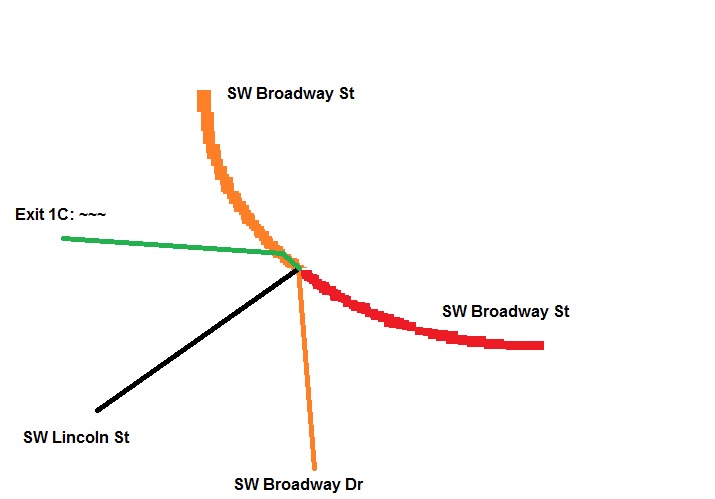
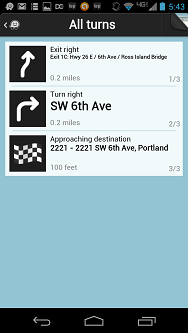
I am curious, if might be excessive segments there, but add a new street segment that goes straight but right turn disabled, and move the one that can turn right a bit South as an experiment? Just wondered if it might be the segments associated with the database that a new segment with new segment id helps any possible way.
That may be the key: a kludgy fix so that Waze doesn’t think a right turn is even possible. I am sure the “stay left” is coming from there being the right turn there. The “straight” is to the left of the turn.
I’m afraid that will result in the same as before because the “right turn” is still to the right. In fact, it would likely change the “stay left” to “turn left.”
I have done that too. Major/primary/ramp/street along with each combination of named the same as the ramp, with no name, and with Broadway. Your specific suggestion just makes it say “stay left” at the previous junction.
I think I’d like to escalate this to the routing guys…
That makes no sense to me. Why would that be any different from any crossroads where the road changes names at the crossroads? If you get a “stay to left” at the previous junction, why don’t you get a “stay left” leaving this segment going to Market? I’m not questioning your experience, just stating that I can’t distinguish between those two results. Guess I’d like to hear what the routing guys say.
That would make the controlling angle 46 degrees, which seems like a threshold figure. It may be that coming from a ramp type the threshold is set to favor “stay to the” rather than “turn”.
I would zoom in far and add a geometry node to make the right turn from the ramp to SW Broadway Dr a 90º angle. That’ll make the SW Broadway St look like a “best continuation” to the routing server. You won’t get a “stay to the left” without a corresponding “stay to the right” when the names of the two segments are both different than that of the preceding segment.
BUT, the problem has just migrated: traveling south on Broadway and continuing straight at that same junction, now gives a “stay right” instead of nothing, and if you want to turn right, it doesn’t give any command at all. This is all due to road types.
Looking at this in aerial and SV, perhaps this is actually a good thing. The main driving actually does “turn” to the left, but it’s a curve and may not be considered a “turn.”
I’m replying on this thread because I’m faced with a similar situation again. From the highlighted segment headed south from Burnside to US-26, Waze will currently give a “stay right” instruction, just because the name and road type changes, and the angle of the intersecting roadways east-west are not at 90 degrees.
I’ve already implemented a kludgy fix to get the roads to all cross at nearly 90 degrees. This is all very obnoxious.
I’ve implemented similar kludges to that a number of places in Michigan. My girlfriend’s family seems to like living near roads that run diagonally through the otherwise completely logical metropolitan Detroit street grid. That leads to more than a couple weird “keep lefts” and “exit rights”.
None as bad as this—I haven’t had a messed up “stay straight” before—but in cases where “turn left” and “turn right” are the only really appropriate directions.