Hi map editors,
I’ve recently been made aware that Waze directs people to ‘the wrong side of the wall’ when navigating to my company.
The location is Pharos Offshore Group, Port of Blyth, UK. I was able to get it fixed on Google maps, but have only recently noticed that Waze works with a different map system.
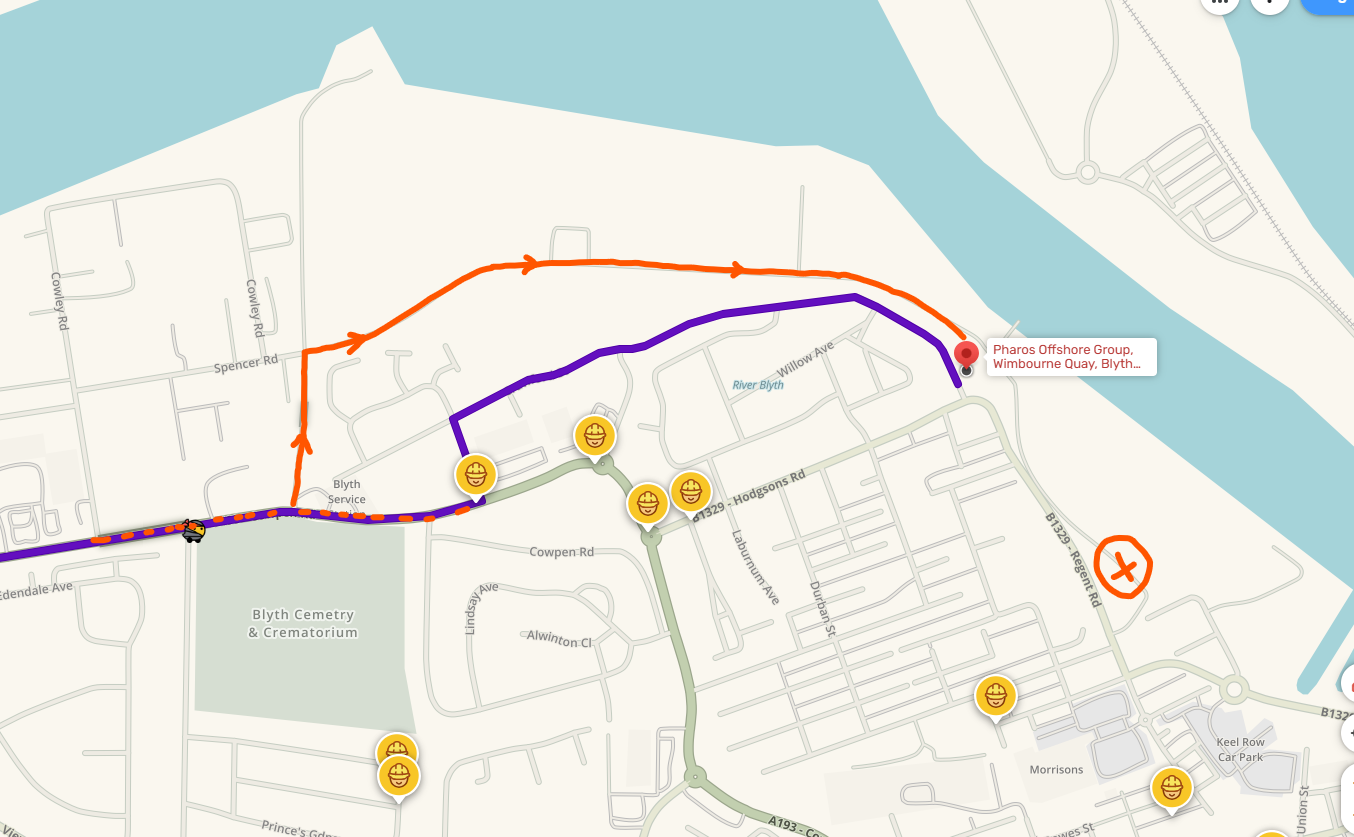
On the attached screenshot, the purple line is Waze’s default route. The drawn orange line shows the only road that provides access. The port road does extend past our offices to the east, but there is no access to the main road - in or out.
Please help me fix this!
[Edit: I now see the Cross is a break in the road and not where the business should be ]
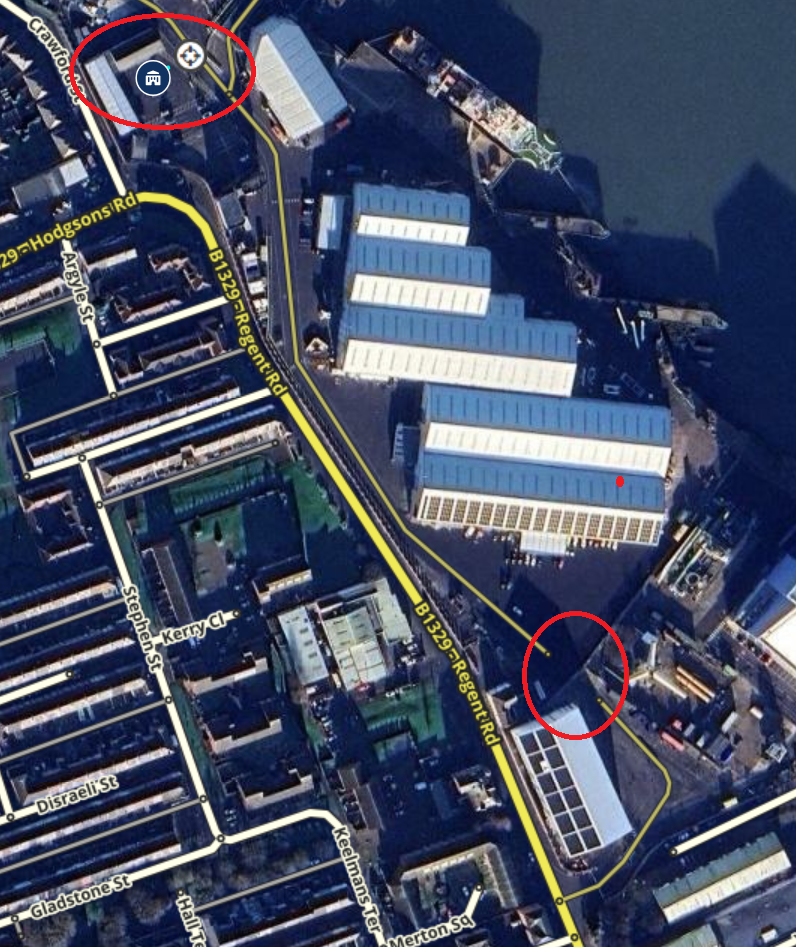
I have now updated the map, I have placed the business at this point and forced an entrance from the port road, and I have placed a break in the road at the southern end where you had a cross on the map.
The changes to the map should reflect in the app after the next map build which usually takes a couple of days (but occasionally can take up to a week).
Amazing, thank you. Correct re. the X, it can be considered a break in the road. Will return to this thread in a few days to confirm the map update!
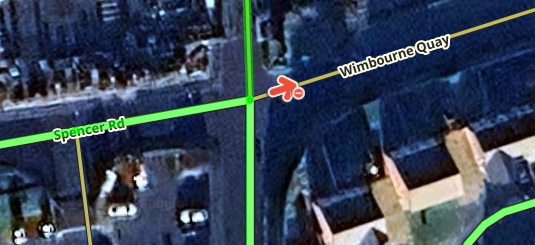
Should have been reflecting already, so was surprised it wasn’t. Digging further, found another mapping error over by Spencer Road, so I’ve fixed that one too, unfortunately needs another map update which again should be done by Friday but can occasionally take longer.
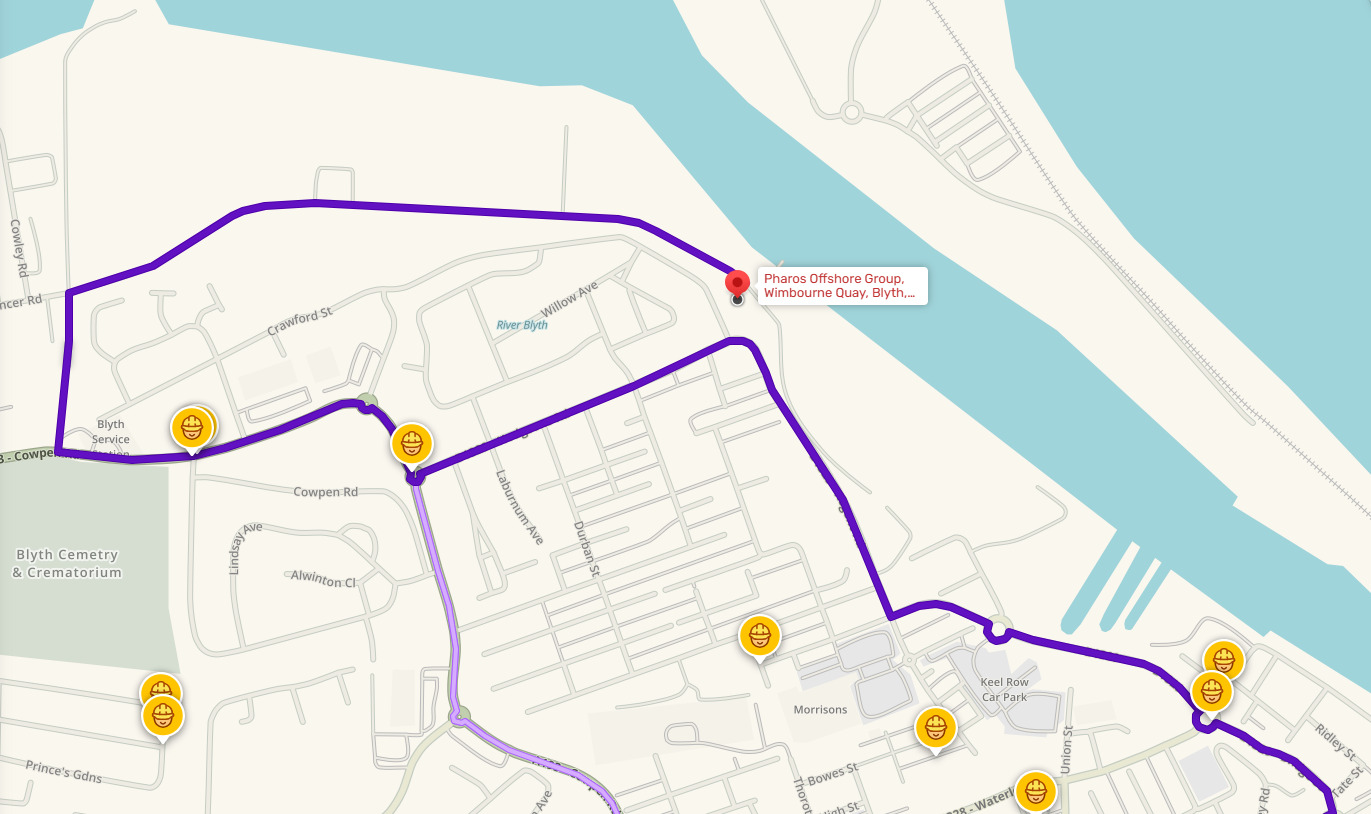
Looking good on the web map! App directions seems to be working now also. I tried directions for some of the other businesses in this part of the Port, they’re routing via the main entrance now also which I’m sure they’ll be pleased about.
Thanks again, this will make it much easier for people to navigate to our office!