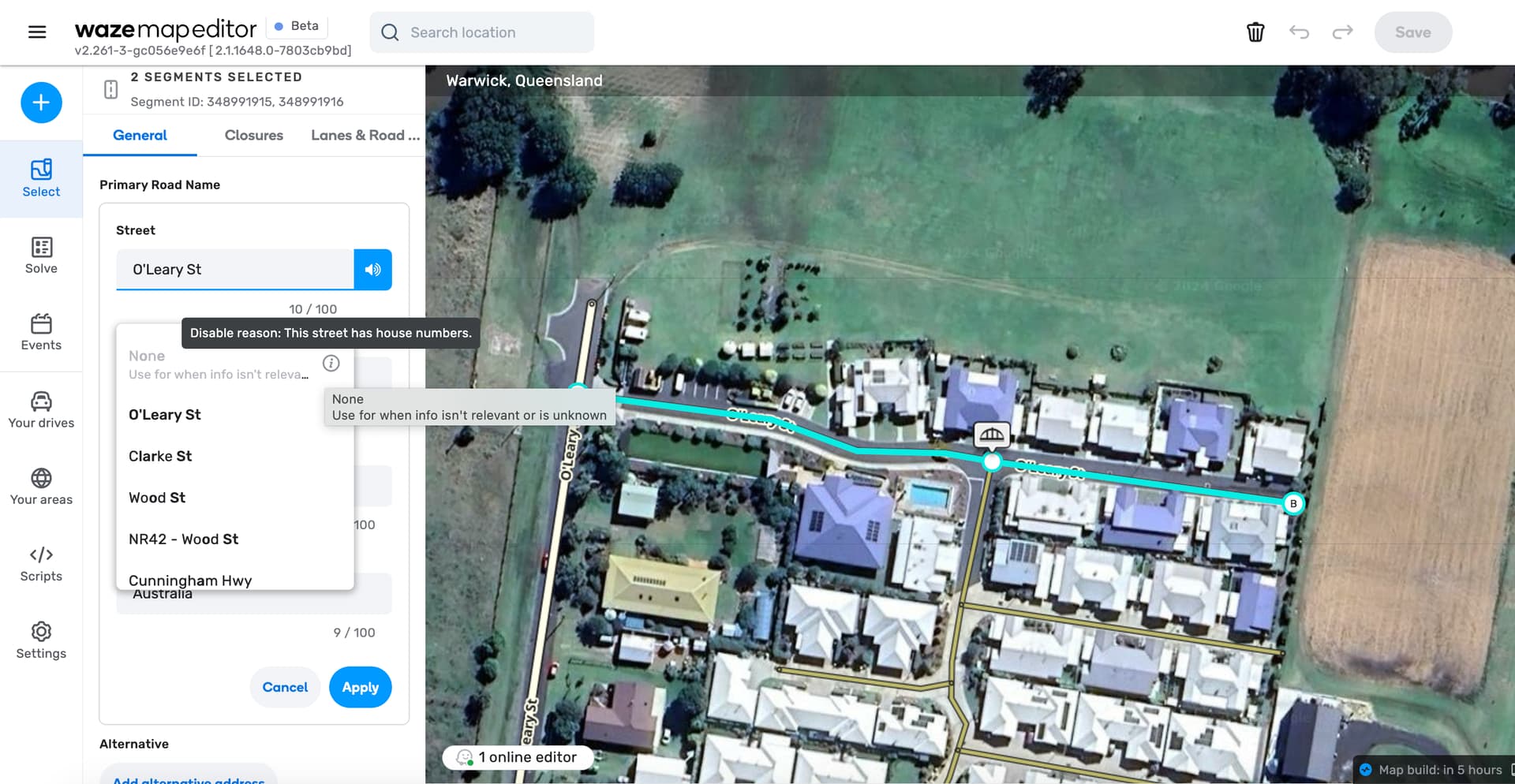
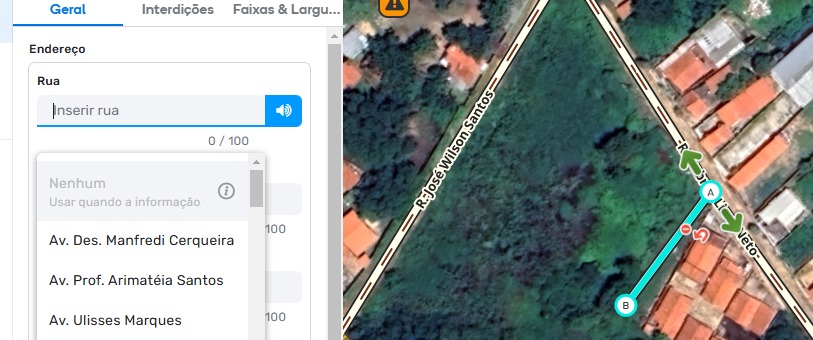
There are 2 segments which I cannot change the name to “none” for as it says they have house numbers. Yet house numbers do not appear to be mapped on either segment. This occurs in both beta and prod.
Select a street segment that has a name and also has house numbers;
Try changing the street name to “None” and you will notice that the “None” option is disabled, with the information that this happens because the segment has house numbers;
4.1) What was the procedure then? Delete the house numbers linked to that segment, and then you would notice that the “None” option would become enabled again.
4.2) However, I noticed that this solution 4.1 is no longer working. The “None” option remains disabled, even if you delete all the house numbers from the street.
I did a similar experiment, this time with a street that never had house numbers. In this case, the “None” option is enabled, which allows deleting the street name as desired.
So, what is the problem then?
Simple:
a) Before, the blockage for deleting the street name considered the CURRENT existence of house numbers;
b) Now, the blockage considers the PAST existence of house numbers, at any point in history, even if those house numbers have already been deleted.
In other words, the blockage is even considering numbers that have already been deleted (“ghost” numbers). With this, once any house number is placed on a street, it will NEVER again be possible to delete the street name.
Could you please elaborate on if anything was done with the segment before trying to change the address? Like add, delete, move, update or anything else.
I was in the middle of an editing sessions so I would have done many things beforehand, however, I had not made any other edits to the segments when I tried setting the street name to none.
Unlike what @paulogustavoPI found about historical house numbers, all the segments affected in my test area have never had house numbers mapped. So I am still unsure about what exactly is causing the issue as some other segments in my test area which have had seemingly the same edits done to them are not experiencing the issue.
Hi Darya, I seem to have figured out the cause of the issue. I can consistently reproduce it on any segment if I zoom into zoom level 19. It sometimes occurs still if you zoom back out to level 18 but not any further out. Occasionally it doesn’t occur at zoom level 19 but clicking the refresh button will make it occur again.
Steps to reproduce:
Enable the “House numbers” layer from the map layers menu
Zoom into zoom level 19 either by scrolling or using the zoom buttons
Left click on a segment to select it
Left click on the primary road name field to open the address editor
Left click on the street field
Scroll up and notice “None” is not selectable with the message “Disable reason: this street has house numbers”
Note: if the bug does not occur, click the refresh map button and start again
I’ve recently come across this issue where “None” selection is greyed out a few times. Found a few ways to activate it, either do some other change to segment like geometry, save and after that “None” is enabled or if that doesn’t help add some other street name to segment, save and then you can change it to “None” and save.
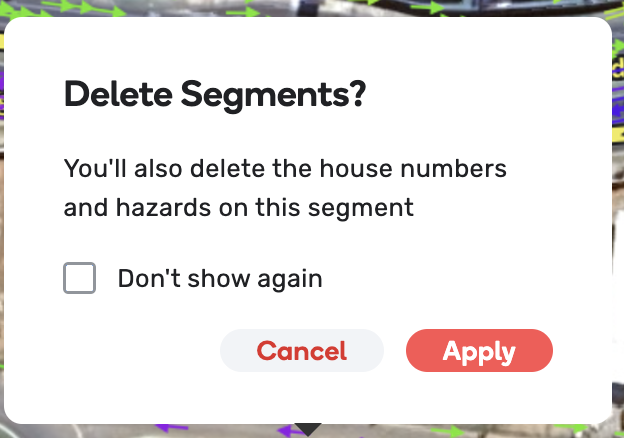
Hi Darya, this is also related to another issue I’m experiencing when deleting a segment where I get a popup warning me “You will delete the house numbers and hazards on this segment”. This popup only appears under the same conditions; zoom level 19+ and house number layer on. So it appears to be caused by the same underlying bug.
As a workaround, you could try to just delete the streetname (just empty the field) and then click apply. That has worked with me, even when None was still greyed out.
Thank you for your input! Could you please provide more context as to when it is greyed out? Is this disabled at a specific zoom level, HN layer on/off? Have you checked that both in prod and beta?
A fix has already been applied to beta.