As mentioned in the Waze Community Wazeopedia > Community Hub Wazeopedia article on the Crisis Response Process and FAQs, a critical part of the Waze crisis response process is the population of available Shelter locations & Donation centers to aid those in need when a crisis strikes.

 This article is under construction, but the information included is good enough for now.
Methods to add Crisis locations
One method to populating crisis locations is through the use of a staff-provided pin spreadsheet. However, this process does have some drawbacks, including the delays introduced by relying on a third-party to push the locations out to the map.
Alternatively adding the crisis locations as Places directly via the WME can eliminate this delay. Additionally, the crisis places can be disabled at the conclusion of the response, and preserved on the map for future use.
How to add a crisis Place via the WME
A crisis location is added very similarly as a normal point Place:
- Enable the Places layer and Public sublayer on the Map layers munu.
- Click the “plus” button on the top left of the WME, navigate right & down to the Place option and Crisis locations category.
- Click Shelter location or Donation center as appropriate.
- Click on the map where you want to position the Place (usually at the curb near the front entrance).
- Completely fill in the fields in the left panel with all the necessary information on the General and More info tabs. See below for Crisis specific guidelines
Adding info for crisis places
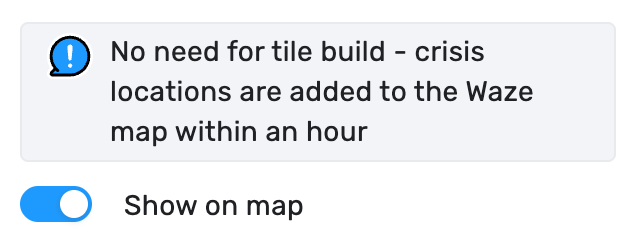
- Show on map: This toggle is what pushes a Crisis location to the map. Only enable it when the location is open to the public, or will be open imminently.
The “Show on map” toggle will cause a crisis location to appear on the map almost immediately. The location will also appear in search immediately, if the Place has previously been indexed.
 If the Place is new, it may take up to 24 hours to be indexed for search.
- Address: Please include a full address, and match the source documentation as best as possible.
- Name: The name should first include the type of shelter/location being advertised to users. Then, after a hyphen (-) you can add the formal name of the hosting/encompassing building/place. You may also choose to add a qualifier in parenthesis if there are special considerations for that location such as pets allowed, women only, men only, etc. For example:
- Emergency Shelter - Anycity Town Hall
- Winter Shelter (no Pets) - Villageton Community Center
- Sandbag Distribution Location - Main St & Cross Ave
- Alternative names: This field is not shown to users, but can be helpful for search optimization.
- Categories: Do not add any additional categories. Crisis locations should stand alone, and be separate from their host venues.
- Description: Include any information crucial for those experiencing the crisis. If there is information that would EXCLUDE any of the public, consider noting it in the Name field.
- Lock: By default, in the United States, Crisis location Places are locked to Rank 4 editors or higher.
- External provider: DO NOT link Crisis location Places to the host venue on External providers. This could have negative implications for users.
- Website: Use the URL for the agency/organization which has stood up the crisis location for the ongoing emergency.
- Phone: If there is a direct phone number listed in the source documentation use that, otherwise a phone number for the agency/organization organizing the shelter or distribution location.
- Services: Apply as available at the crisis location.
Always check “Customer parking” (as appropriate). Nearby PLAs are offered to users, and non relevant results may be shown if the crisis location doesn’t have Customer parking checked.
- Hours: List the hours for the crisis location listed in the source documentation, or 24/7 if the crisis location is assumed to be available throughout the activation.
Tips & tricks
- It’s a good idea to maintain a spreadsheet of Crisis locations by region/state, including Permalink and a column indicating if the location’s “Show on map” toggle is enabled.