Getting Started With Transifex
-
Go to Transifex
-
Log in with your username and password
-
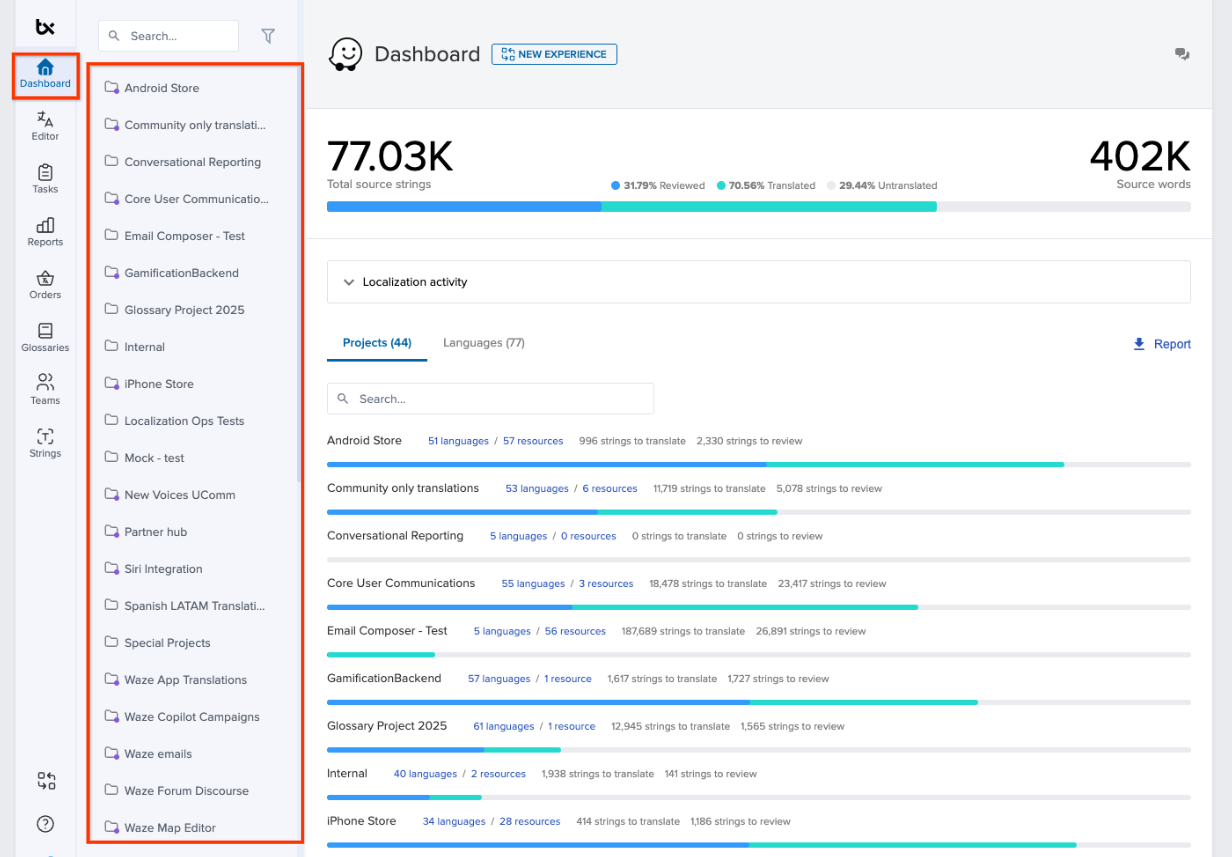
Click the Dashboard tab
-
In the sidebar, select the project you’re working on
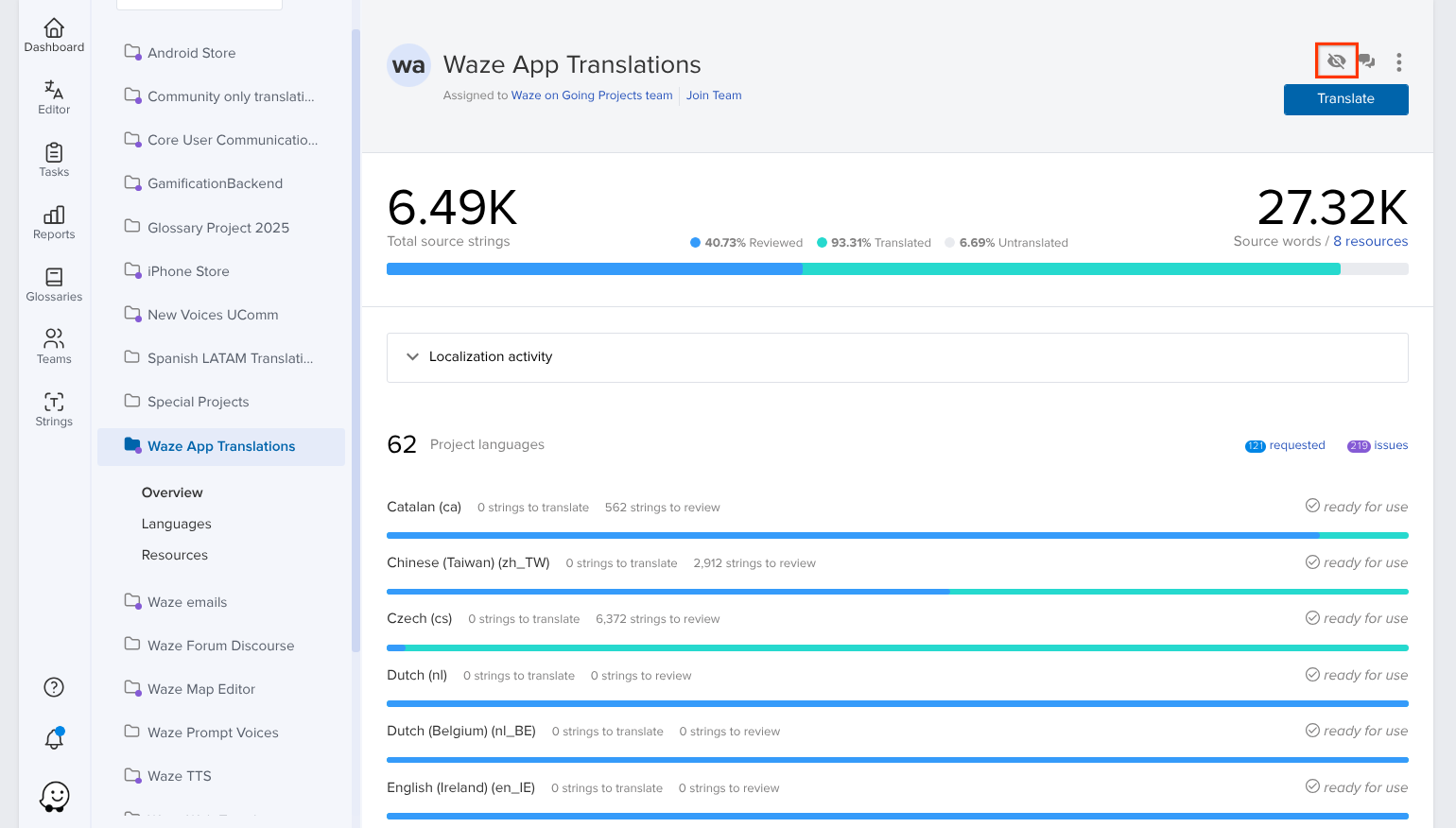
Tip: Click to get inbox notifications when there are new strings to translate.
-
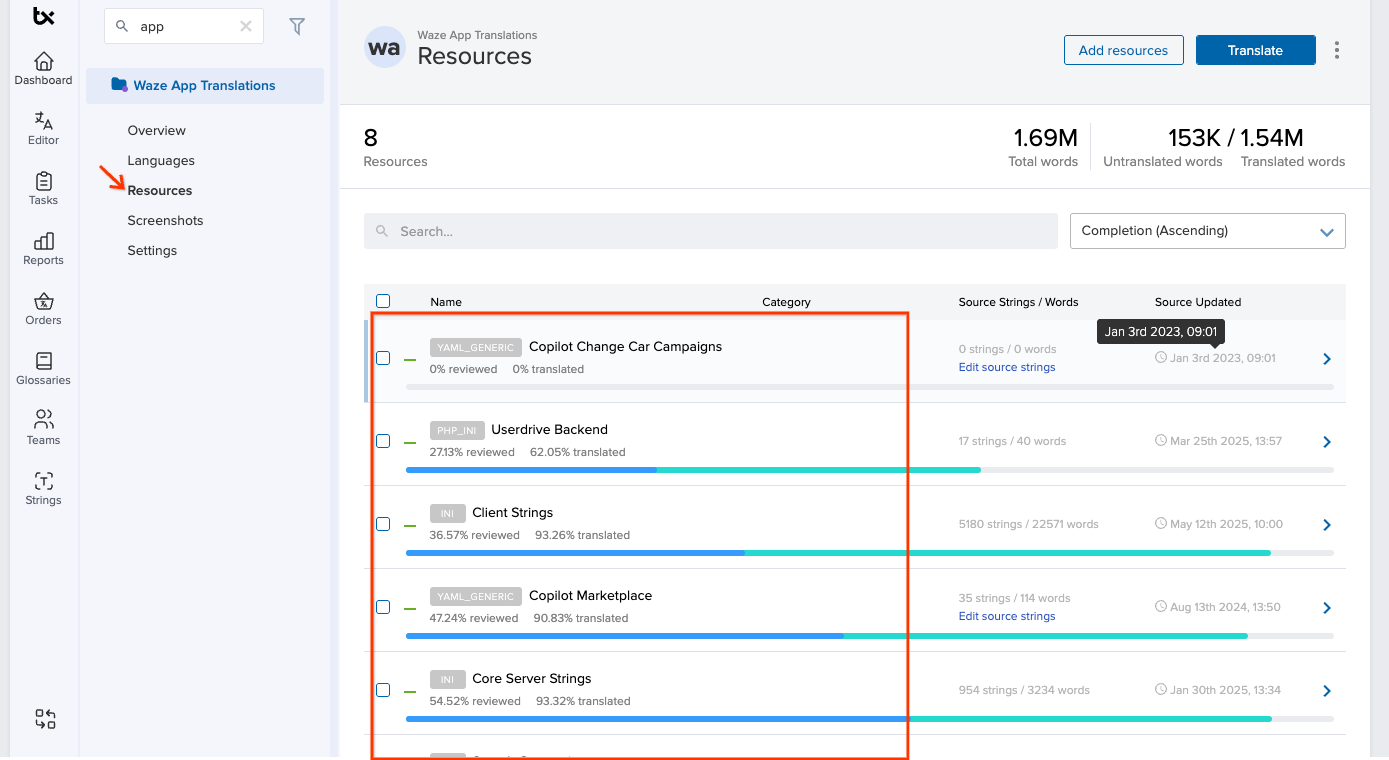
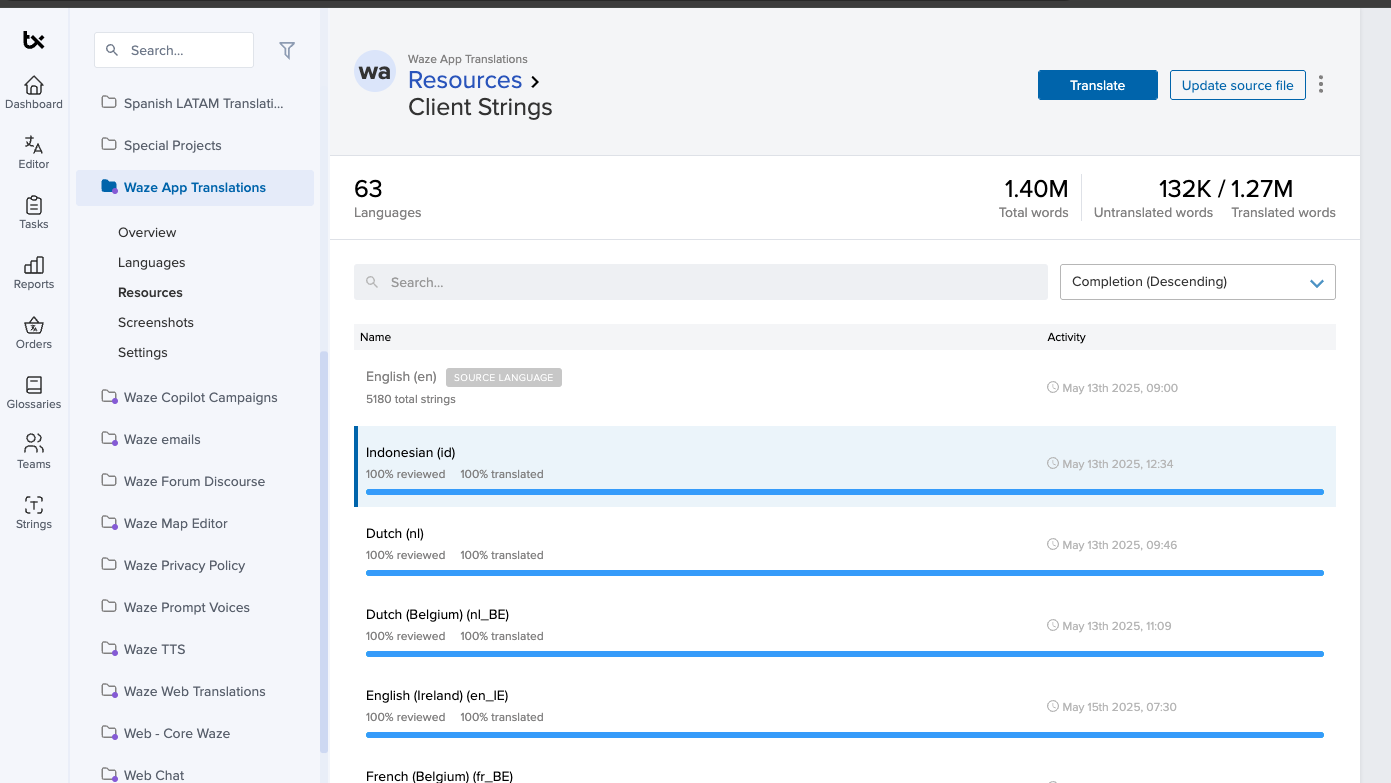
Click Resources
-
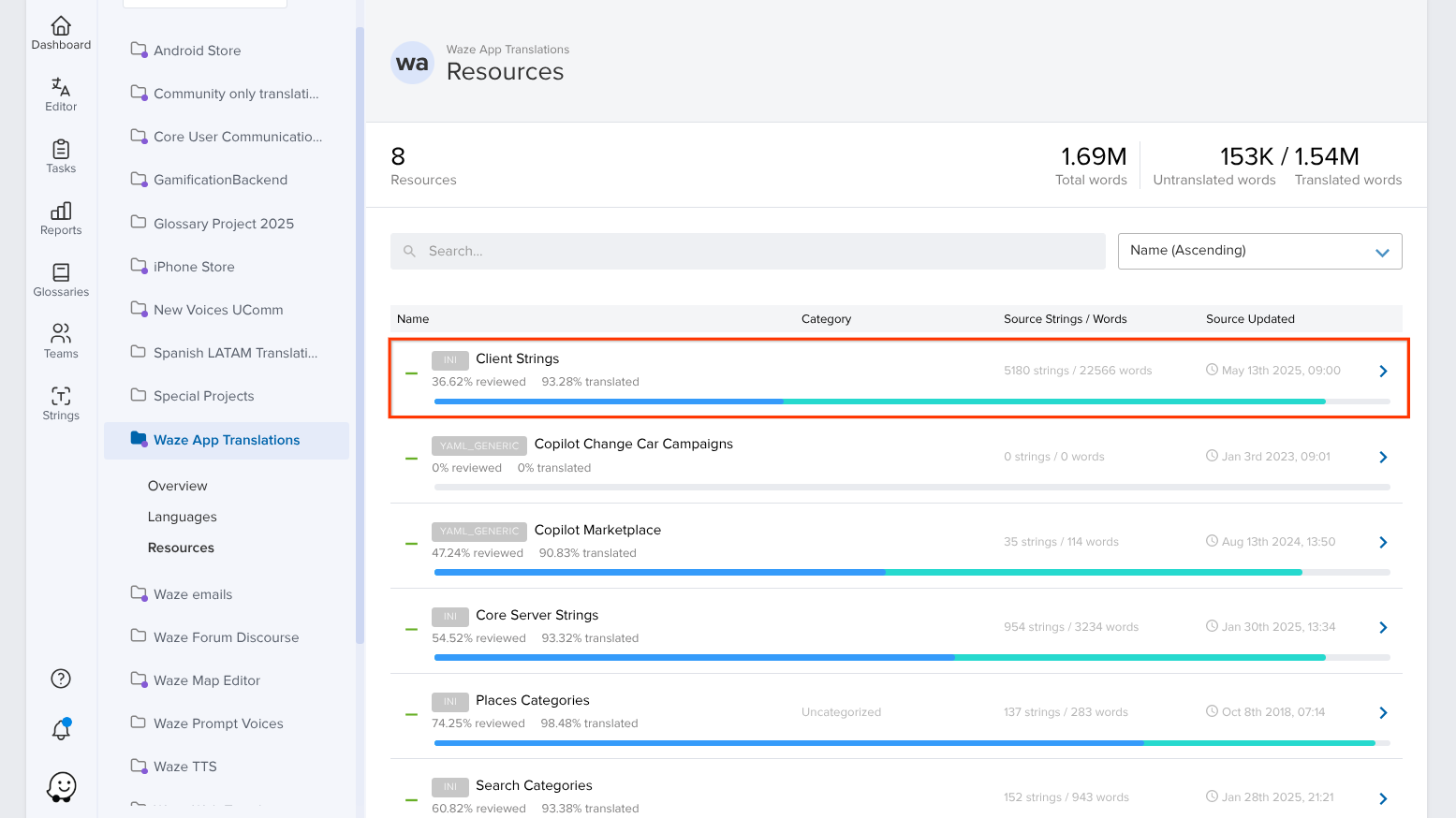
Select the project you need to translate
Note: Any resource that isn’t 100% complete has strings that need translation. The blue bar indicates the percentage of strings reviewed. The green bar indicates the percentage of strings translated. You can also hover over the colored bars to get a more detailed breakdown.
-
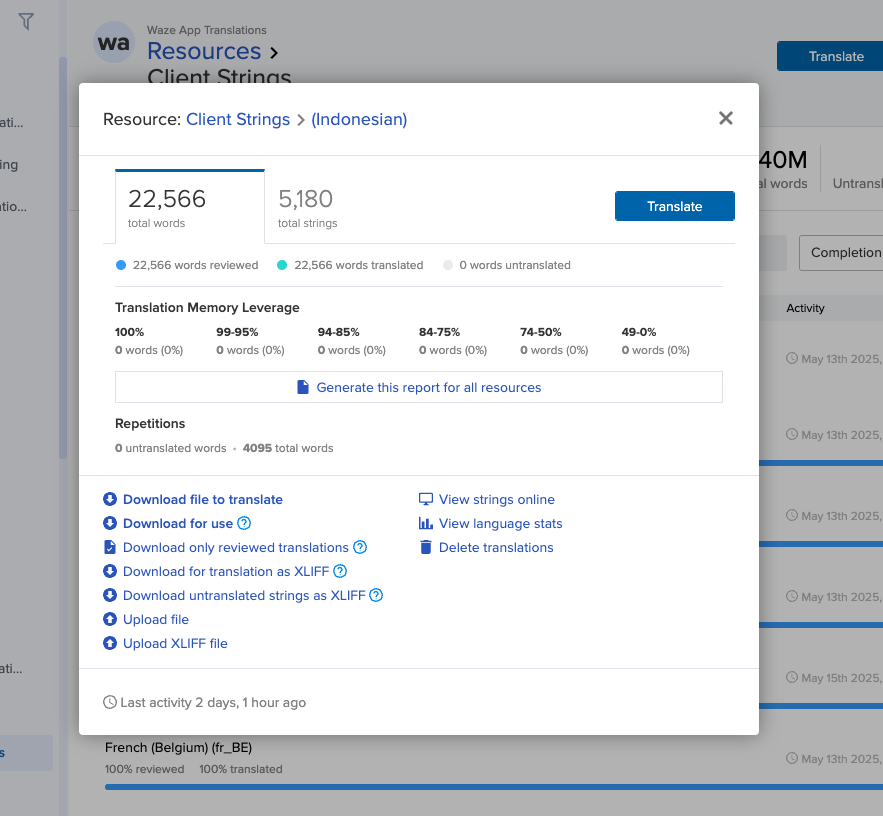
Select the language you need to translate into. A pop-up window will appear.
-
Click Translate. You’ll be directed to the web editor.
-
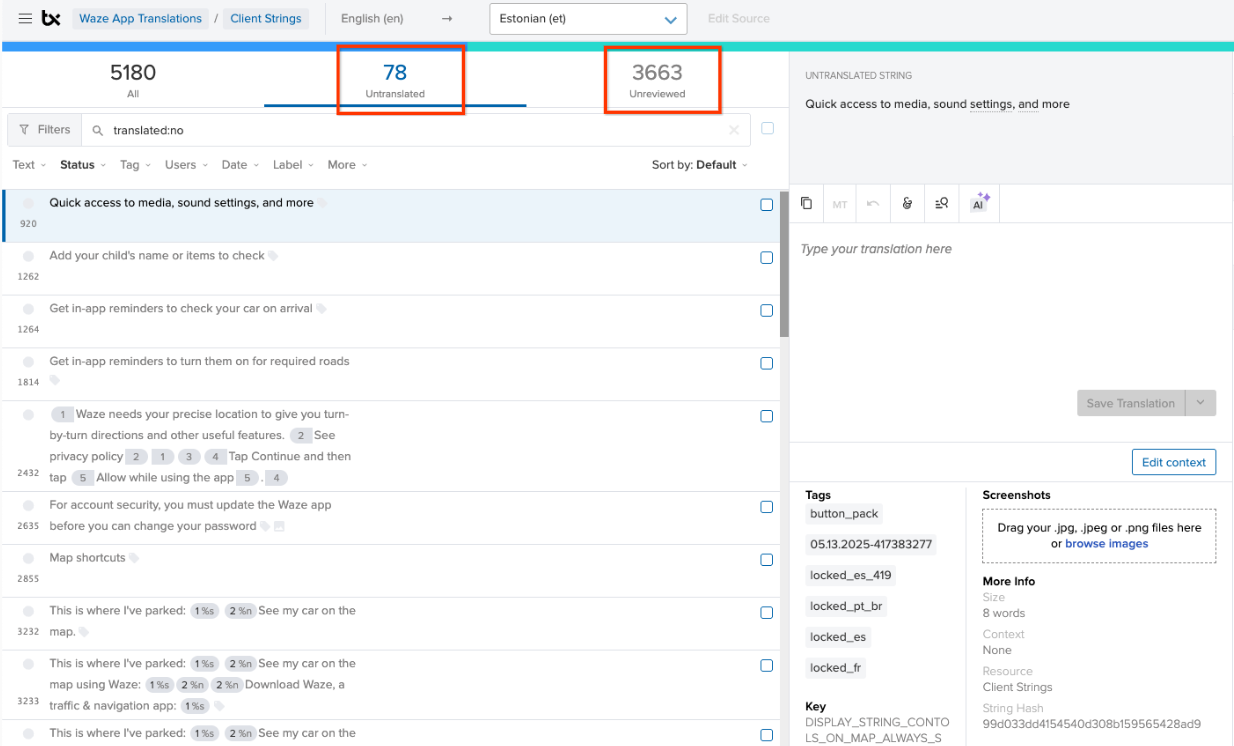
Translate the relevant string
Tip: Click the Untranslated tab to view the untranslated strings for the resource. Click the Unreviewed tab to view unreviewed strings.
-
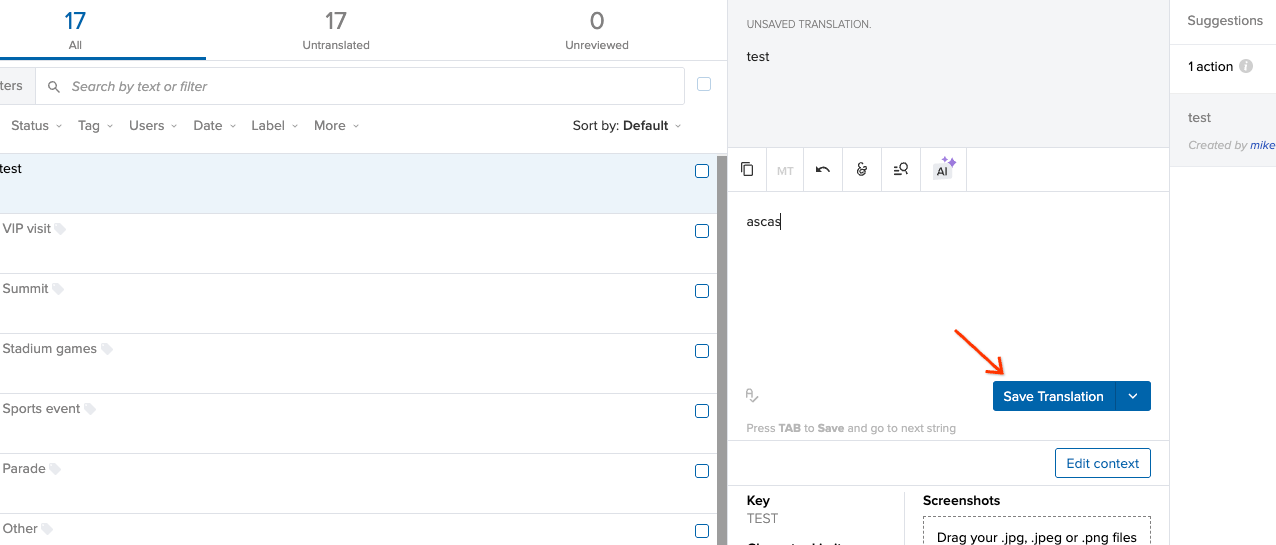
Once you’re done, click Save Translation