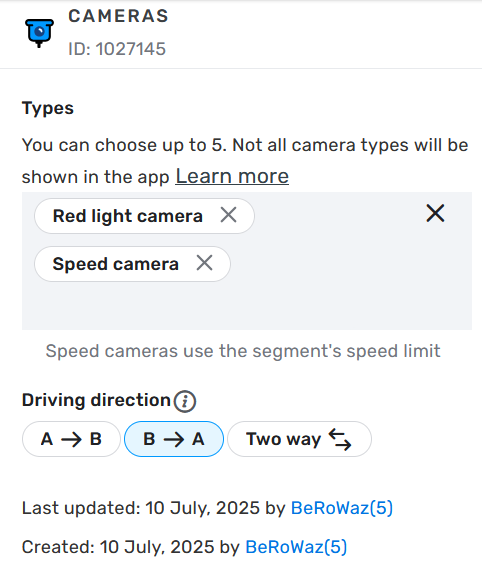
There is a new dual purpose speed and red light camera on High Street, Wargrave. The camera, Jenoptik Vector SR, is capable for dual direction speed (and obviously single direction red light) although there is no definitive information whether it is indeed monitoring both directions. I’d go with yes for now.
The road is locked to level 4. Having been away for a long time I’m level 2 and not interested in an unlcok, happy for another editor to add the camera.
Precisely, the camera is located in line with the North facing van (left of the satellite image) and also faces north. Speed limit for the road remains 30 mph.
Permalink: https://waze.com/en-GB/editor?env=row&lat=51.49973&lon=-0.87025&marker=true&zoomLevel=21
Local police press release: https://www.thamesvalley.police.uk/news/thames-valley/news/2025/july/07-07-25/new-red-light-cameras-to-be-installed-to-boost-pedestrian-safety-at-high-street-wargrave/
I have added a camera northbound at The High Street junction with School Lane, Wargrave
Thanks. Any thoughts on the camera being technically capable of 2-way speed enforcement and therefore mapping speed enforcement southbound from the crossroads to the location of the camera as well? I’m not up to speed (excuse the pun) with the latest mapping standards for these mutil-purpose potentially dual-direction cameras.
I don’t think I’ve come across a camera that can do red light in one direction and speed in the other, that would be unique circumstances. Not going to rule it out as a possibility, as technology keeps changing every day, however reading the police press release, they call this a speed on green, which implies it only enforces speed in the direction of the traffic light (which would match all other speed on green lights I’m aware of). I’m sure if this camera had the capabilities of doing both directions, their press release would have reflected that.
As for mapping it, if we do get info that this does in fact do two ways, all I have to do is press the two-way ⇄ button