NYC recently announced the addition of 700+ speed cameras, some will be permanent, the others in parked cars. My question is two fold, first why aren’t the new cameras showing up on Waze, as I for one have been noting the same camera for weeks now yet it still hasn’t showed up on the map? The second part of my question is how do we alert to the temporary camera locations that are typically hidden inside a small white transit van with antennas and stuff on the roof? I am not sure if all of the boros are not updating as fast as the cameras are going up but I know first hand it’s a problem on the Staten Island map.
We are adding them as quickly as we can. It takes time after we add them on the editor to reach the app. If you have a list of specific cross streets you’d like us to make sure of, I’d be glad to look over your list.
In regards to temporary ones, there is not much we can do. By the time we get it added to the app, it may very well be gone.
As Juliansean mentioned we are trying to add these as quickly as we can. Unfortunately there’s no official list of locations so we can only add them when they’re reported to us, then they take a few days to reach the app. As for the temporary ones we do not map these at all, as previously mentioned they can be moved before it reaches the app and there is absolutely no way to track them.
Hi Happy,
We also can not use Third Party info to add them to the Waze map.
So we need first hand reports from Wazers to set up the location.
You could help us with this bu giving us the locations, or by, with our help, adding them in the Waze Map Editor yourself.
I have added 4 in the pass to months that have just been installed along my daily driver.
As for the moving cars, we have chosen to use the hidden police report in the app as a way to ID the moving car speed traps.
Unfortunately not everyone knows this.
Please feel free to write back, and if you would like get more involved with the Volunteer Map Editing Community.
Thanks John
Thank you for the quick response. Do I come back to your response to advise of new camera besides sending a notification through the app?
It would be best here because of the number of false reports we get from the app we could mis it.
But I would say for you to report from the app so the GPS location is correct, then let’s know here as well.
With that we should be able to get them updated as quickly as the map updates go through.
Thanks John
Staten Island, one of the 5 boros of NYC is barely showing any Speed Cameras in Waze. We have become inundated with Speed cameras on almost every other block. We are all adding them to Waze, but it seems Waze is still not reporting them almost 2 months later. When can we expect proper reporting of Speed Cameras on Staten Island? People are getting slammed with tickets…
We, the volunteer map editors, are adding them to the map as fast as we can across the city. Unfortunately these take time to verify their location and accuracy before pushed to the map. NYC does not do a great job publishing these to make it easier for us so sometimes they take longer than usual. Also remember it is the drivers responsibility to make sure they are following all posted speed limits and other laws of the road, whether in Waze or not. If you come across a camera that is not listed in Waze that you think should be please feel free to submit a photo of it and it’s identifiable location to us via WazeNewYork@gmail.com and we can look into them on a case by case basis.
I have emailed a list of definite speed cameras on Staten Island. I totally understand that we must obey the speed limits, but going over 3, or 5 mph over the limit at times is unfair. People are staring down at their speedometer to keep from getting fined, which is causing more accidents then before the cameras. At least hearing Waze announce the speed cameras keeps more people aware of their speed.
List of Speed cameras on Staten Island, and more are being erected as we speak…
Where did you acquire the SI list of cameras? maybe there are lists for the other boroughs as well.
People of Staten Island have been compiling the list so we can have an exact listing of real cameras…
Yes, like most of the features in Waze, everything is crowd sourced by app users. The folks in SI have had a great Facebook group with picture evidence of the new cameras so we can accurately put them in the app. We have been doing our best to keep up with the great list they have provided.
One issue… Someone keeps putting a speed camera on Tysens Lane, and Amboy Road. It is near a school, but there is no camera. The speed camera is on Amboy Road, and Cedarview which is showing up in Waze. I keep hitting not there when I get the warning on Tysens, and Amboy… The camera is Not there…
Hi! I saw nobody got back to you about this speed camera near Monsignor Farrell High School
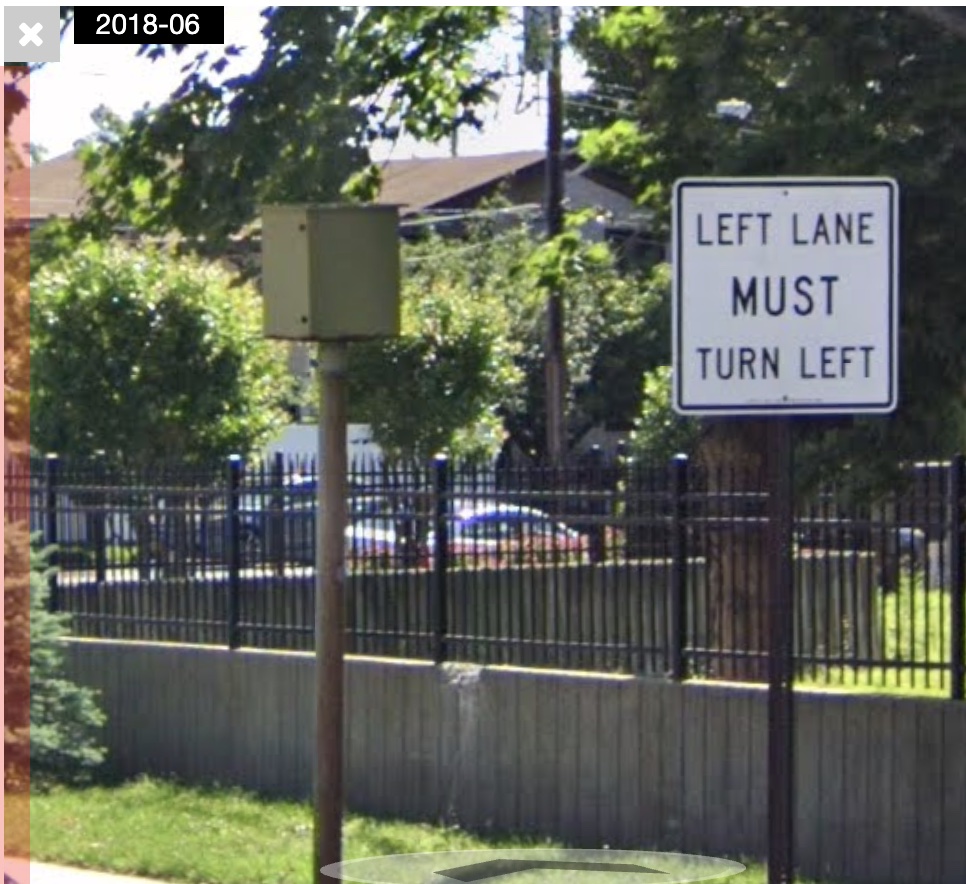
Street View from 2018 shows that there are “photo enforced” signs in the area, and I see a camera facing east near the corner. Is this camera no longer there?
Hitting “not there” in the app actually has no effect. It doesn’t even produce any kind of notification. I don’t know why the waze team has left that feature in the app.
Here’s what it it would look like as you drive up to it on Amboy Rd, approaching Tysens Lane,
and what it would look like in your rearview.(unavailable attachment: Rearview.jpg)
I recommend you report these mobile cameras as POLICE. then input in NOTES it’s a mobile Speed Camera. It’s a Law Enforcement Camera so why not report it as POLICE then Notes…
Marking mobile cameras as police is the current guidance for New York. Thank you for mentioning that, as that was a good reminder to share the link here.