Is this a…:
Standard bug Steps to reproduce this issue:
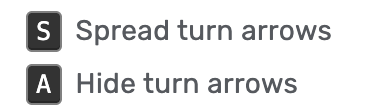
The keyboard shortcuts for Hiding (A) and Spreading (S) turn arrows are not working unless the left panel is on the settings tab.
To reproduce:
Select a segment
Have the left panel be in any tab except the settings tab.
Tap A or S to hide or spread turn arrows.
Nothing happens.
With the segment still selected, select the settings tab.
Tap A or S to hide or spread turn arrows.
Tada! The shortcuts work again.
This was tested in incognito with no scripts or extensions.
Environment where the bug occurs…:
All environments Permalink:
Anywhere on the map Browser name and version:
Chrome 141.0.7390.123 (Official Build) (arm64) Are you using scripts? Please detail which ones.:
No
Is this a…:
Standard bug Steps to reproduce this issue:
Select a segment to display turn arrows
Open “Settings” tab
Press A or S and observe turn arrow display options changing (expected behavior)
Switch to a different tab in the left sidebar, or close the tab altogether
Press A or S and observe turn arrow display options NOT changing (unexpected behavior)
Environment where the bug occurs…:
All environments Permalink:
Applicable to any location Browser name and version:
Chrome 144.0.7500.5 Are you using scripts? Please detail which ones.:
No scripts (incognito)