Hello
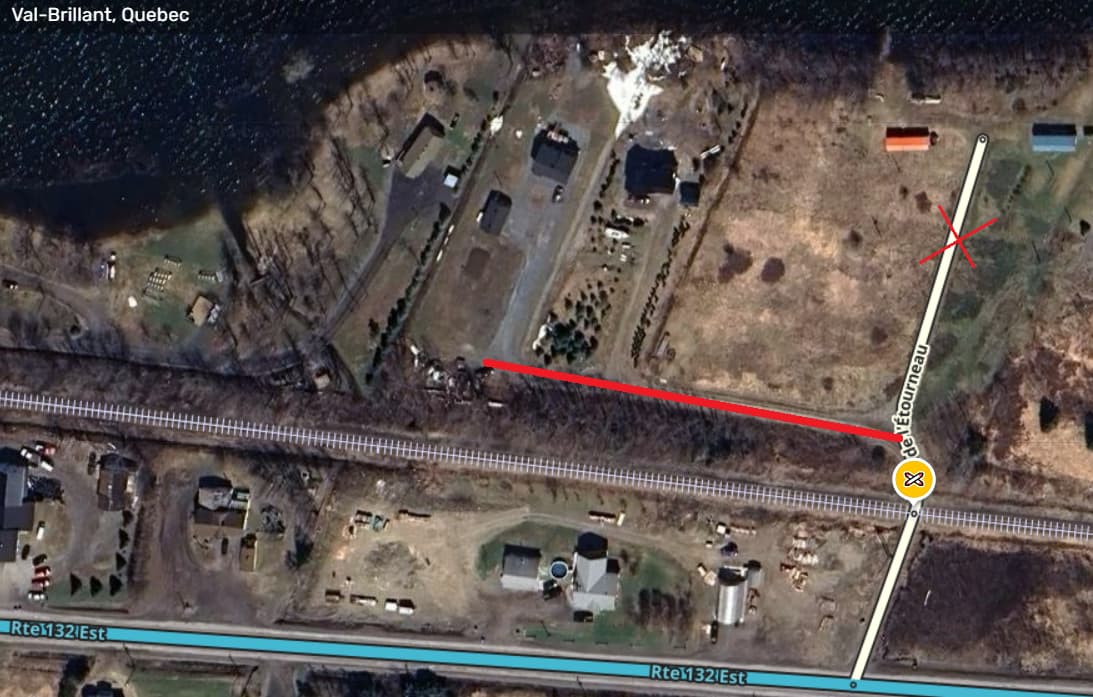
I am unable to edit those segments:
I would like to adjust the road to reflect the current road configuration. Thank you
Hello
I am unable to edit those segments:
I would like to adjust the road to reflect the current road configuration. Thank you
Hi there!
Those segments are already L1. What are you trying to correct?
Also, pro tip: you can select multiple segments when you hold the CTRL key, so you can combine them in one permalink. 
Hello
Thanks for the tip.
When I try to edit those segments I got error “That change isn’t allowed at this time and won’t be sent for review”.
I want to adjust the road to reflect the current road configuration because the orientation is incorrect.
I would like to edit Rte Pouliot in Sayabec, QC as well. It’s locked to level 1 but I get the same error.
Thank you
There are some basic limits in place when you’re a brand new editor. Things like 10 (or 20?) edits per day. Can cut segments, things like this. They’re removed once you hit R2. How long have you been editing AMQx1?
Hello
I am still a Level 1 editor. I can’t edit those segments after 2-3 days without editing. So it’s not related to the limit.
I think the issue come from the railroad. Those 3 segments are linked to a railroad hazard. And I don’t have access to that.
It’s been updated. Please mark as solved. Thanks.