Is this a…:
Standard bug Steps to reproduce this issue:
Load your WME Editor Profil Page and look at the map (zoomed out)
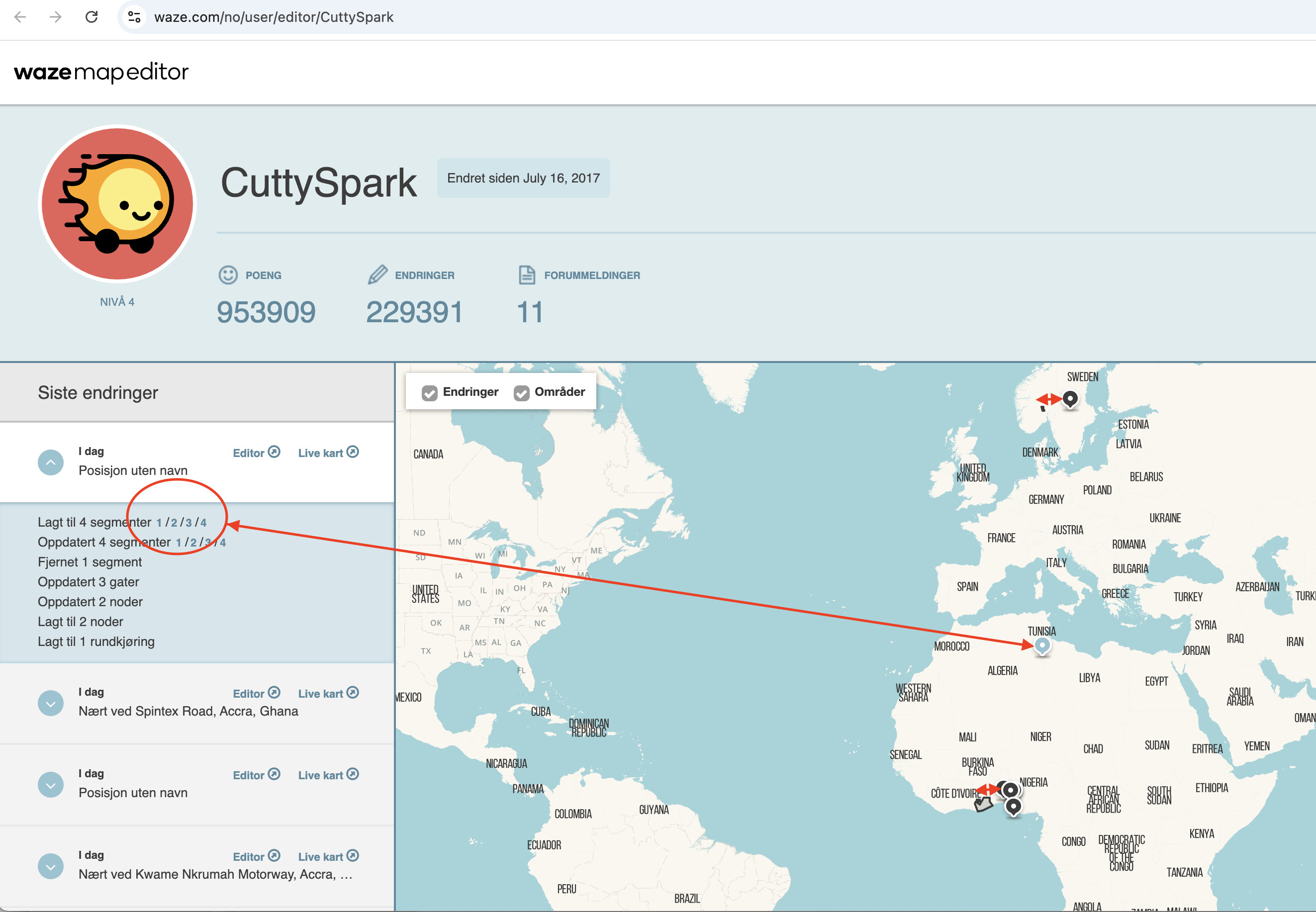
The map shows locations where I have edited. In general, the position of the edit has an easterly offset. E.g. if I have edited in Norway, the location seems to be in Sweden. If I have edited in Ghana, the location seems to be in Togo or Benin. This has been a problem for several months, perhaps a couple of years.
But today I saw an edit apparently in Tunisia. I have not edited in Tunisia for a long time. Upon examination, edit number 1 is in Norway!
(I only edit in the ROW environmentI
Environment where the bug occurs…:
ROW Permalink:
Browser name and version:
Chrome MacOS Versjon 131.0.6778.109 (Offisiell delversjon) (arm64) Are you using scripts? Please detail which ones.:
Waze Map Editor - Magic
WME Advance Closures
WME Junction Angle Info
WME Permalink to several maps - Norwegian edition
WME RA Util
WME Route speeds (Mapomatic fork)
WME Street to River PLUS (mod)
(But the same offset is present in incognito mode without any scripts)
Hello Darya,
yes, this seems to be similar behaviour. Maybe it can be split in two issues:
General offset - all my edits are plottet somewhat east of the actual location. As you zoom in, the map will converge to the correct area, but still a little off when zoomed in.
The curious location in Tunisia. How the edit was plotted there, about 3000 km or so off the correct position is new to me, but also similar to the behaviour in the " Wme - editor profile (incorrect edit marker)?" issue.
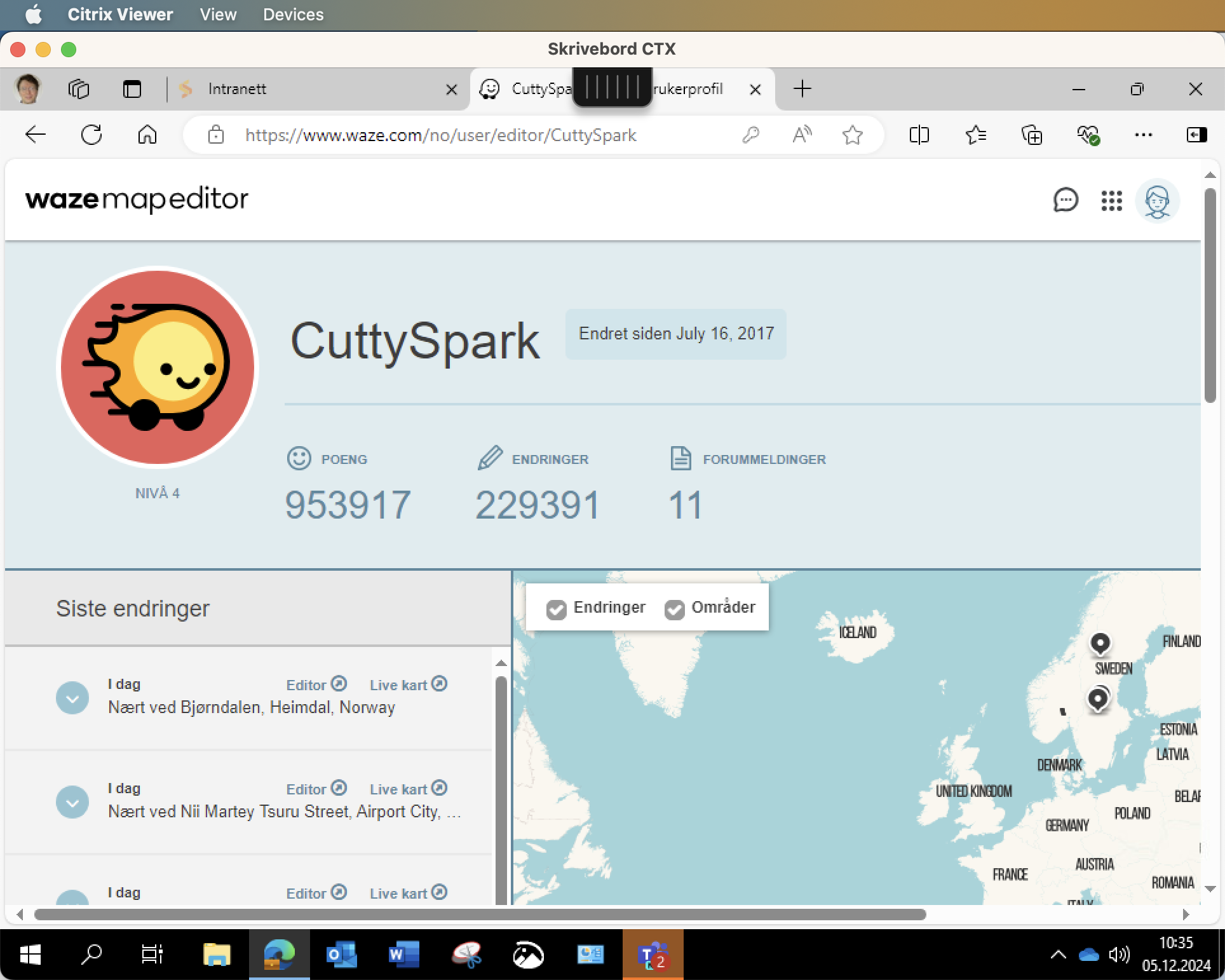
Can you reproduce the map if you visit https://www.waze.com/no/user/editor/CuttySpark ?
I just logged into Citrix and used Microsoft Edge, a browser and environmentI have never used for Waze and the same happens there.
I could of course record my screen. What would you like to see? If you can open my editor profile (which is public for all wazers) you should be able to inspect and investigate directly yourself. I think the issue is quite self-explanatory. The plotted locations on the map are wrong when you inspect them more closely.
I’ve attempted to reproduce the issue locally, but I’m encountering different behavior. It’s possible that my logged-in status or account privileges may be influencing the outcome. . A visual representation of the “small offset” you’re referring to would be very helpful in understanding and resolving the problem.
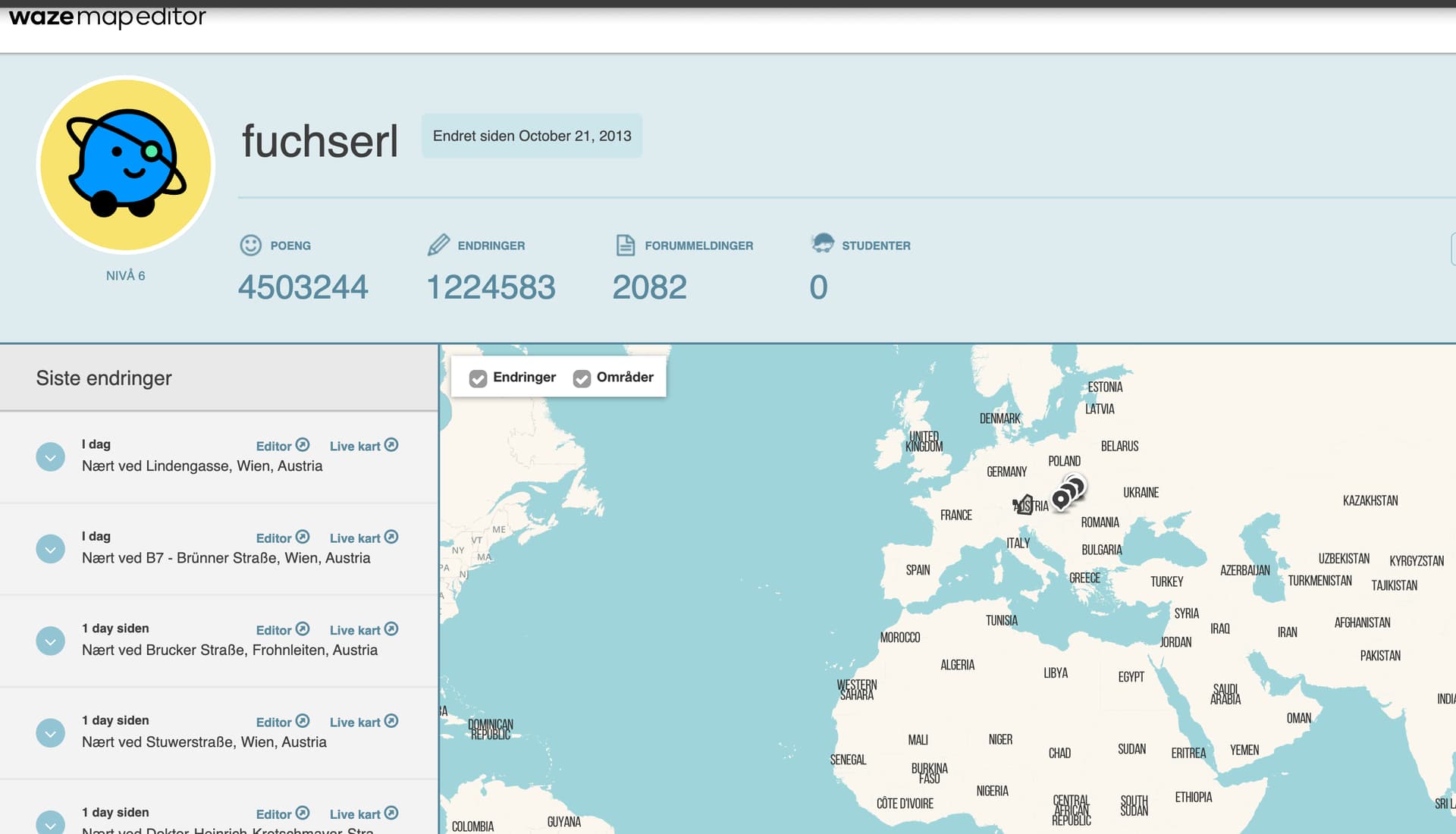
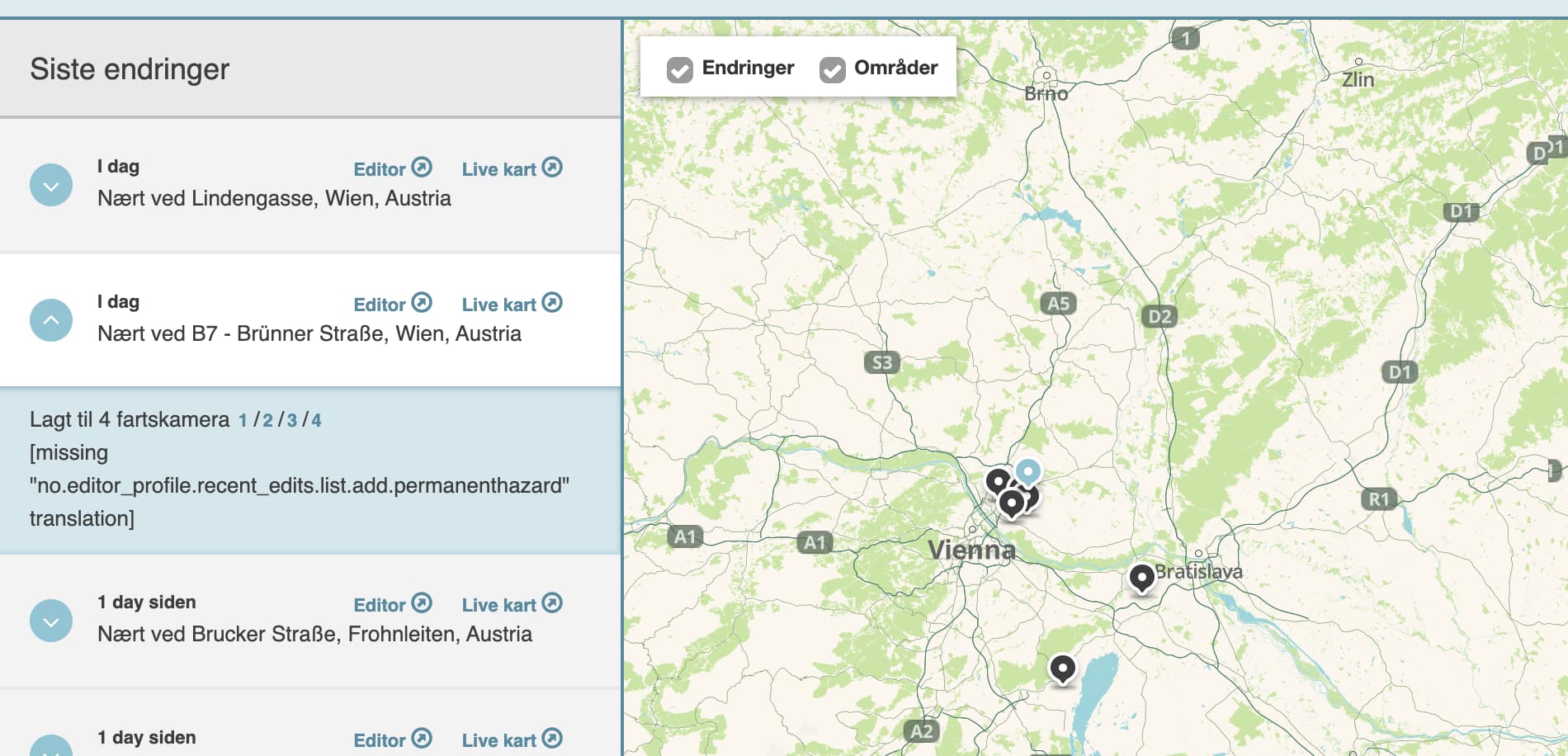
Actually, you can open ANY editor profile and see the same issue. Try https://www.waze.com/no/user/editor/fuchserl Initially fuchserl seems to have edited in Slovakia. But as you zoom in, the edits move into Vienna, Austria.
Here is a video of what I think CuttySpark is referring to.
When zoomed further out, the markers are appear to be further to the east of Austria. I think it is just a minor visual issue.
Here is my profile. All of my edits shown on screen are in Texas and Oklahoma. But when zoomed out, they appear to be in Missouri, Arkansas, and Louisiana. As I zoom in, they show in Texas and Oklahoma.
Yes, I just produced a similar video showing the shift westwards as you zoom in. I noticed this a year or two back. It should be easy to fix if you find where the position coordinates mismatch the map it is displayed on.
The second issue with edit position in Tunisia (in my case) and Algeria (in the other case) is perhaps not caused by the coordinate system. Maybe examining the “cluster” of edits the marker shall represent can reveal something.
Yes, John’s video illustrates the issue with east/west shift very well. I agree that it is not a critical problem, but it has been a sore in the eye for a couple of years. It is not specific to a particular browser, operating system or user. I think at least Waze should be aware of this problem and when looking at the issue with completely wrong position, i.e. the edits plotted in Algeria or Tunisia, it could be worth investigating both.
Yes, I’ve opened a separate ticket for the offset view of the edits for further investigation. I’ll keep you posted on the updates. Thank you both for you help!