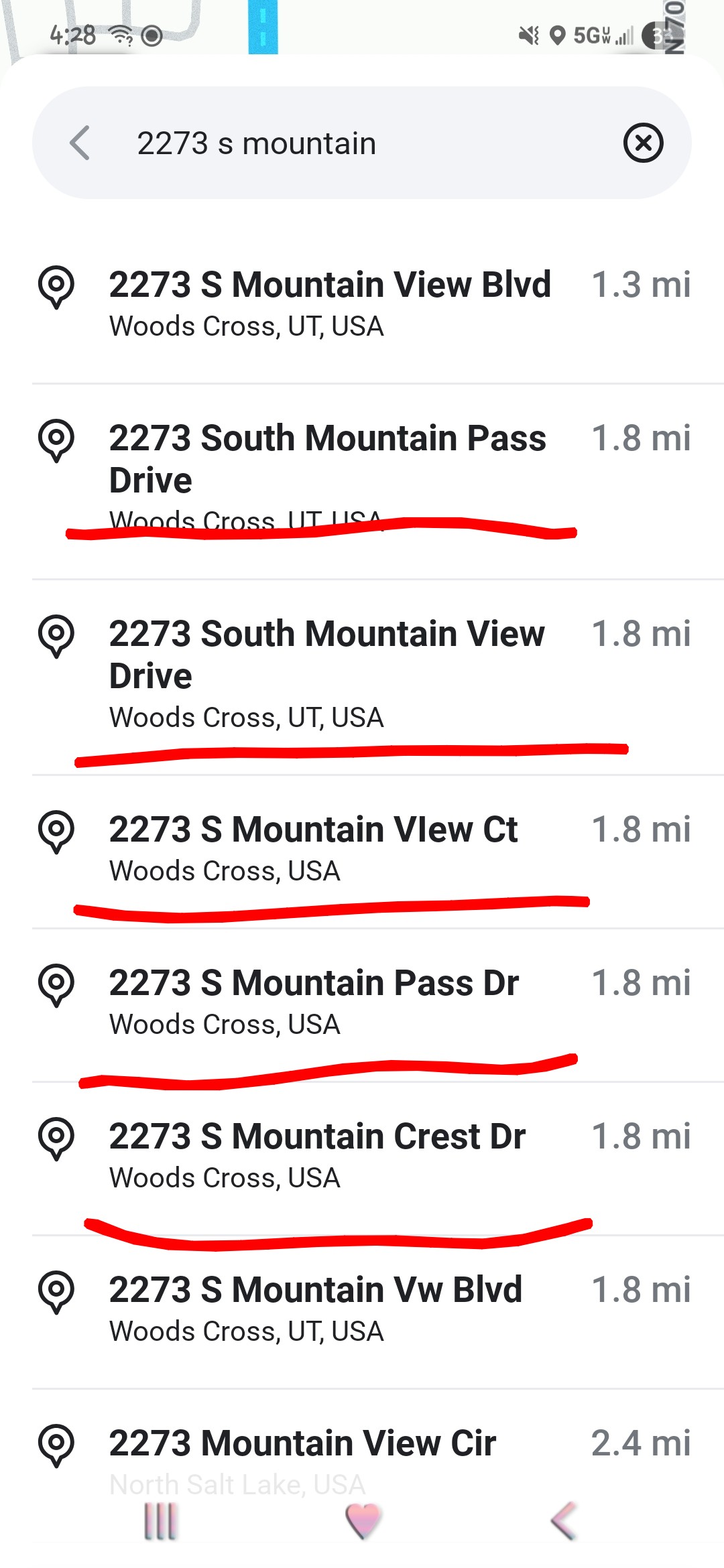
The addresses underlined in red, are incorrect
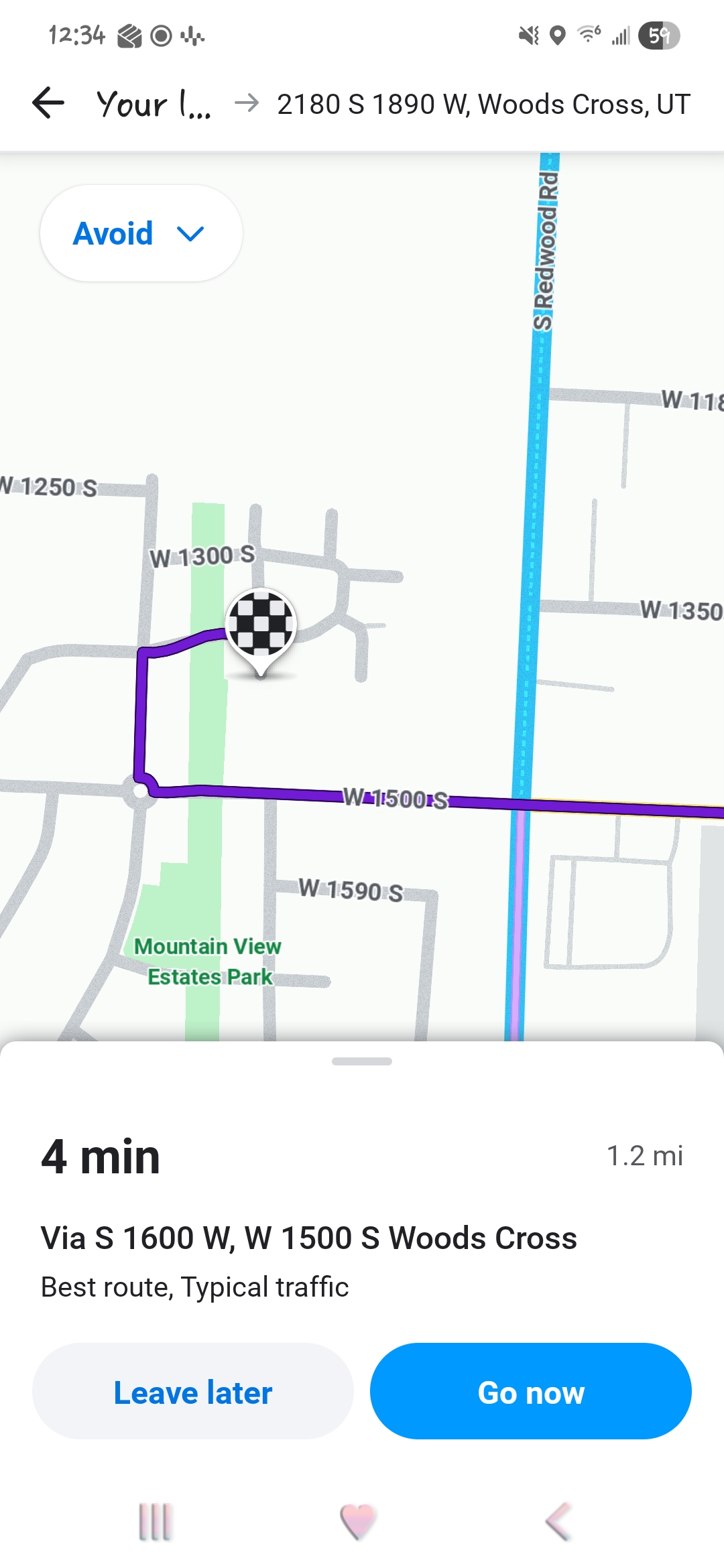
Hello @Tw1nM0m , thanks for posting the screenshots!
As I mentioned in my reply to your report, this appears to be a prime example of one of my pet peeve bugs with autocomplete search results that Waze gets from Google Maps. The list gets populated with theoretical addresses that could exist on those streets if they were extended further. We might call these “hallucinations” but a more correct term would be “extrapolations.”
Both Davis County and the US Post Office recognize the following alias street names that are showing up in your list as false matches in that HOA on the north end of Mountain View Blvd:
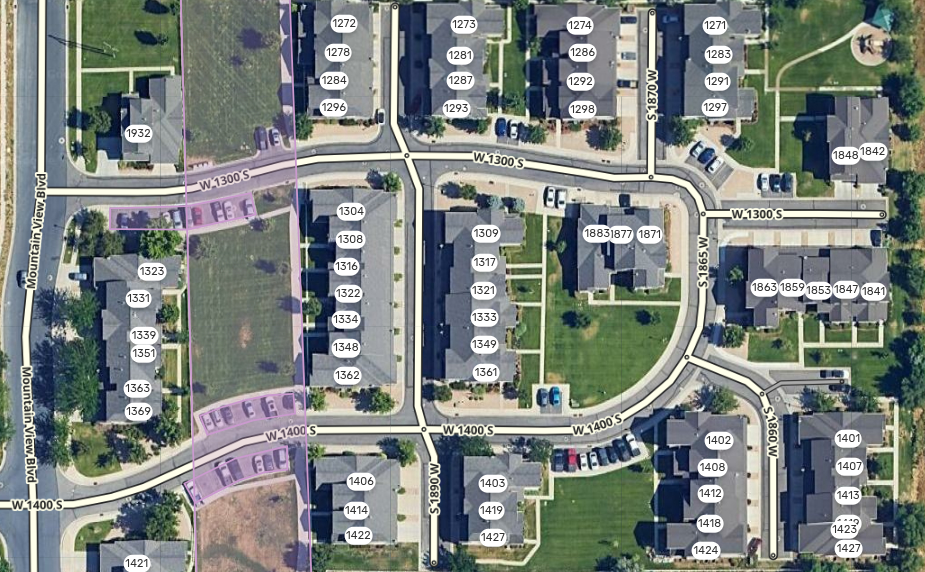
- 1890 West is also known as “Mountain Crest Dr” with house numbers in the range 1272-1427 S
- 1860 West is also known as “Mountain View Ct” for house numbers in the range 1401-1427 S. It appears Google Maps has this incorrectly named as Mountain View Dr, which I am submitting a correction for.
- 1865 West is also known as “Mountain Pass Dr” for South house numbers, though none exist
- 1400 South is also known as “Mountain Pass Dr” for West house numbers, though none exist
It’s worth mentioning also that one indicator of the search result is coming from Google Maps and not Waze is how abbreviations are handled. The Waze standard in the U.S. for abbreviations has prefix, suffix, and street type words like “South”, “West”, “Drive” and “Boulevard” abbreviated to “S”, “W”, “Dr”, and “Blvd” typically, so I can tell which ones are coming from Google.
All of these streets exist on both Waze and GMaps, but nearly all of the address results on your screenshot are bogus, except the true 2273 S Mountain View Blvd. We have all the addresses in this other neighborhood mapped correctly on the Waze Map Editor (see screenshot below where there is no “2273” anywhere), but we volunteer editors can’t control what appears in the search results.
If you execute the full search by tapping Enter or the  icon on your keyboard, you will get a more tailored list of results that usually doesn’t include these hallucinations.
I am escalating your report and screenshots to staff as another example of this bug with autocomplete search results. (Link restricted to Waze Beta testers only.)
If you have additional information or examples to share, feel free to post it here. Thanks again!