Note that following Iain’s passing, FU ceased to be developed any further, and has been replaced by FUME - https://www.waze.com/forum/viewtopic.php?t=334618
And so I did: https://www.waze.com/forum/viewtopic.php?t=380678
Hi Everyone,
We released a hotfix, v2.153-2 for the bug that added changes are saved, when reverting them, using the save stack and choosing “Remove change” .
It was reported in this forum post: link here.
Please check the behaviour on you side and share with us your experience.
Thanks in advance,
Nataliia
I don’t think this is what I am experiencing. This accelerated panning only happens when waze seems to “lag/freeze” when you try to move the map when its loading or coming out of a fresh save.
for a crude example…
when this happens and you move your mouse this far to the right when panning, click hold and move mouse
------->
it moves warp speed instead of “normal”…for example it would have moved this far to the right instead of the actual input of above.
------------------------------------------------------------------------->
Ill try to get a screen cap and post in discord
Link to the video on my Google Drive
This shows the “warp speed” panning, and the lack of being able to zoom in and out when this happens.
Then I refresh the tab and show how normal panning works and that im able to zoom in and out.
Note that you’re reporting a potential bug whilst running a bunch of scripts, so please disable everything (don’t forget about ones that install as browser add-ons as opposed to via tampermonkey etc.) and then try replicating the problem - not unreasonably, the WME devs are only interested in bugs in their own code, so if this problem is being caused by an interaction with an add-on, it’d be something to report to the author of that instead…
Still experiencing this behaviour…
I know this is not about kinetic panning because I’ve seen this problem many times myself. @JasonN899 is talking about a situation where you start to move the map before it is properly loaded and then the move is accelerated to ridiculous proportions and the roads do not load anymore. Added some video, you can see how cursor barely moves but the screen is moving extremely fast https://photos.app.goo.gl/ZWD89KSWbLSNkF1e8
No-one else?!
Me too😔
That’s eat my time too.
Like Jason, I note you’re also running at least one WME addon (which, perhaps coincidentally, was also one of the ones running in their demo video), so as with my advice to them, my advice to you would be to see if you can reproduce this issue if you’re running WME as the developers intend it to run - i.e. without ANY scripts, browser extensions etc. altering how it behaves.
for some reason on google chrome WME give me error 403 like screenshot attached.
im trying to click on permalink, direct link to editor, etc. same error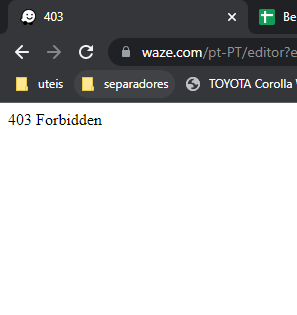
When duplicating a closure and changing the date, the duplicated end time changes to match the start time. Is this functioning as designed or a bug?
This isn’t something that recently begun happening, I just am now getting around to looking into it. Here is a screen capture of how it looks:
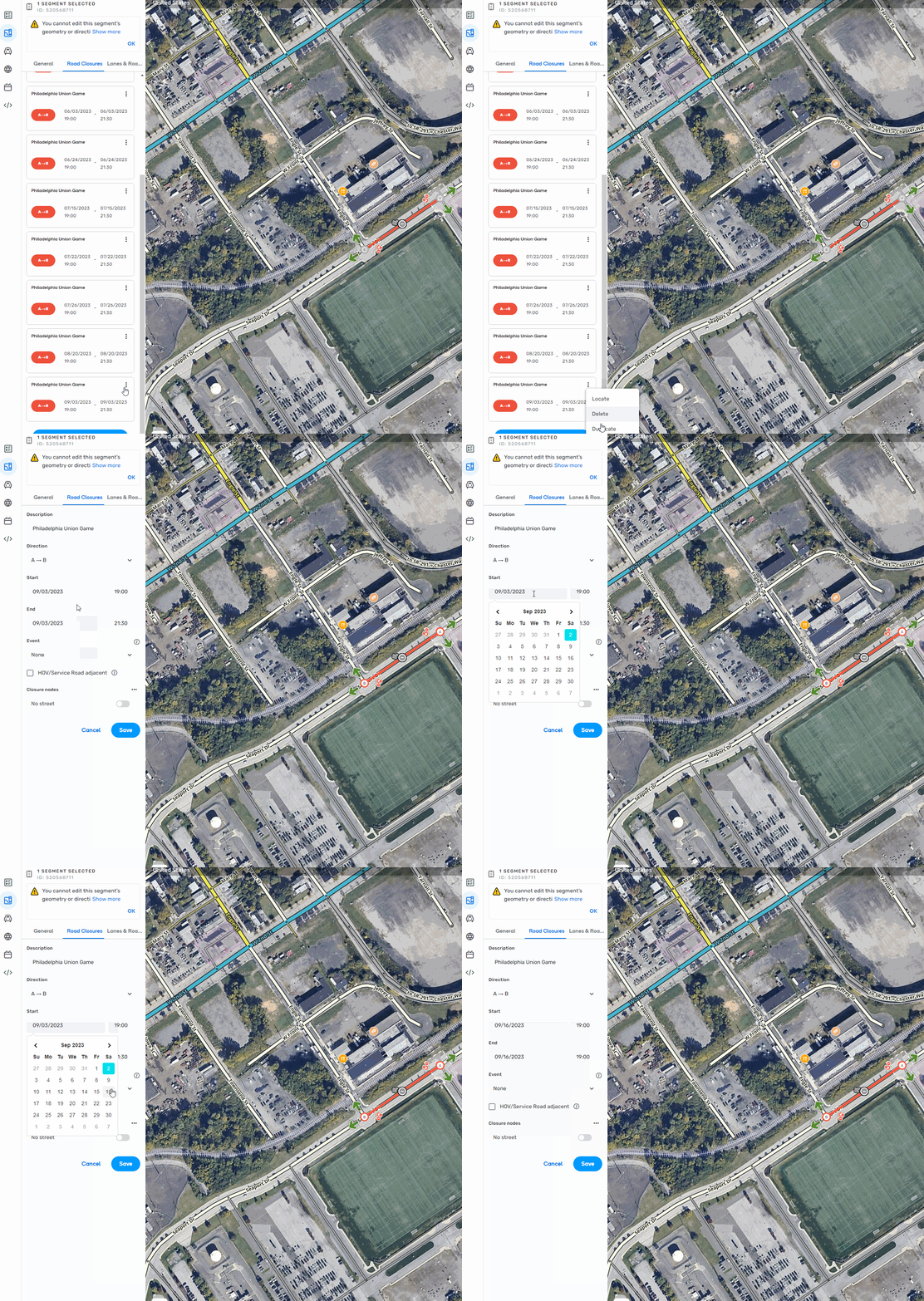
This is how it has always worked from day 1. I agree it is annoying. I would suggest posting a feature request to have it keep the same times when changing the date.
This is probably too obvious to mention, but the workaround for this is to change the end date first.
I never knew that. I will try that next time. Thanks for the tip!
FYI - here is uservoice post (54 votes as of 05/05/23) - https://waze.uservoice.com/forums/59225-map-editor-suggestions/suggestions/46624372-keep-start-end-times-when-duplicating-a-closure
Hi, folks.
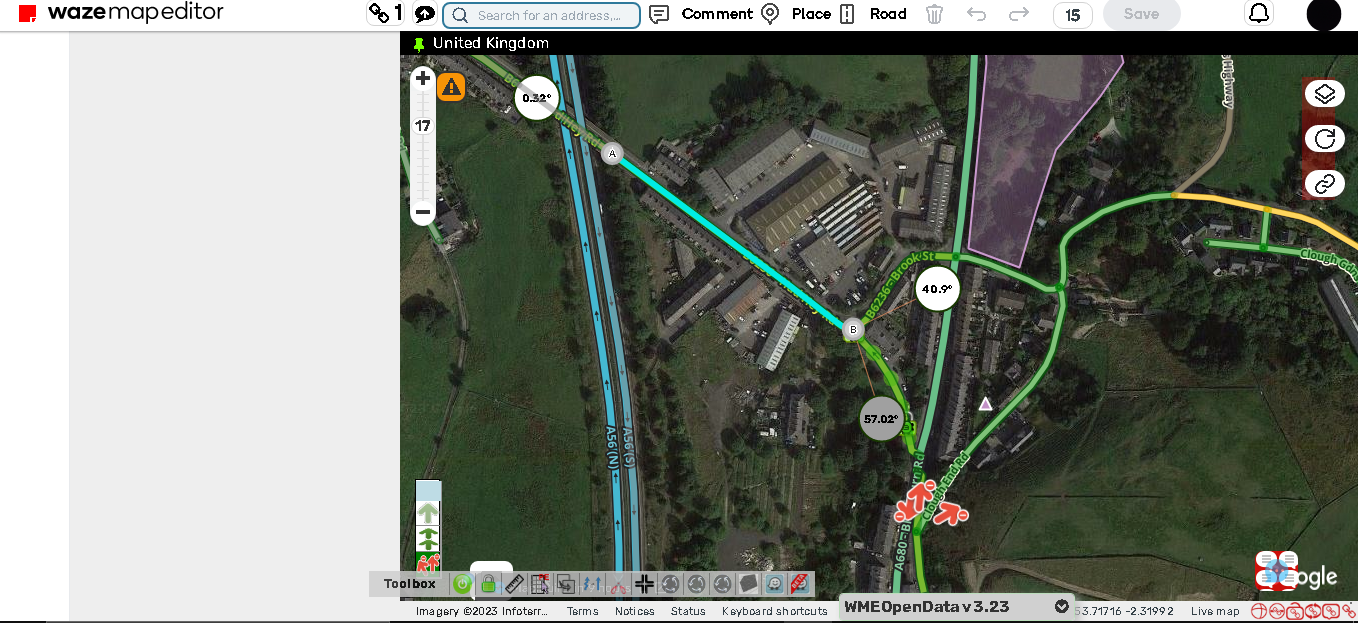
Since this latest version, many times when moving across the map or selecting segments, the page becomes “unresponsive” as a reload fixes the issues. The left panel becomes blank, and a black bar seems to appear at the top of the map, just below the headings.
Please, see attachment that shows the black bar/no result issue.
Thank you!
NOTE: I am yet to attempt it without any scripts active, but was working fine on previous version of WME. (Will give the no scripts a go).
Update: LOL forgot to add it back here, i tested it straight after i posted this but fell asleep. Turning off scripts did in fact, NOT help.
And this is why it’s important to test without scripts before reporting something as a possible WME issue - the reason we scriptwriters struggle so often each time a new WME release arrives is because of all the stuff that changes, often invisibly to the end user, behind the scenes. The visible parts of WME (the look and feel of the UI) might not change much if at all, but even if just one UI element is given a new classname say, then that can be sufficient to throw off balance any scripts which interact with that element, and once a script gets thrown off like that, there are no guarantees as to whether any subsequent interaction between the script and WME will continue to go as expected.
Or to put it another way, and to borrow a line from financial services advertising - “past performance is no guarantee of future behaviour”. A particular combination of WME and script versions may well have worked just find in the past, however that offers no guarantees that a future version of WME (even if it exhibits no errors when running on its own) will allow those same scripts to continue running correctly.
Thanks for letting me know about that. To be honest i should’ve used my brain but after a long day and past midnight, there was no hope  As someone who is doing computer science and works with variables/class names the possibility of a name change causing effects on scripts is a possibility, yikes !
i updated my reply above :0
Regarding the issue of some editors not being able to place RRCs.
The level required to place them was recently lowered to L3 in Germany, since then L3 as well as L4 editors are affected by the bug. Higher level editors have not yet reported having this issue.
We’ve observed that reloading the page several times sometimes brings back the option, albeit not reliably.