I am seeing significant problems with performance on WME.
As you can see in the linked video, it takes 12-13 seconds after I select the WME bookmark before anything shows on screen. Also, as you can see on the console, there are many “Too Many Requests” error message to waze.com.
Thanks for the report. Just to confirm, the issue is with loading the page, correct?
Could you please specify which PC / laptop and web-browser do you use? And may I ask for a screenshot of the Layers panel to see which layers are checked on your side?
I tried to capture some of the performance issues. Sometimetime the performance is really nice, but the last weeks the performance is mostly degraded. Quiting Chrome altogether to get a new fresh Chrome session helps a bit for a short period of time. Hard to tell where the delay comes from. Huge internal memory usage of the WME, slow WME server, something else on my PC (fi. uploading new Windows updates can slow things down). If I check the task manager nothing else is really burdening my PC.
Examples:
Drawing new segments: The blue lines drags behind the cursor. Not really possible to follow the curves of a road and creating nodes without waiting for the blue line to catch up.
Drawing of a new segment stops unwantedly as if I double clicked which I didn’t. (Not really a problem of my mouse. It happens also with other mouses and it happens in certain periods and not always.)
Connecting segments: while clicking the red junction arrows the result is lagging behind. It can take a few seconds before a red arrow turns green.
Panning the map: The displayed map lags behind. When the performance is fine the map moves at the same speed as the mouse pushes.
Capturing performance issues on video is not easy. The mouse behavior looks a bit jerky on the video while in real life I move the mouse at a steady speed. The video shows a bit 1), 2) and 4).
Bonus: After creating the last segment the left panel isn’t showing / is empty. Reloading the screen was necessary to enter the details.
Hello, Nataliia,
Yes, the problem was with loading the page, It took a long time.
However, I was not able to duplicate the problem this morning (my time). Whatever was causing the problem reaching the waze.com servers is no longer there.
Perhaps it may help, I recorded a video with the chrome console visible, after a few edits the memory occupied by the tab shot up and the WME started to slow down noticeably video
Despite being an editor with rank 5, on the menu of Lanes of a segment locked to L6, I see the error «You need to be a level 3 editor to edit lanes». I understand the message, but the text, as it is, does not make sense …
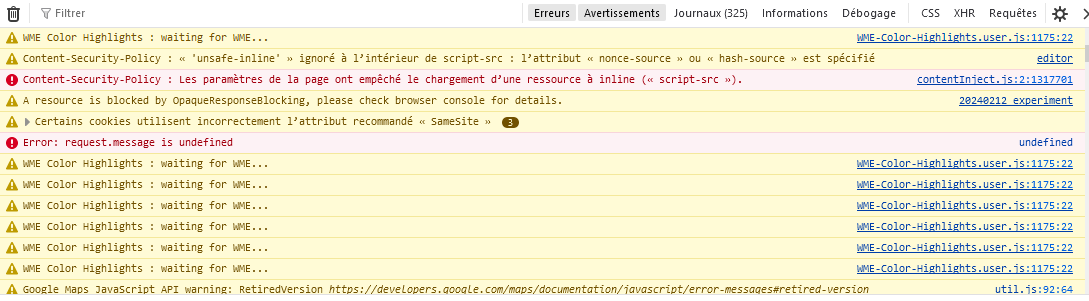
Hi there! WME doesn’t seem to be working on Firefox. I don’t know if this is an issue with WME or Firefox changing. I’ve already tried disabling all my scripts.