Edited: Thank you Dirk for the video to the performance issue.
I have filed a bug for this case, we will recheck with the team.
Regards,
Nataliia
Edited: Thank you Dirk for the video to the performance issue.
I have filed a bug for this case, we will recheck with the team.
Regards,
Nataliia
Hi Mudge42,
Could you please send a link to an example of such closure?
Thank you in advance!
Nataliia
Hi Dirk,
Could you please add steps to reproduce this issue?
I see from the video that there are already 14 changes in the save stack. It would be really helpful if you could provide the steps from the very beginning.
Regards,
Nataliia
edit
Problem appears to be resolved regarding higher road types but continues to occur on lower road types (streets). Also in incognito mode.
Finished and inactive closures. Zoom level 15 seems to be the trigger
Thank you for looking into this
Thomas
I can confirm that there is still an issue with future closures ‘vanishing’ from the map. In my experience it wasn’t clear how to reproduce it.
I found one though where it can be done mostly:
https://waze.com/editor?env=row&lat=50.97131&lon=5.36341&zoomLevel=17(unavailable attachment: zl17.png)
But when to ZL 16 or lower
(unavailable attachment: zl16.png)
It’s remarkable that not all are gone (see red arrow).
As you can see, also the details of the segment, doesn’t show the closure(unavailable attachment: detail.png)
It gives the false impression that it’s gone. So I create a new closure, but then I get the classic time overlapse error.
Zooming in/out doesn’t help. A refresh does mostly work, but not all the time.
Hope this can be fixed soon, as we are in the middle of the festival season and this is a very annoying bug when one needs to verify if all closures are set properly.
Cheers,
Eddy
Strangely the list of partners has the outdated name “Roeselare City counsel” in it, a while ago the name of the partner was corrected to “Roeselare City Council”. What would cause this discrepancy?
Can someone link a bug report for this? Before this update I would be able to have my place layer off and still see the place associated with a PUR on the map, example an area place Park with a new image request would show on the map alongside the PUR icon
This would let me click on the place and make additional changes/fixes beside approving/denying the PUR
Now I NEED to have the place layer on to do the same task
Sometimes a PUR is only partially correct, I’d rather approve it and remove any incorrect info to give the driver some credit/points
Or editors should be also making quality edits so they can update places as they do PURs
I’ll usually have my place layer off to reduce clutter/ layer count and only turn it on when needed (like modifying a nearby segment and making sure the entry point is correct)
Hi Nataliia,
I created some pictures documenting the “There is a problem with the highlighted segment and node.” issue.
PL https://waze.com/editor?env=row&lat=26.15410&lon=104.81906&zoomLevel=18&segments=444193584
A new segment: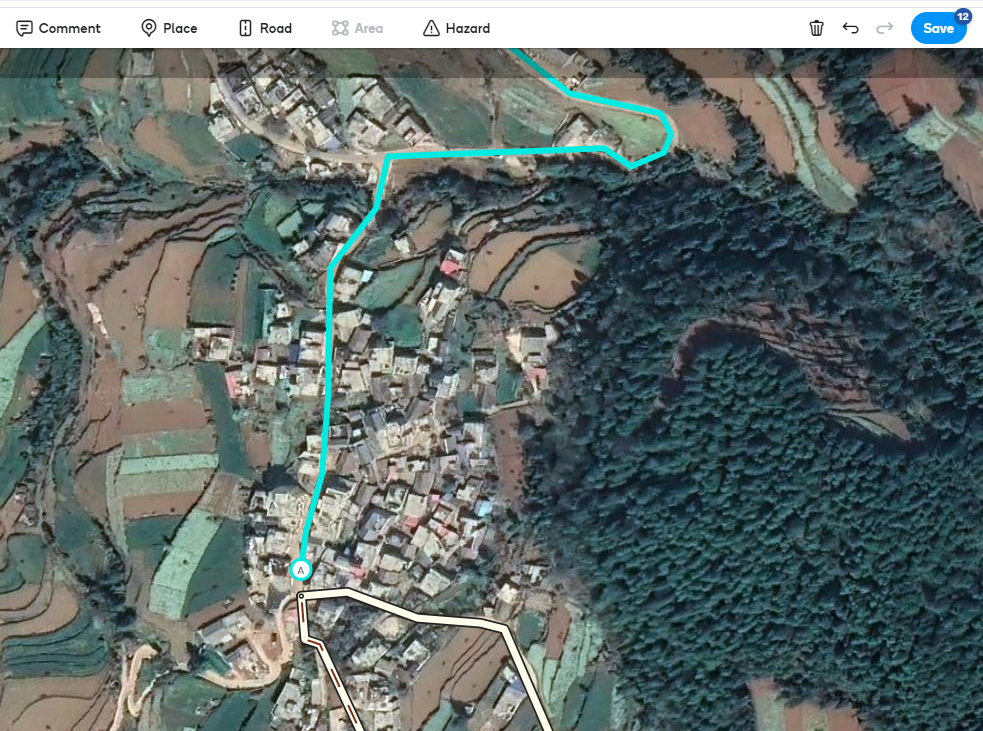
Saving error: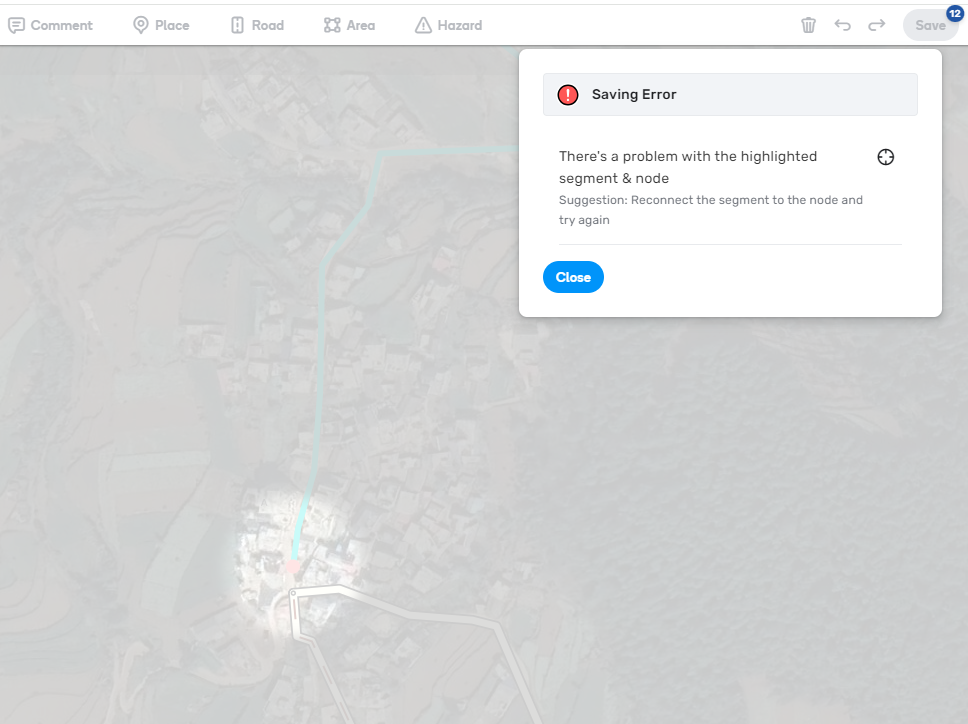
First changes list save button: 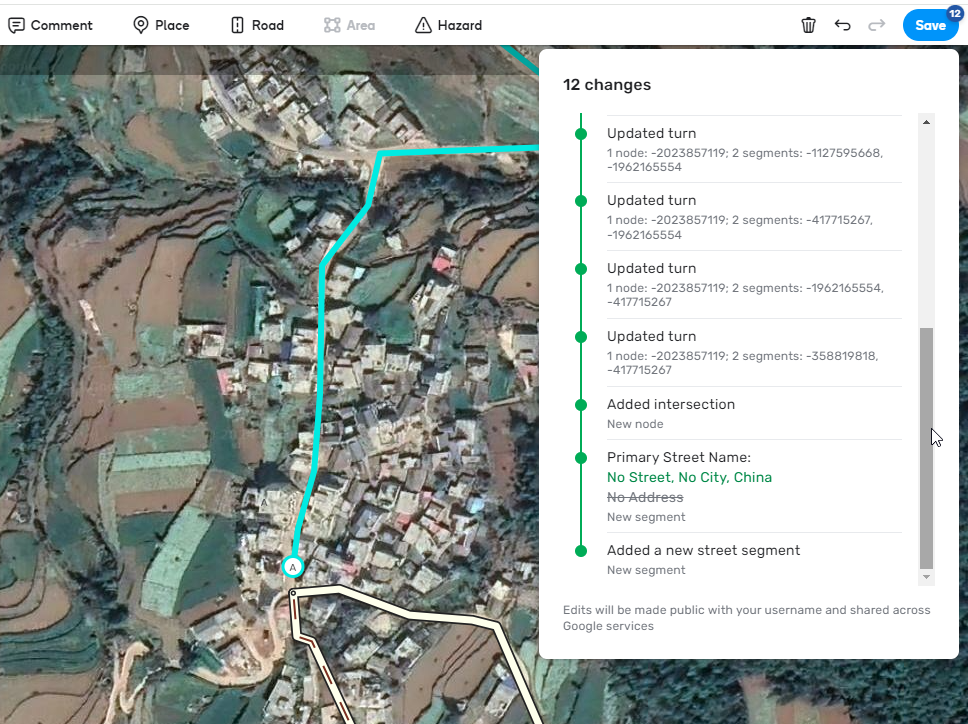
Last changes list save button: 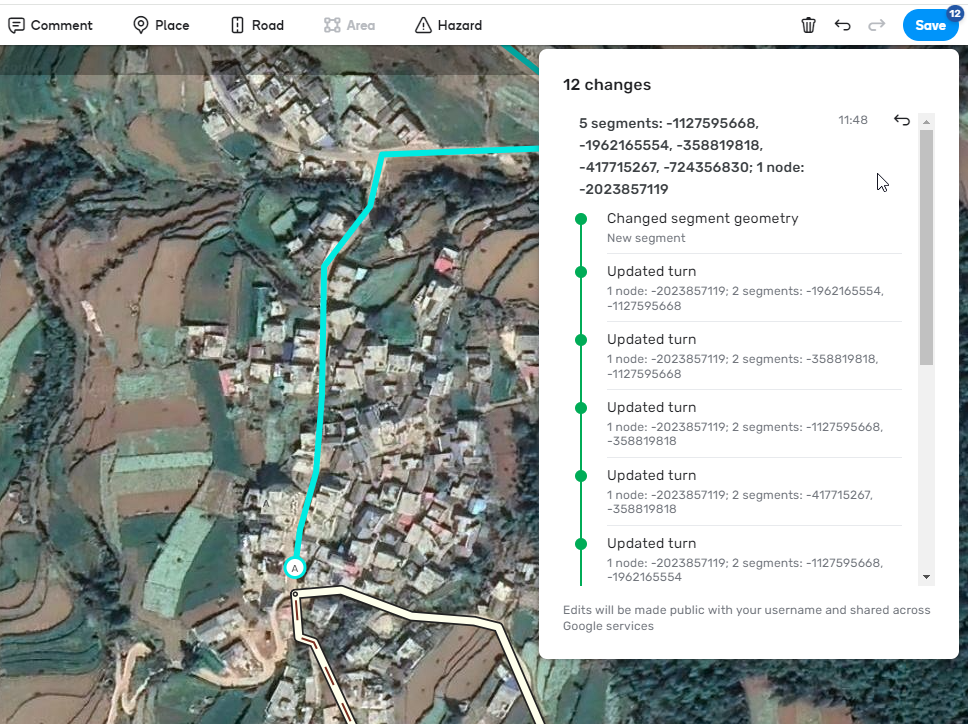
Connecting new segment with problem node, saving successfull.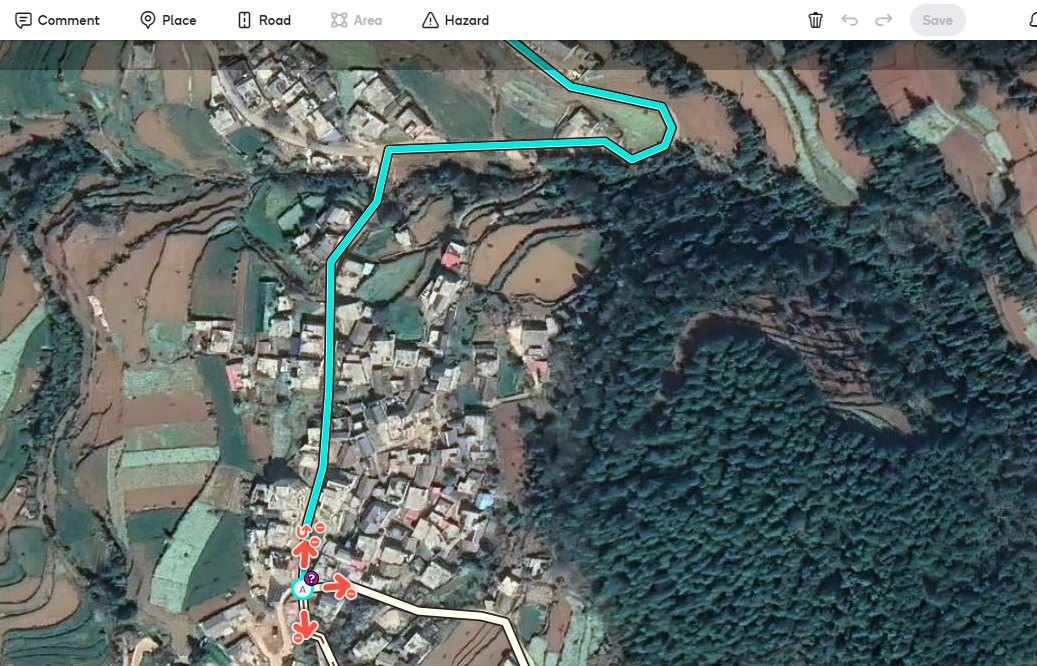
Regards,
Dirk
Hi Dirk,
Thank you for all added details and screenshots. I have forwarded all the information to the team.
One more question: does this issue occur in locations other than China?
Regards,
Nataliia
Hi Nataliia,
I expect so. I haven’t see it elsewhere but I don’t create so many new segments in other countries.
Regards,
Dirk
Hi, I just added an enhancement suggestion for the layout of the RPPs 
@Nataliia_Staff Any feedback would be nice. I hope that it won’t be ignored like https://www.waze.com/forum/viewtopic.php?p=2430091#p2430091 / https://www.waze.com/forum/viewtopic.php?p=2438500#p2438500 which is still not fixed. How does one need to wait in order to get something basic - but essential - fixed?
Not very motivating for the editors who do their utmost every day to keep Waze up to date. Perhaps more attention should be paid to solving existing bugs instead of launching new features that may or may not have been requested. Building / expanding a house on foundations that are not 100% in order is asking for problems in the longer term.
A L# locked road is telling me that I need to be L2 (which I am) to edit lanes. Should be a different message pointing to the loading being L3 locked instead of it saying that I am not L2?
This is not new, but I wanted to see if there was an explanation.
Why do some external provider results not show at the top when it is the closest geographically?
Here is an example: https://waze.com/en-US/editor?env=usa&lat=40.15605&lon=-75.88975&s=154035784122366&zoomLevel=20&venues=186188178.1861947312.88360
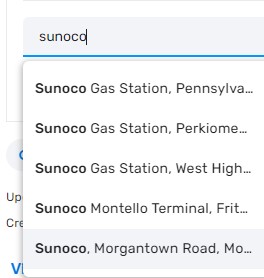
The correct result is #5 in the list (last result.) Often I see the correct result as #3-5. Shouldn’t it be the top result?
Hi G_W1Z,
Thank you for raising the question. I’ll recheck with the team and get back to you.
Regards,
Nataliia
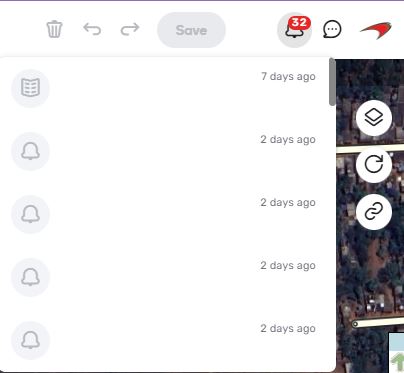
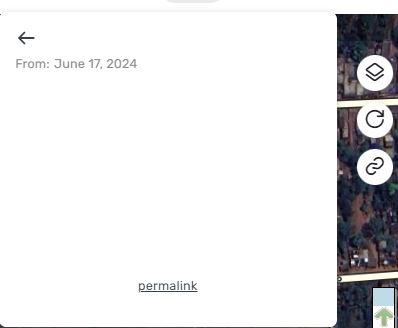
Having continued difficulties in WME with no text or icons on my notifications tab.
It is blank, I can delete and seems like the new update sat imagery is showing me a permalink but can never find out what I am getting.
This is going on in WME PROD, In Beta, With script and without.
Any help would be appreciated.
Apologies for the late reply. Here’s an example: https://waze.com/en-US/editor?env=usa&lat=42.07837&lon=-71.25603&zoomLevel=16&segments=502620792
Thanks!
Do you have an update on this?
Looking for more information on Closure Partners. How is the list sourced? Is there a way to add providers to the list, or remove ones not relevant to an area?
For instance, here in Indianapolis Indiana I’d like to be able to use “Indy DPW” as an option, but we’re a bit too far from Chicago to ever use “Chicago White Sox”…