New Editor version 2.93-11

Hi Everyone!

We’ve released a new WME version, v2.93-11.

Looking forward to your feedback! :geek:

Quick Overview (more details below):

  • Community Suggestion: Display labels on places starting from a certain zoom level. - ENABLED
  • Community Suggestion: Blocking the creation of an item if the corresponding layer is inactive for places and closures - ENABLED
  • Community Suggestion: Make geonodes easier to find: at least one node handle (geonode) should be visible when editing a (long) segment - ENABLED.
  • Add arrow to mark the direction A->B and B->A on lanes - ENABLED
  • Reverse segments in multi connected components - ENABLED
  • New color for place’s icons in the map. - ENABLED
  • Dots vs icons will be displayed according to zoom level - ENABLED
  • Bug: Strange signs in Restrictions popup - FIXED
  • Bug: Change of Lock, Type or expiration date in existing MC does remove unsend comment - FIXED
  • Unable to approve new RPPs (PURs) - FIXED
  • Using Snapshot mode doesn’t allow selection. - FIXED
  • Connecting one “new” segment to another makes the browser stuck on save - FIXED.

[doc]https://docs.google.com/document/d/e/2PACX-1vQHez6QlfXvShM6vXtZUuR00EAxthabamaFpJsZtdLvs3pX7GZFY8keydYjAnViYCf56Uo-VN04EjBr/pub[/doc]

This is the link to the release notes.

Thank you in advance,
Nataliia

5 Likes

Loving the new create geonode function! Makes working Falcon issues so much easier! Now lets get the JB’s upgraded so we can use those on bigger intersections and we’ll be on a roll! :slight_smile:

Sean

2 Likes

Thank you, Nataliia.

Happy to have the new features and bug fixes. I love seeing the community suggestions being implemented.

1 Like

I like the new geonode creation feature, but would it be possible to set a threshold distance from existing nodes, 5 metres or so? I think that will save a bit of frustration for a lot of editors.

1 Like

Hi Everyone,

Thank you for your feedback.

Hi Rompompom,

I want to highlight that I will definitely pass on your comments to the developers.

Regards,
Nataliia

That’s not what I meant. I’d just like to have the floating handler not show close to existing nodes. Once you create the geonode, you should be able to drag it closer to existing nodes as necessary.

Ok. Sorry for misunderstanding.

When are you going to roll back the mess you’ve made of the UR panel :?: Why wasn’t this done in this release :?:

I’m impressed with this new functionality!

Would it be possible to show the midpoint as well? This would be especially helpful when editing curved segments.

I have asked this but not seen an official response: What was seen as an improvement with the large amounts of extra white space added to the UR screen?

Love the new geonodes feature, and the coloured place icons!

1 Like

Love the new Place Point colors and icons. Looking forward to seeing the names at zoom level 18

1 Like

Hi Atrophicshiner and G_W1Z,

First of all thank you for your questions.

The order of comments will be reverted to older>newer in the upcoming versions. This has been fixed but it is pending deployment.

Also we have passed on the additional feedback about extra white space to the team. I will update you when they share information with us.

Apologies for this experience. :roll:

Regards,
Nataliia

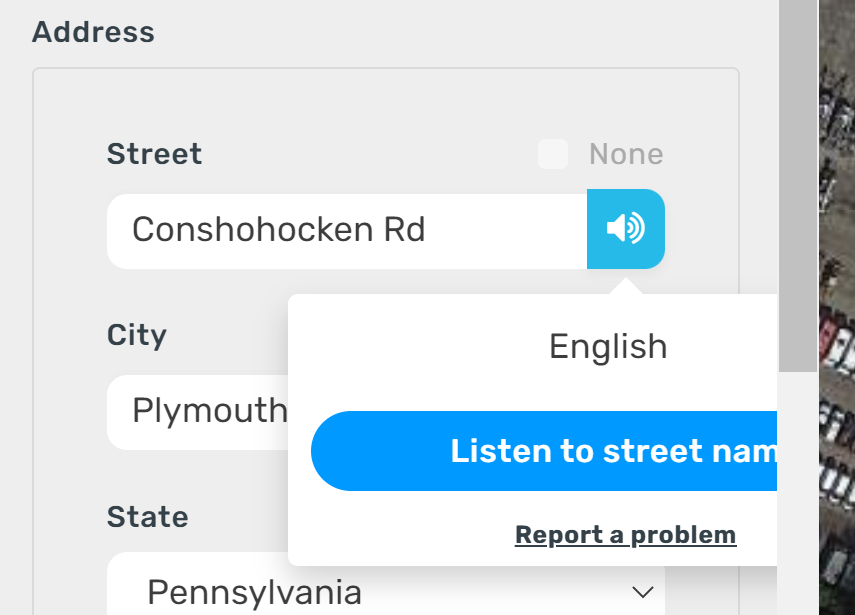
When the pane is open to edit a segment’s street/city/state/country name and you click on the speaker icon to hear the name of the street, the popup gets cutoff. This behavior happens in Chrome Incognito with no scripts/extensions enabled. See screenshot below.Screenshot 2022-02-10 074200.png

1 Like

Hi G_W1Z,

Thank you for the report. We already have an internal bug for it and the team is working on the issue.

Regards,
Nataliia

Great release!

I love geonodes feature as well as “Connecting one “new” segment to another makes the browser stuck on save - FIXED

Cheers!
Horizon911

1 Like

Hi Natalia ,

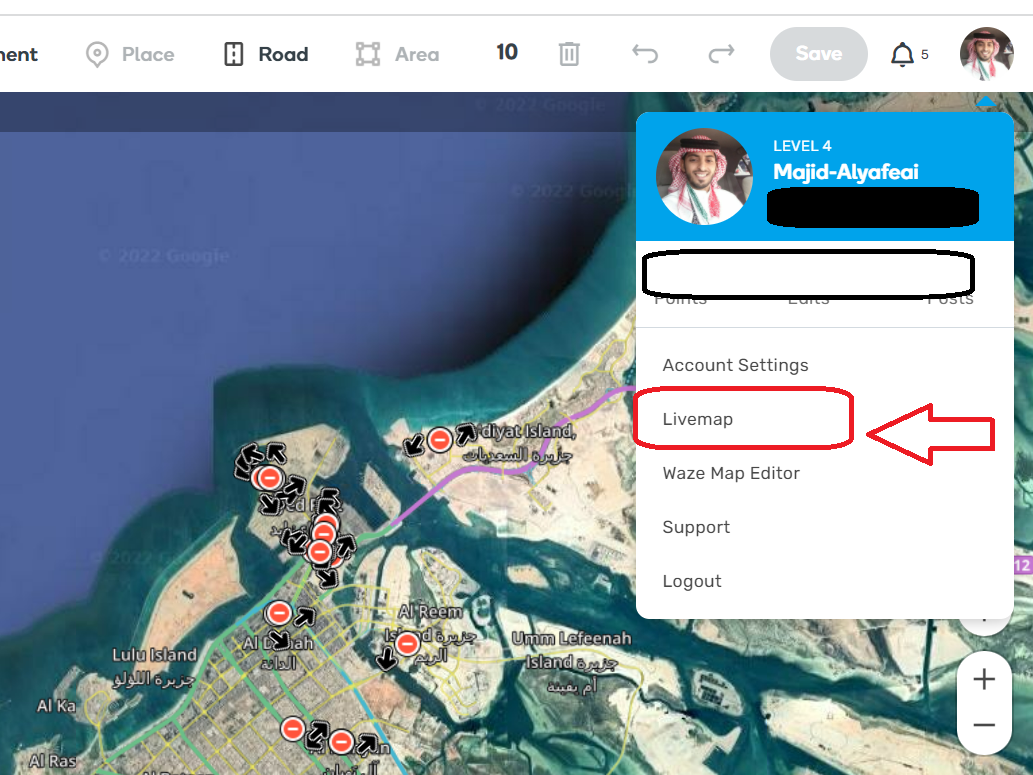
Just a small thing, The link from WME to Live Map its not working . The remaining links are ok.

When clicking the profile picture on the top right, 4 option shows there: (Account setting, Live Map, Waze Map Editor, Support, Logout)

Screenshot 2022-02-13 141933.png

1 Like

Hi,
problem with the arrows which are no longer clickable and displayed in translucent. Every 2 month, all cookies must be deleted to be able to change the arrows again.