rejecting suggestion is fixed
1 Like
I was able to accept an editor suggestion that was previously blocked. Thanks!!
Indeed, thanks for confirming!
Hi Everyone,
Please note we have released a hotfix to production to fix issues related to performance, reported in the Beta Forums (link available for beta testers only).
The fixes should improve the issue of time to load or render the screen.
Let us know if you feel improvements please.
Thanks!
1 Like
When openning the WME on desktop, the chat window is openned automatically after a small delay (if it was open in another platform such as WD or user profile). Suppose I open WME and immediately enter into the search window, and type something I want to search for. What happens is that the first few characters are typed in the search window, but after the chat window opens, the end of the search text is typed into the chat with the last user I had a chat with. Now, suppose I don’t look on the screen and hit ENTER after typing the search text. This causes the end of the search text to be sent to the user I chated with. It happened to me several times, so everytime I have to send an appology message to the other user who received the unwanted text.
Hi, there,
I found interesting bug while I´m trying to edit house number.
When I click on edit hovering HN or trying to change it by choosing the street - edit house number, the concrete one number dissapears, so I can change only the others.
Im trying to change HN in Slovakia, city of Bratislava, the street Plynarenska, HN “2a”.
Can you help me with that, please?
Thx
Can you provide a video of what is happening? I tried to duplicate but was able to change “1a” to '2a"
I think I have found a bug in the current version production version (not beta), I am not sure if any changed were made today however I am having to reload the screen after every edit as I lose the side bar.
I am tried this both in Chrome and Edge and have exactly the same issue.
I am a Lv5 UK editor also editing in Ghana at present. The attached video is whilst editing in Ghana. I have also attached a screenshot to show you which scripts are running currently. My machine is running the latest version of W11 - and the only recent updates from Ms are MS framework updates.
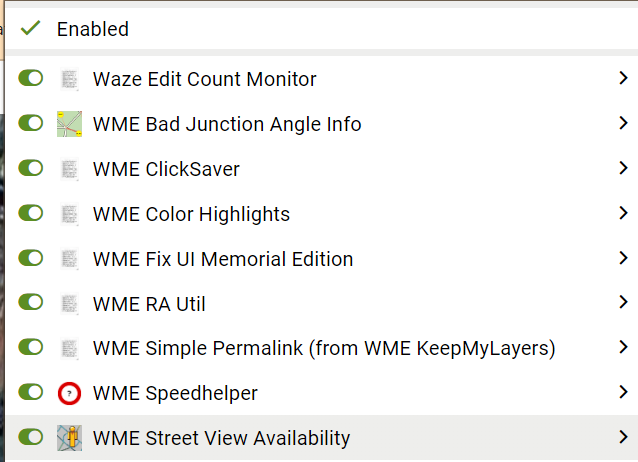
this has never happened to me, the worst i have encountered is the icon lost its picture. but my fellow editor @Grombyang encounter what you have been encounter
i can vouch for this bug
1 Like
Hi theMadcabbie,
Thanks for the video! Could you please also clarify what exactly is wrong happening there?
Regards,
Darya
Hi yaacobyy,
Thank you for the report! Could you please record a video the visualisation of this issue?
Regards,
Darya
A bug I’ve been noticing is that the Hazards layer doesn’t remember whether you turned it on or off, unlike all the other layers. If you turn it off, then reload the editor, it turns back on.
Hi numbermaniac,
Thanks for the report! Does it reproduce for you on the latest Beta or on the prod only?
Regards,
Darya
Can we get the splash notification about the “new WME” to stop popping up every time we log in to work at a different location? After I log in, the server knows who I am and should know that I’ve seen that notification a couple dozen times now and don’t need to be reminded about it and have to acknowledge it yet again.
This is another one of the kinds of things that ought to be captured in saved server side user settings, along with options settings, layer settings, etc.
The suggestion to save these settings is already a highly upvoted request, if you haven’t voted already, here it is:
1 Like
In the attached video, I openned a chat with a user and then openned the WME and started to search for BROOKLYN, and as can be seen “BRO” was entered in the search window, but then the cursor jumped by itself to the chat winndow and the rest of the work “OKLYN” was entered in the chat. In this situation if I hit ENTER (in order to see the search results), the message “OKLYN” is sent to the user in the chat.
Note: This doesn’t happen in beta (there, the cursor does not jump into the chat window).
Previously it was happening with double cookie notification on the ex-forum. +3 for the saved settings on the server side
1 Like
Here it is… (with scripts disabled)
Somehow, I was successful now 
Hi SeveriorumPatrem,
Could you please elaborate on what you exactly mean by “a different location”? Could you please also add a screenshot of this message?
Thank you!
Darya
Thanks a lot for the video yaacobyy! Does it happen if you have scripts disabled?