Yes, it happens when all scripts disabled.
Thanks! Just one more question, what browser do you use? I’m asking because the issue is not reproducible for me (checked in Chrome). Is it always reproducible for you or occurs randomly?
I use Chrome, and it always happens to me. Remember to start the search immediately after you open WME.
1 Like
A different location = literally a new physical location/computer. Does not have anything to do with map location.
As in, if you have an editor who contributes at a library or school setting where they don’t necessarily use the same computer each time. Or, for me, when I contribute as I am able from my workplace, my office IT policy clears all cookies and history from every browser session every day.
So for me, when I have a moment to do a little map work from the office, every time I log in I have to clear the splash message below (which by itself isn’t really a big deal) but then I also have to reconfigure my preferred native WME settings, every single time, which is a notable and preventable pain point.
This is my reason for asking for all user settings to be saved on the server side (the fact the Issue Tracker settings are saved on the server proves it is possible), and along with that big improvement to the user experience, it ought to be possible for the server to know I’ve seen this welcome splash message dozens of times and to please stop showing it to me again every time I log in.
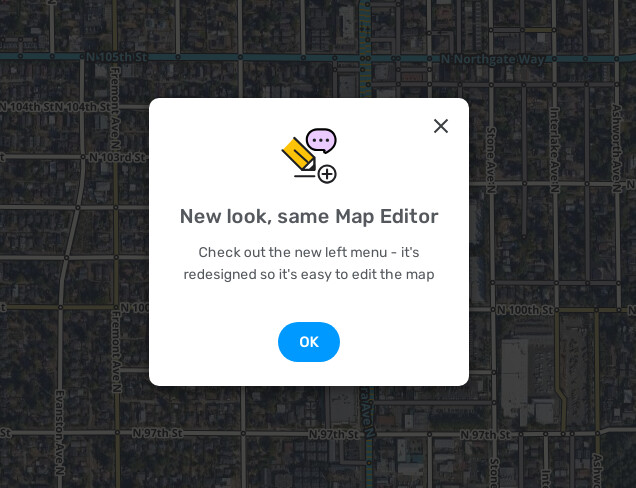
Thanks for the clarification! This is working as designed. The info is saved locally. Clearing data or using incognito mode will reset it. Could you please submit a suggestion for this?
Thank you!
Darya
Thanks, right, I’ve managed to reproduce this as well. I’ve forwarded this issue to the team for further investigation.
1 Like
I already did, Eliminating the repeat splash message was just a new specific thing that ideally should be rolled up as a fix within this suggested improvement, already mentioned above.
Hi ElFresh92,
Could you please elaborate on if this issue is still reproducible for you? Do you have any other similar cases?
Thank you!
Darya
Hi AndyLaode,
We’ve beed investigating this issue, but didn’t manage to reproduce it. Are you able to recreate it? If yes, could you please record a fresh video of it?
Thanks in advance!
Darya
HI Darya,
What is not clearly shown in the video, towards the end is that every time I click save I loose all of the icons on the left of the screen and have to reload the whole screen after every save
Hi theMadcabbie,
Could you please add a screenshot for better understanding of which icons you are referring to?
Thank you!
Darya
currently now i am unable to reproduce it. it seems the issue is intermittent just like the issue when default aerial image suddenly disappears and then reappears again.
when i edit natural places again and find this issue, i will record immediately and let you know
1 Like
I have not been notified of anything similar in my community, nor have I found any other case. As soon as I find one, I will not hesitate to publish it in the appropriate place.
3 Doritos later…
I found a PUR that I can’t approve. Error when saving says: “The highlighted Place has an invalid house number
Suggestion: Check and try again”
Tomorrow at this time, I will see if this place is approved by removing the “City” box.
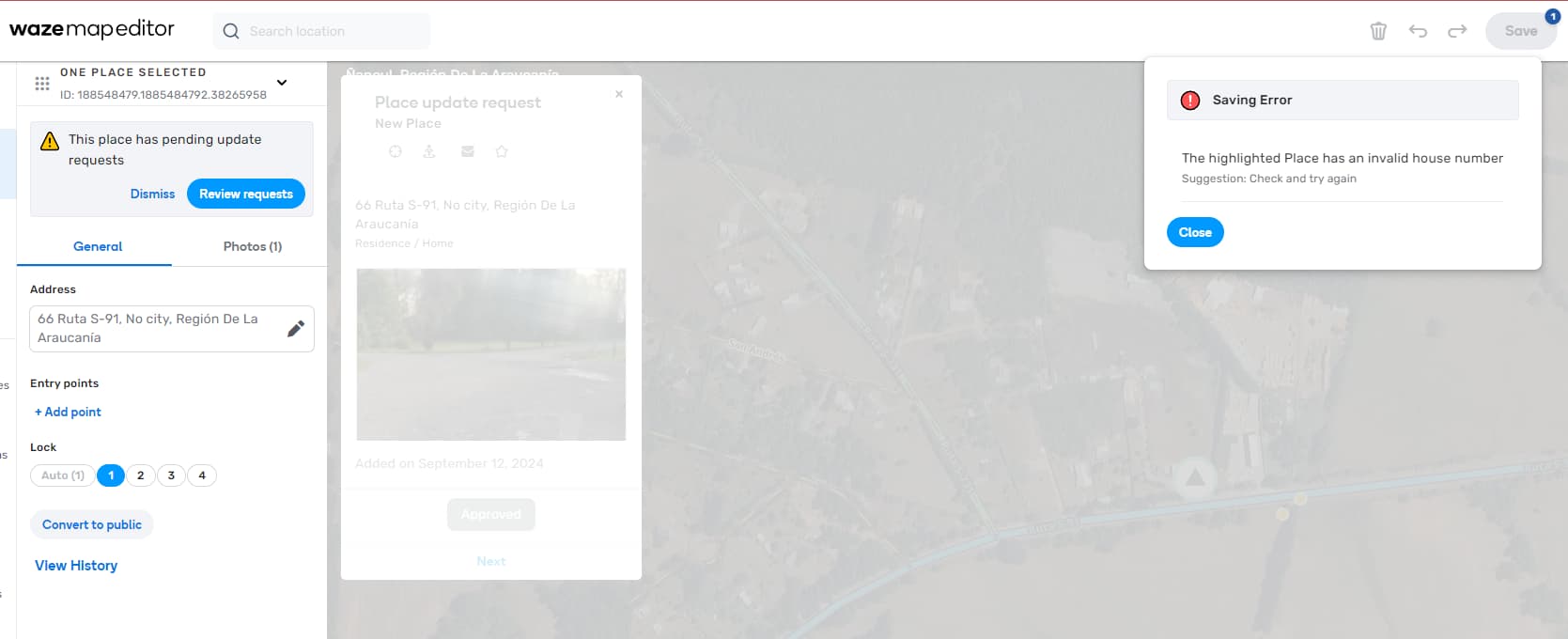
I’ve observed the same and reported this in the beta forum earlier this week.
Thank you, we will check it.
I recall similar problems with some RPPs - if waze has house number in another spot. Usually I have to add /correct house number - then wait for TU and after couple of days I can approve PURs
Look!
I entered the data that could match your description and it gave me this “Pin”. And he has it as a secondary
Hello, friends 
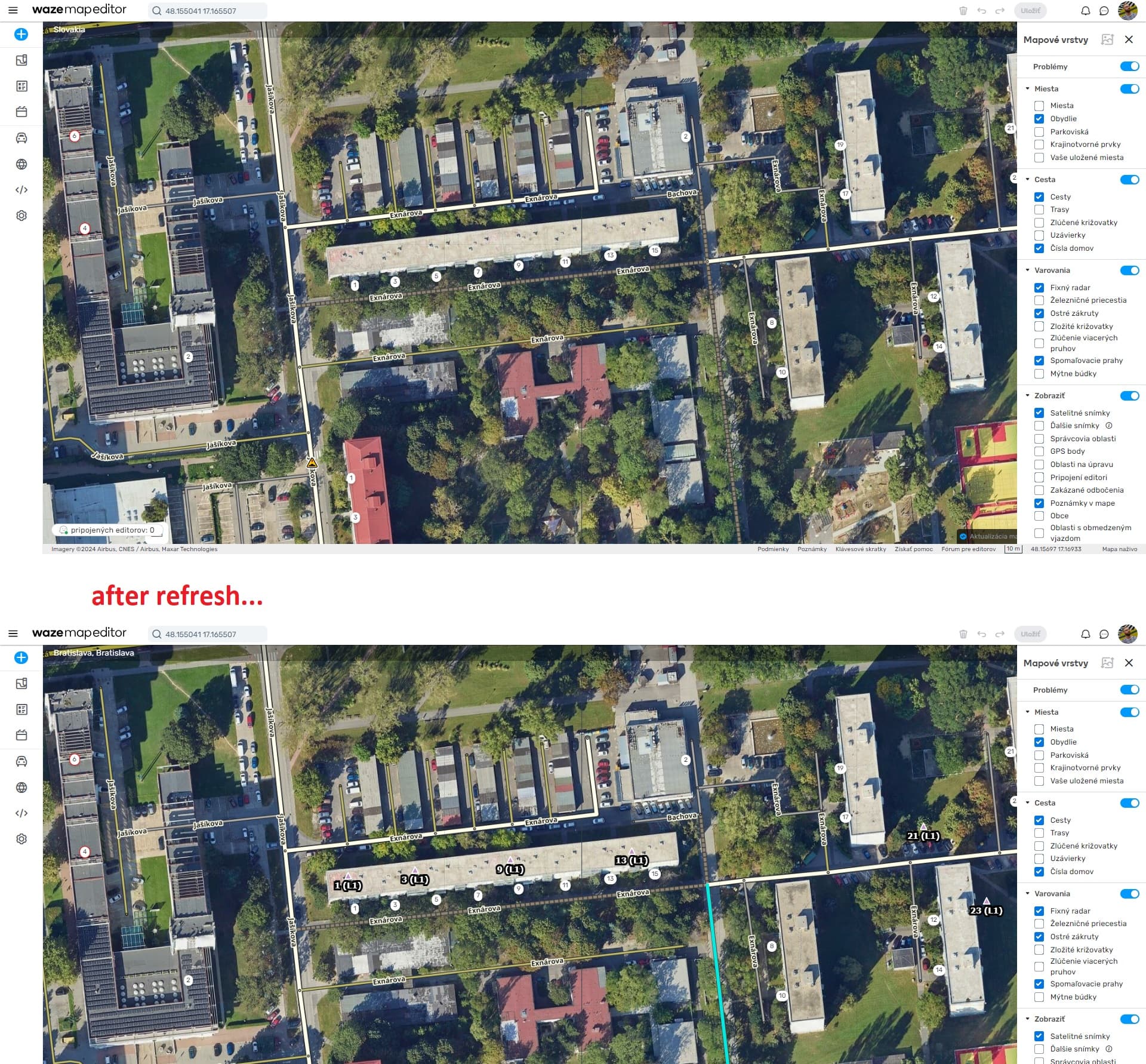
I´m reporting a bug with residential places.
Almost everytime I´m zooming in, the residential places dissapear until I use refresh.
Tnx for check
1 Like
Hi, is the right place to report possible bugs? Couldn’t find anywhere else appropriate.
I mapped a new road and connected it to an existing Major Highway. Based on edit history I set it to allow all turns, but a few days later we got a Map Issue showing that all turns in the intersection are disabled.
Permalink: Waze Map Editor (Walgett, New South Wales, Australia).

Don’t know how to reproduce. I’ve been mapping lots of new roads (mostly Koi suggestions) and connecting to existing roads, not aware of this problem happening elsewhere. Obviously having all turns incorrectly disabled on a major highway is undesirable.
Thanks
Tim (TimAThing)