As a workaround, you can disable the school zone layer.
While I do agree that after you reach L2, this notification may not be needed anymore, most brand new editors don’t begin in practice mode. I think that having it on screen for L1 editors in regular mode is the correct choice.
Waze doesn’t need to base this feature on editor levels to make it a default—ultimately, it’s their platform, and they can implement features as they see fit.
That said, I have no issue with setting the pop-up message—“Click on map to start drawing, double click to finish drawing.”—as a default. However, there should be an option to disable it in the advanced preferences, so experienced editors know exactly where to turn it off if needed.
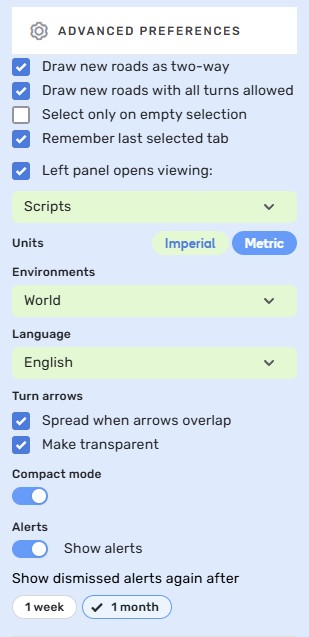
For example, while I typically draw new roads as two-way, I’ve found it more efficient to disable the two-way default when creating one-way roads like ramps or freeways. This way, I can draw them correctly from the start, without having to change the direction afterward.
The same logic applies to the “all turns allowed” option. In certain situations, disabling it provides a smoother workflow.
Lastly, the ability to make turn arrows transparent is sometimes useful, and sometimes not—it really depends on the situation. Having the flexibility to toggle this would be helpful.

Thank you - looks like good work around to avoid “WME errors”
Thank you, @AndyLaode, for your comment — and a special thanks to @jm6087 for opening the suggestion. I’ll share this feedback with the team, as they’re working on improving the experience.
Regards,
Nataliia
I could, but it is repeatable with every zone. Just draw a school zone over something else and try to select what is beneath it. Confirmed without scripts too.
The only workaround is to disable the SZ layer
Thank you - looks like good work around to avoid “WME errors”
Do you have the WME Color Highlights script active? I found it was this script causing this error every time I added a new street. Disabling the scrip stopped it
I didn’t see it mentioned, but HNs no longer show the street name associated with the HN when hovering over them. It’s minor, but I liked seeing those pop ups without having to click the HN. This might have been in the last change and I missed it. Seems like this is the second WME in a week so I might not have noticed it being mentioned before.
I will try that
Here is an example: https://waze.com/en-US/editor?env=usa&lat=39.95737&lon=-75.16491&zoomLevel=18&segments=41774767,84893588,84893589,41768612
I’m unable to select those segments when the hazard layer is turned on and they are covered by this school zone: https://waze.com/en-US/editor?env=usa&lat=39.95737&lon=-75.16491&zoomLevel=18&permanentHazards=343391
This is still happening to me as well. I’ve tried clearing cache, using a different browser (Vivaldi instead of Chrome) and disabling all scripts. It happens when editing as well as when just scrolling around the map and not clicking anything. Been doing it for two days now.
Twice today I got the something went wrong pothole when I used shift H to turn on the house number layer.
Hey @jmbox,
First of all, congratulations on your anniversary with Waze! 
Regarding the issue, we’ve filed an internal ticket, and the team is currently working on a fix. I’ll keep you posted on the progress.
Regards,
Nataliia
Thank you, @G_W1Z, for the examples. I was looking for some real-life cases to recreate for testing purposes.
Regards,
Nataliia
Hi @Kevintiobraid,
Thank you for sharing this observation.
It would be great if others could also check whether the issue doesn’t occur when drawing segments with this script disabled.
Regards,
Nataliia
Hi @ojlaw / OJ,
Thank you for the comment.
Could I ask you to record a video if you manage to reproduce the error when using the Shift + H shortcut? It would also be helpful to keep the browser console open during the recording so we can see any errors that appear there.
Many thanks in advance,
Nataliia
Hi @CrackedLCD,
Thank you for the comment, and sorry for the unpleasant experience. Could you please let us know if you had any scripts enabled while scrolling around when the error occurred?
Regards,
Nataliia
Hi,
As requested, it transmits here.
The new version (the previous one also had it) I suspect has a problem with zoom.
Frequent zoom changes cause an error:
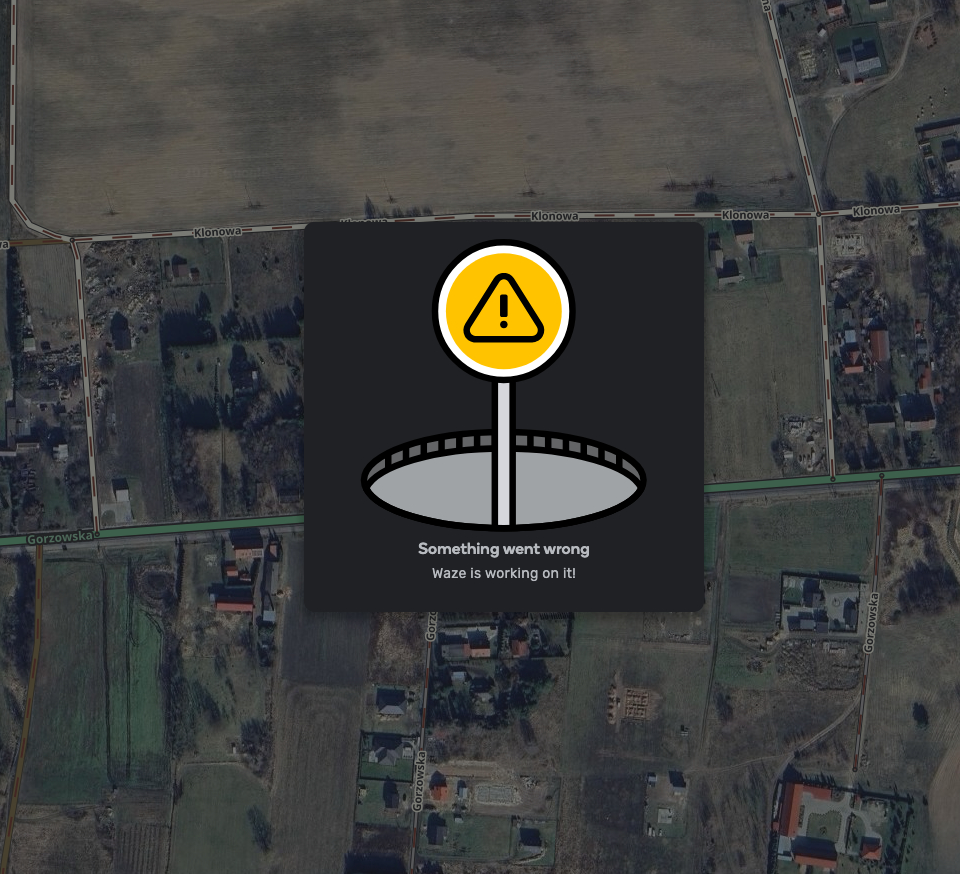
Even on the last Office Hours, this error occurred. Today I have it on the screen every 5 minutes.
It’s very annoying.
Ps. I know it’s not this thread but the beta has the same behavior