New WME v2.343

Hello Everyone :waving_hand:

We hope you’re all doing well.

We’ve just released a new version of WME v2.343 :tada:

Below you can find a summary of the release.

New feature & enhancements:

1. New Filters & Saved Search for URs: we are introducing enhanced filtering tools to facilitate prioritizing reports that already have useful information.

You can find more details in the feature thread.

2. SDK updates: please refer to the change log to check the SDK additions (there has been an update to the migration guide).

Bug fixes:

We released 12 bug fixes:

1. Turn closures: resolved the bug where turn closures were not scrollable preventing viewing future closures or adding new ones - Community bug ID: 393927;

2. Closures: addressed the issue where closures could not be saved due to the “save.error_types.300.title” error - Community bug ID: 395572 - we will appreciate your help in verifying this fix;

3. Map Suggestions filter: resolved an inconsistency where “Alley” was used as a Map Suggestion feed filter option instead of “Narrow street” - Community bug ID: 398993;

4. Difficult turns: fixed a bug observed on some display types where the turn icon was doubled with the ‘Difficult turn’ option toggled on;

5. Partner feeds: fixed an issue where accepting a closure from a map problem (MP) resulted in an incorrect time set in WME. - Community bug ID393741;

Suggest an Edit:

  1. Resolved the case where an ‘Invalid turn’ error would prevent accepting a suggestion for a one-way segment connected to a two-way segment. - Community bug ID391367;
  2. Addressed an issue whereby ‘Something went wrong’ error appeared when opening a split-related segment suggestion within the edit history;
  3. Fixed the case where suggested city ‘None’ in Address would become “no name” city that failed on approve;

9. Suggest an Edit for House Numbers (HN): addressed an error that appeared in the console when accepting suggestions for HN or segment deletion. - Community bug ID;

10. Segments: resolved an issue where dragging a segment’s node onto another node of the same segment triggered a ‘length 0’ exception and prevented saving changes;

Venues:

  1. Added validation to ensure venue opening hours start before they end;
  2. Implemented an option which allows merging time intervals that are adjacent but not overlapping (for example, 9-14 and 14-16 will be become 9-16).

You can read more here.

We look forward to hearing your feedback! :envelope_with_arrow:

Thank you,
Olesya

39 Likes

Thanks for the update, Olesya.

The improvements to UR filters and saved searches will definitely help editors prioritize reports more efficiently, especially in regions with a high volume of URs.

It’s also great to see several closure-related fixes, since closure management is critical for maintaining real-time map accuracy.

Quick question:
Will the new filtering improvements allow editors to better isolate older unresolved URs in large areas, or are there additional enhancements planned for UR management in future WME updates?

Thanks again for the continued improvements to WME.

10 Likes
Great, these updates are becoming more frequent, which means there's a really good support team
8 Likes

It’s good to see the bug fixes in double digits again. :white_check_mark:

8 Likes

Hi @casper7-21,

Thanks a lot for your feedback!

There are additional enhancements planned, such as this suggestion to show results from oldest to newest, so please stay tuned. :slight_smile:

11 Likes

Thank you for al the Fixes and new Features. specially great improvement with the Filters they are pretty helpful with more options to search for different URs. :+1:

10 Likes

Thank you Olesya for sharing the new WME release. The improvements and bug fixes are very helpful for the editing community. We will test the changes and share feedba

8 Likes

.400761

5 Likes

I foudn it amazing, and is workign liek a charm, with car play

5 Likes

Thanks for the update!

6 Likes

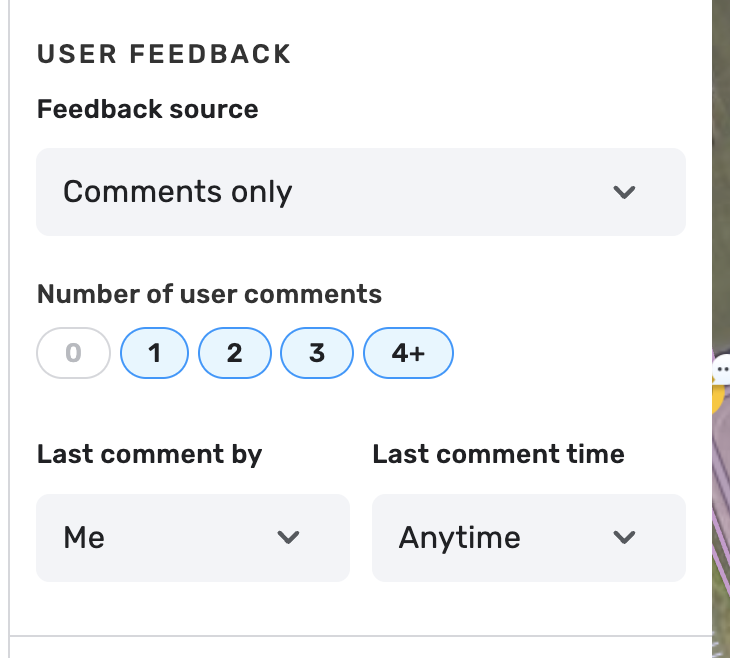
How do I filter if an UR has comments or not? Before the update it was something like “has comments”/”doesn’t have comments”. Now it seems like I have to select a specific comment count. So if I want to see URs without comments I have to have only 0 selected. If I want to see anything else then I need to separately select 1, 2, 3 and 4+. Those seem quite arbitrary numbers. Any UR fitting those could use a reminder comment.

Could we get the simple toggle back?

6 Likes

How do I filter URLs without a description that I’ve last commented on? This was very easy to do before this change, and I was finding URLs that had no user feedback but that I had taken action on. And why do we need to filter URLs by the number of user comments?!

6 Likes

Thx :folded_hands:t3:

4 Likes

I have no idea what you’re talking about – too cryptic. It sounds like you’re talking to the Waze developer staff, not users. Can you put this into words us ordinary mortals can understand, please.

Thanks.

5 Likes

There is definitely some technical information, but most makes sense to active editors. If you want to learn more, we can get you connected with your local editing community.

5 Likes

Hi @WazingArch,

You need to apply these filter settings.

Regards,
Nataliia

6 Likes

Hi @LihtsaltMats,

Thank you for the feedback. As you highlighted, the new feature enables additional filter options. They might seem inconvenient or unclear at first, but please give them a try.

If you have any additional concerns, questions, or ideas for improvement, please share them in the related feature thread.

Regards,
Nataliia

6 Likes

That would be great! I have some local map issues that need addressing. I’m in Georgia and the issues are in downtown Atlanta.

6 Likes

Hi! I’m one of the Georgia State Managers. What specific issues in Atlanta can I help you address? Feel free to reply here, send me a direct message by clicking on my username (spedracr), or join our local Discord server where several editors are available to assist: https://discord.me/southeast

7 Likes

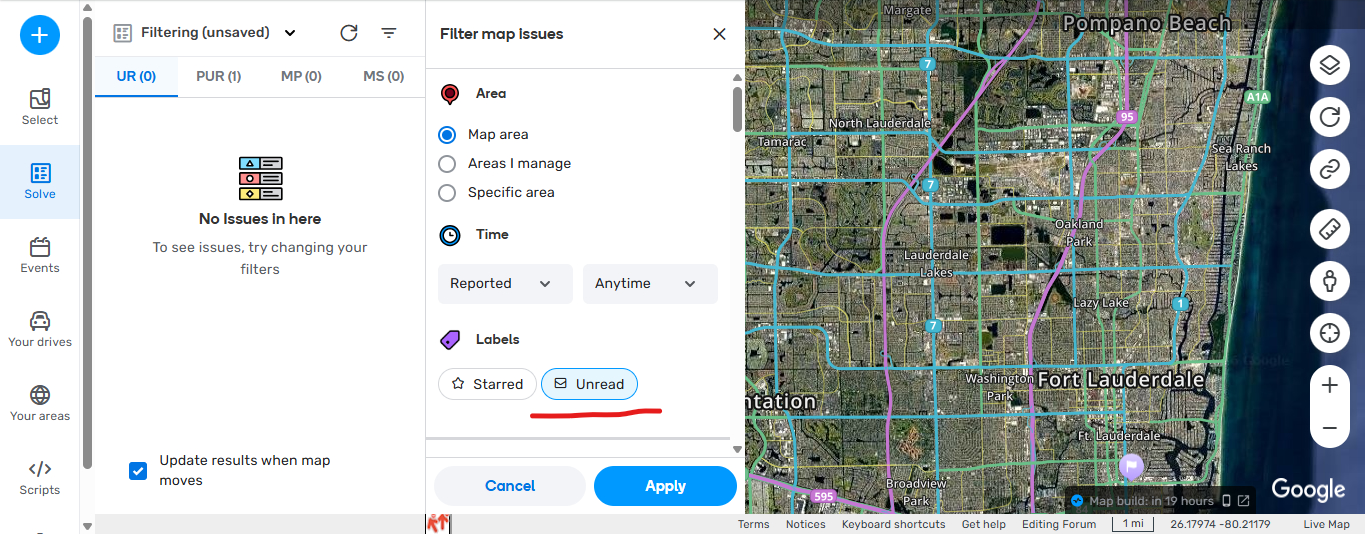
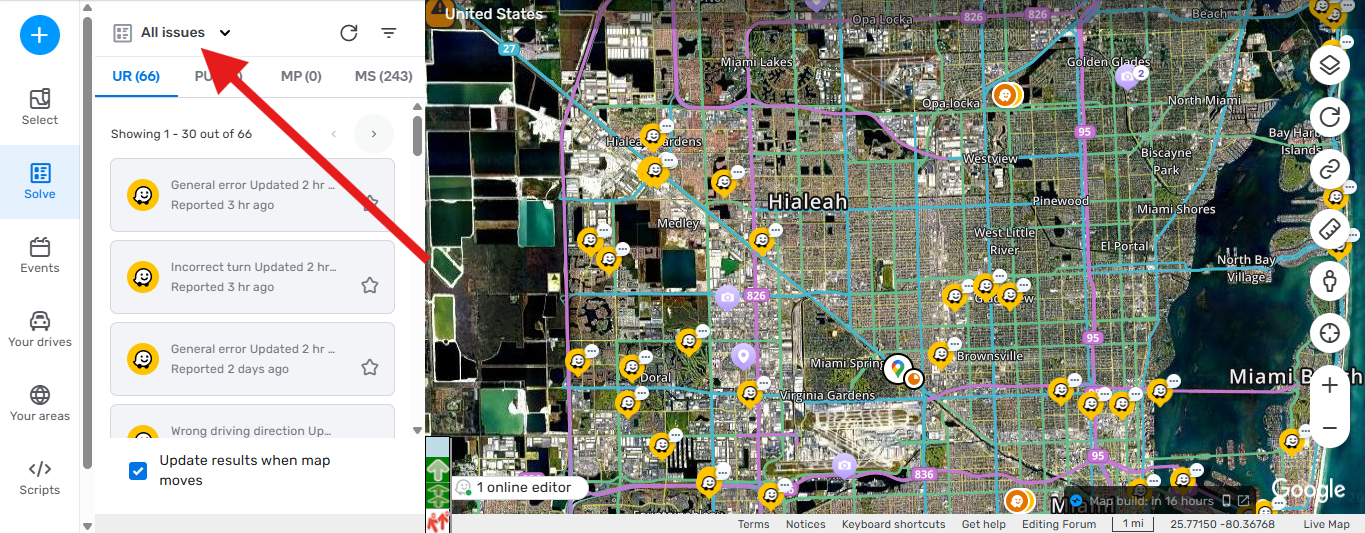
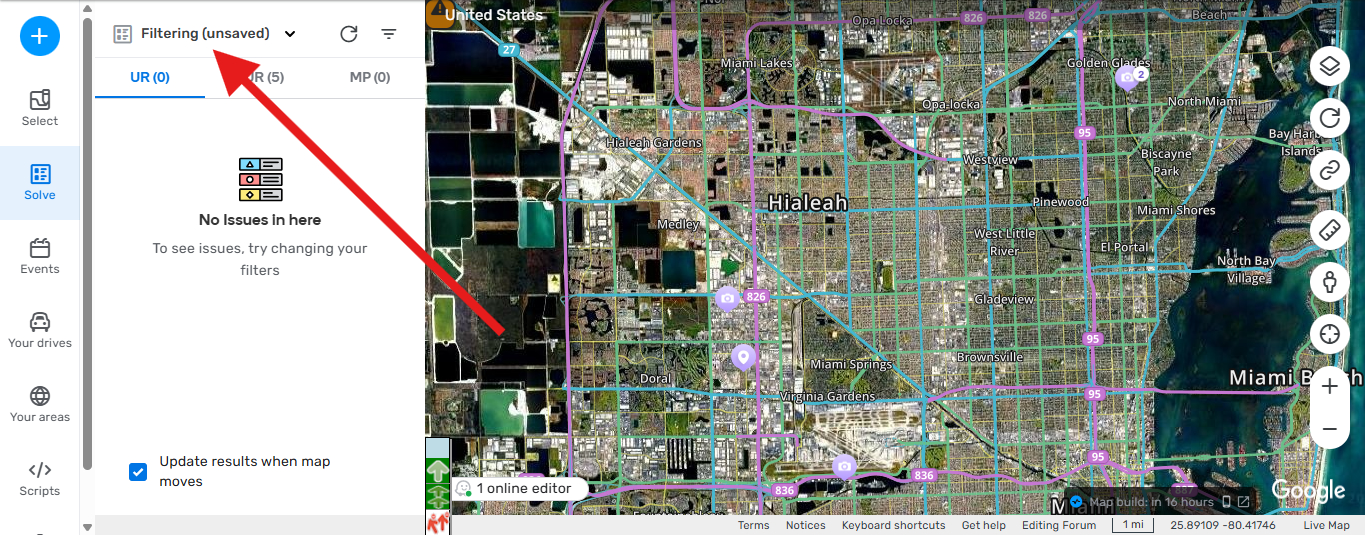
Hi, the issue that was previously reported is now in Production, when you try to uncheck ( UNREAD ) and then apply the option doesnt change, it stays in UNREAD mode, so i cant see any UR other than new ones without comment, this is also happening with PURs if i click on a PUR and then moved it doesn’t show because it was read already so while the ( UNREAD ) Button stays ON i cant work in any PURs or URs that have a response or reply, i tried clearing cache, removing all scripts but the only way it works is in incognito. i find out that the filtering is not staying in the filter i have, as soon as i change to ( Unread ) the filtering changes to ( Unsaved ) and it doesn’t allow you to see the URs your looking for. which are the ones with reply or response by me and the UR needs to be closed.


4 Likes