Is this a… :Steps to reproduce this issue :
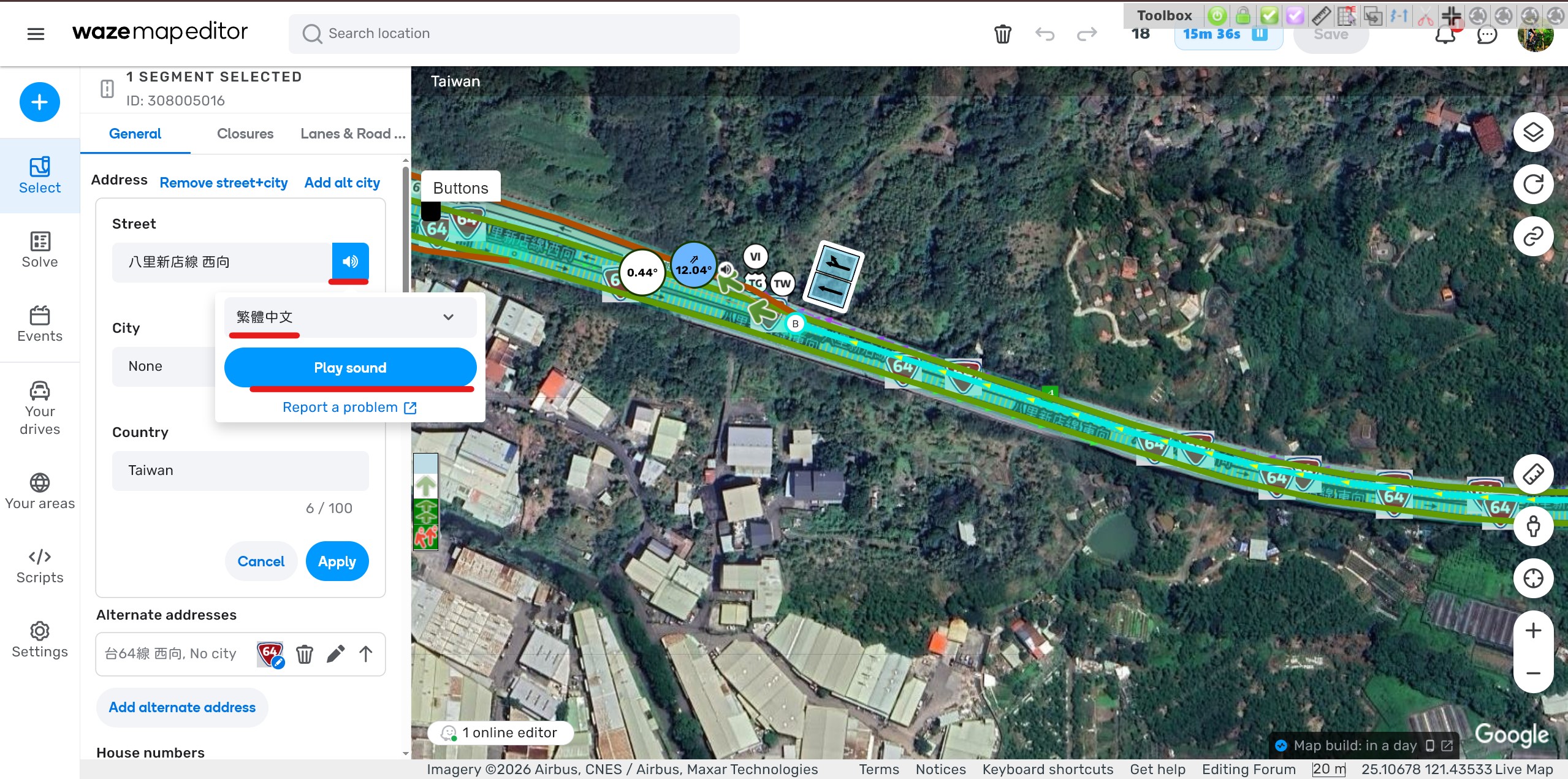
Open the Permalink and click the “Edit Address” icon.
Click the voice icon next to the “Street” field.
Select “繁體中文”, “中文”, or “zh-TW”.
Click the “Play sound” icon.
Result: No sound is played for the “繁體中文” / “中文” / “zh-TW” voices
Case 2 - Turn Instructions
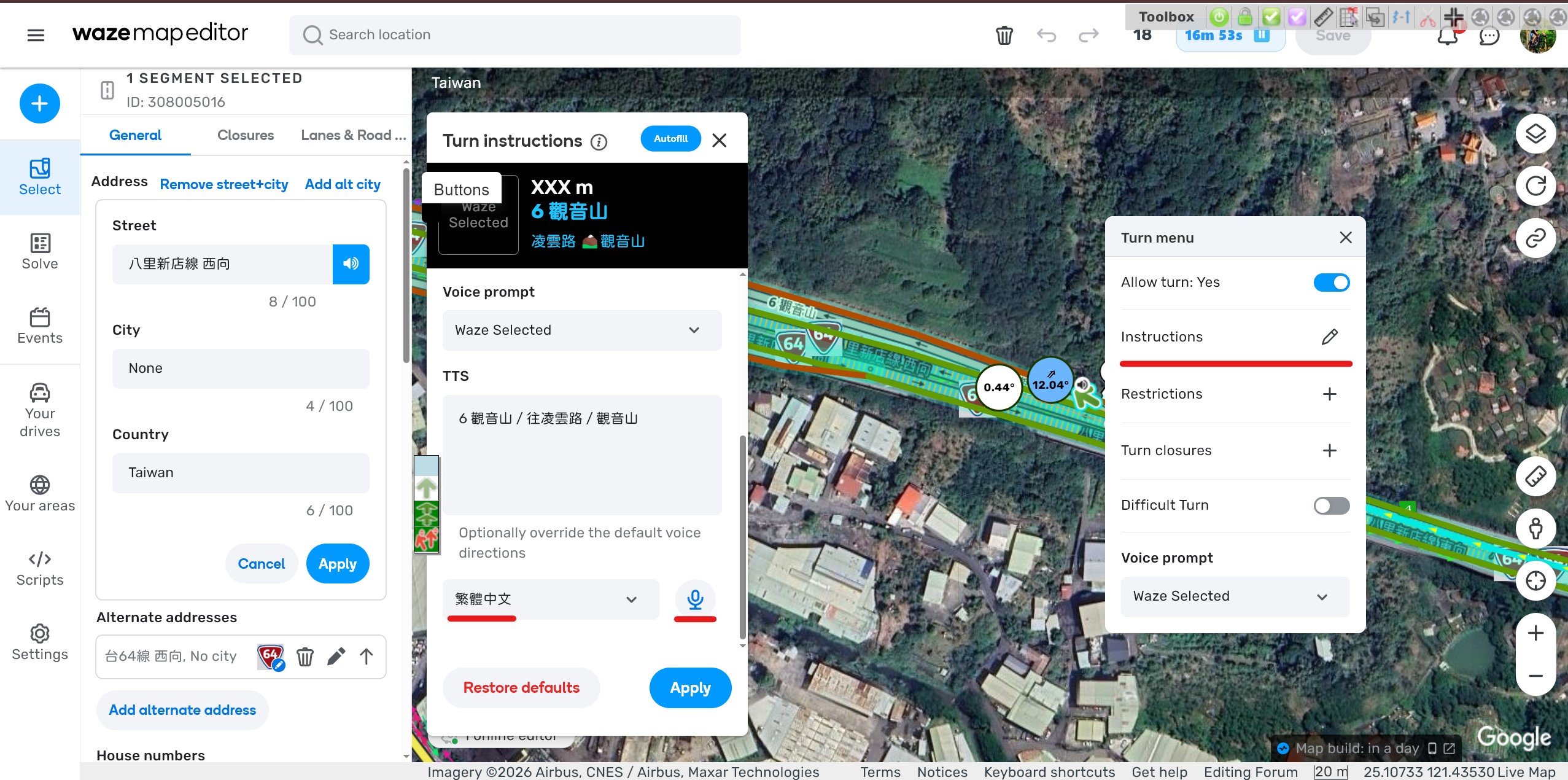
Open the Permalink and click “Instructions” in the Turn menu.
Select “繁體中文”, “中文”, or “zh-TW”.
Click the “Play sound” icon.
Result: No sound is played for the “繁體中文” / “中文” / “zh-TW” voices.
Environment where the bug occurs… :Permalink :https://waze.com/editor?env=row&lat=25.10710&lon=121.43567&zoomLevel=19&segments=308005016 Browser name and version :
Case 1 - Address
Case 2 - Turn Instructions
3 Likes
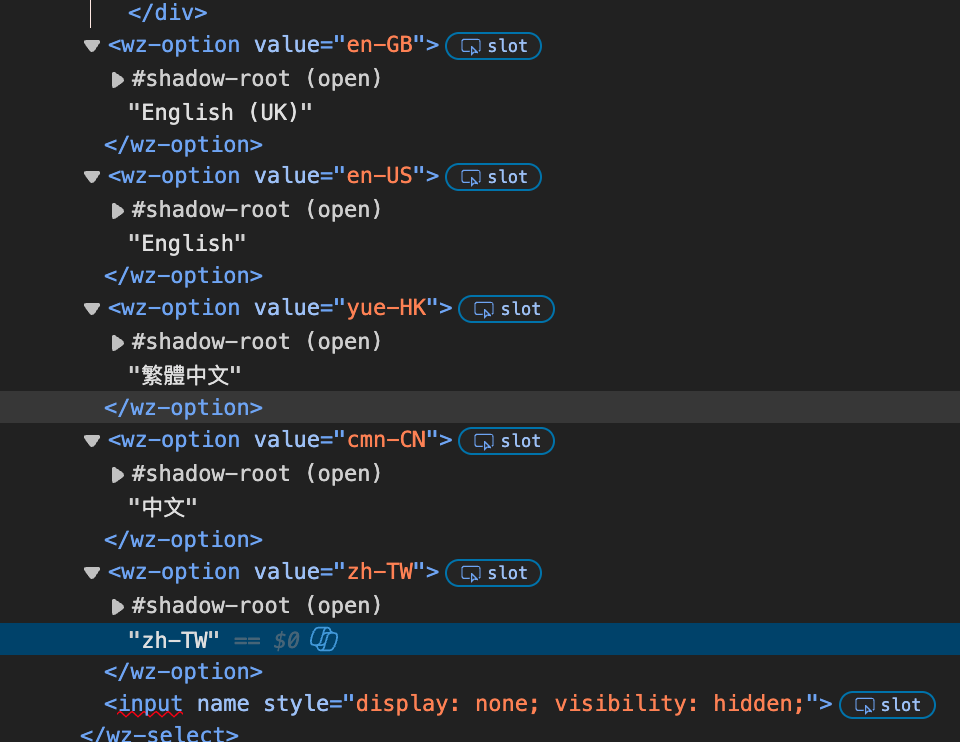
Could Waze also modify the name for each language?
Actually it should be:
繁體中文(台灣)> zh-TW
繁體中文(香港)> yue-HK
簡體中文(中國)> cmn-CN
3 Likes
Hi @honkhongliang ,
Thank you for flagging this bug. I have raised an internal ticket to address it and will keep you posted on the progress.
All the best,
2 Likes
Hi @lawvaban ,
Thank you for your input!Localizations Bugs section?
Thank you and regards,
2 Likes
Hi @Olesya-Staff ,
It looks like the WME TTS Chinese voice has been fixed! We can now hear the Chinese voice through both the ‘Turn Instructions’ and ‘Address’ fields.
However, the WME TTS UI currently displays ‘zh - HK’ , ‘zh - CN’ , and ‘zh - TW’ . Would it be possible to update this UI display as below?
‘zh - HK’ → 粵語
‘zh - CN’ → 普通话
‘zh - TW’ → 繁體中文(台灣)
Thanks for the help!
1 Like
Hi @honkhongliang ,
Thanks a lot for the update!
As for
honkhongliang:
However, the WME TTS UI currently displays ‘zh - HK’ , ‘zh - CN’ , and ‘zh - TW’ . Would it be possible to update this UI display as below?
this has been raised by @lawvaban in the localization section. The internal ticket is still being worked on.@lawvaban will receive an update when the translation ticket has been resolved.
Take care and regars,
1 Like