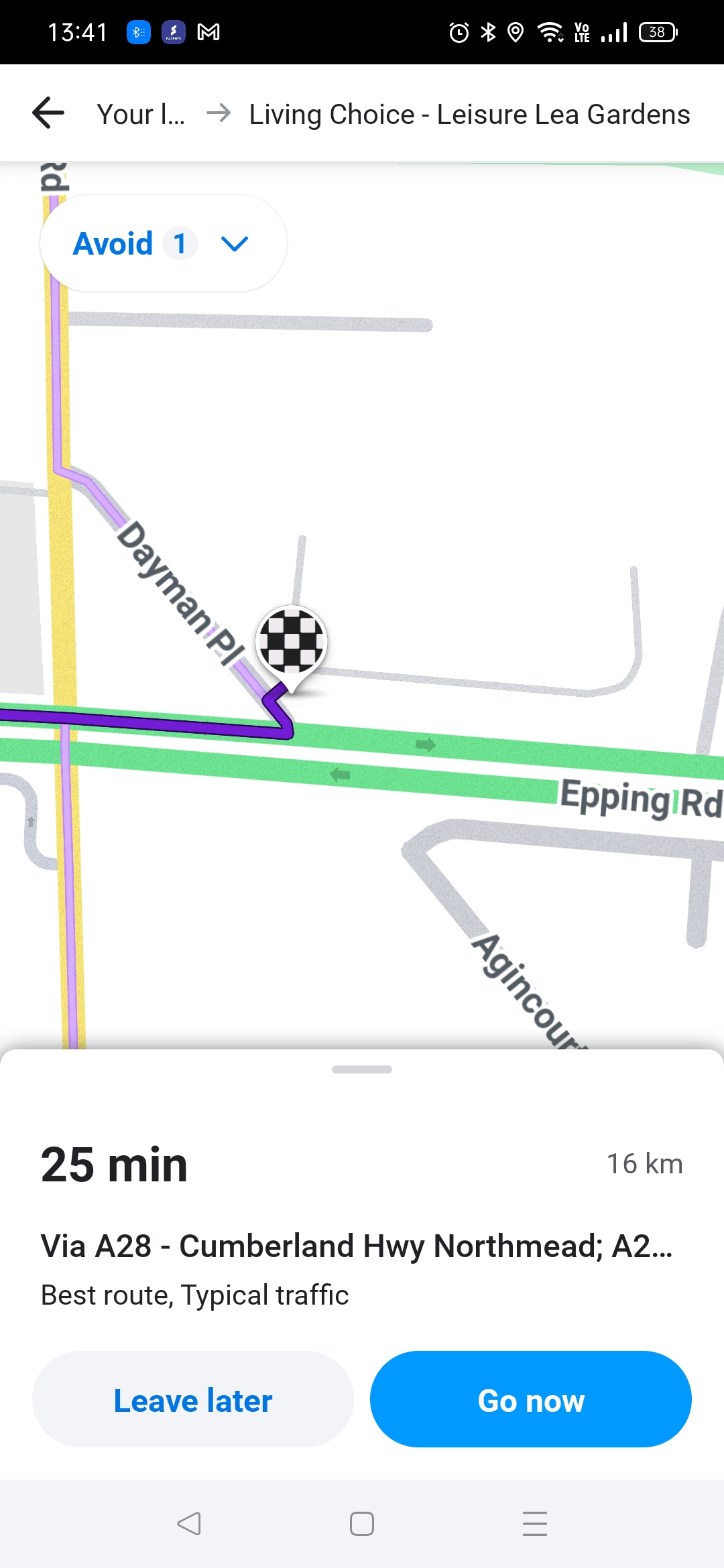
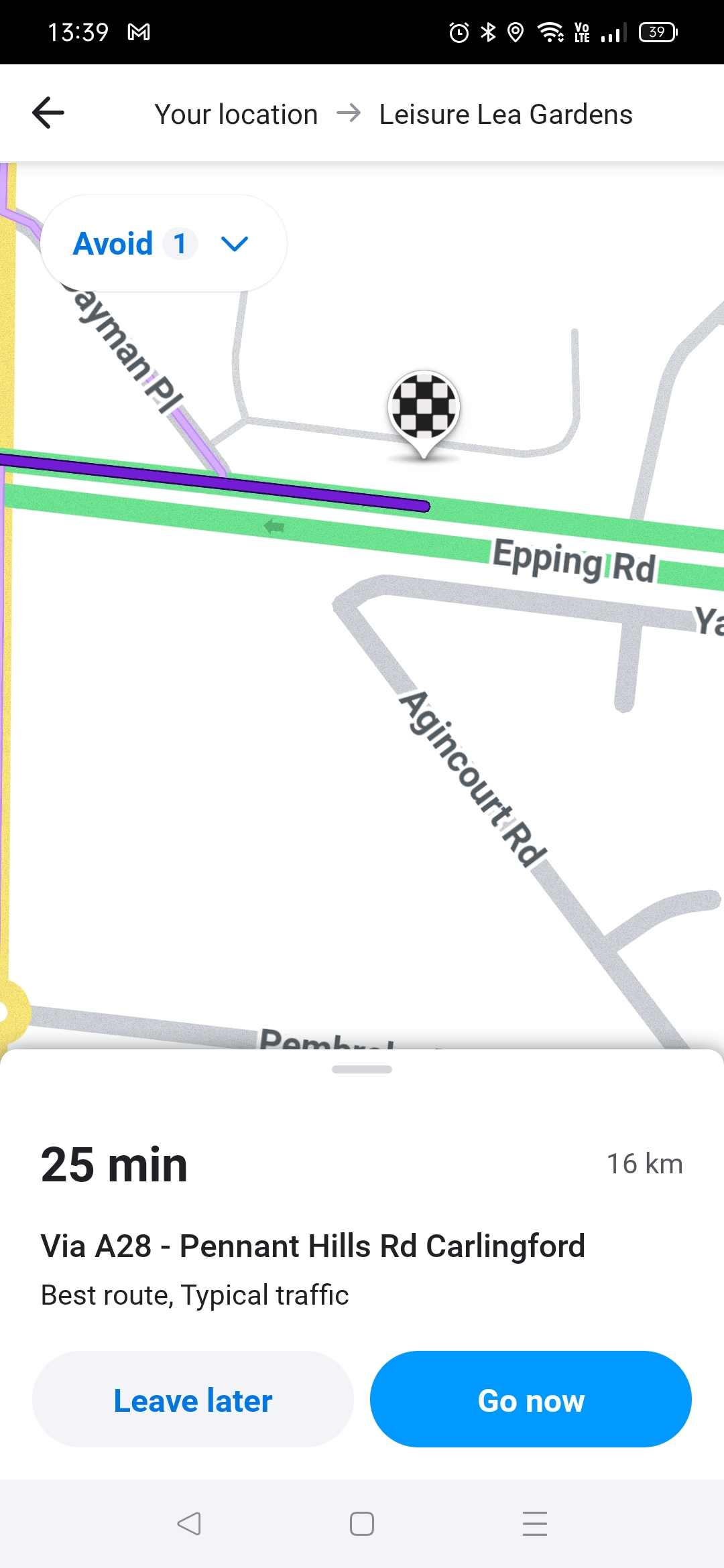
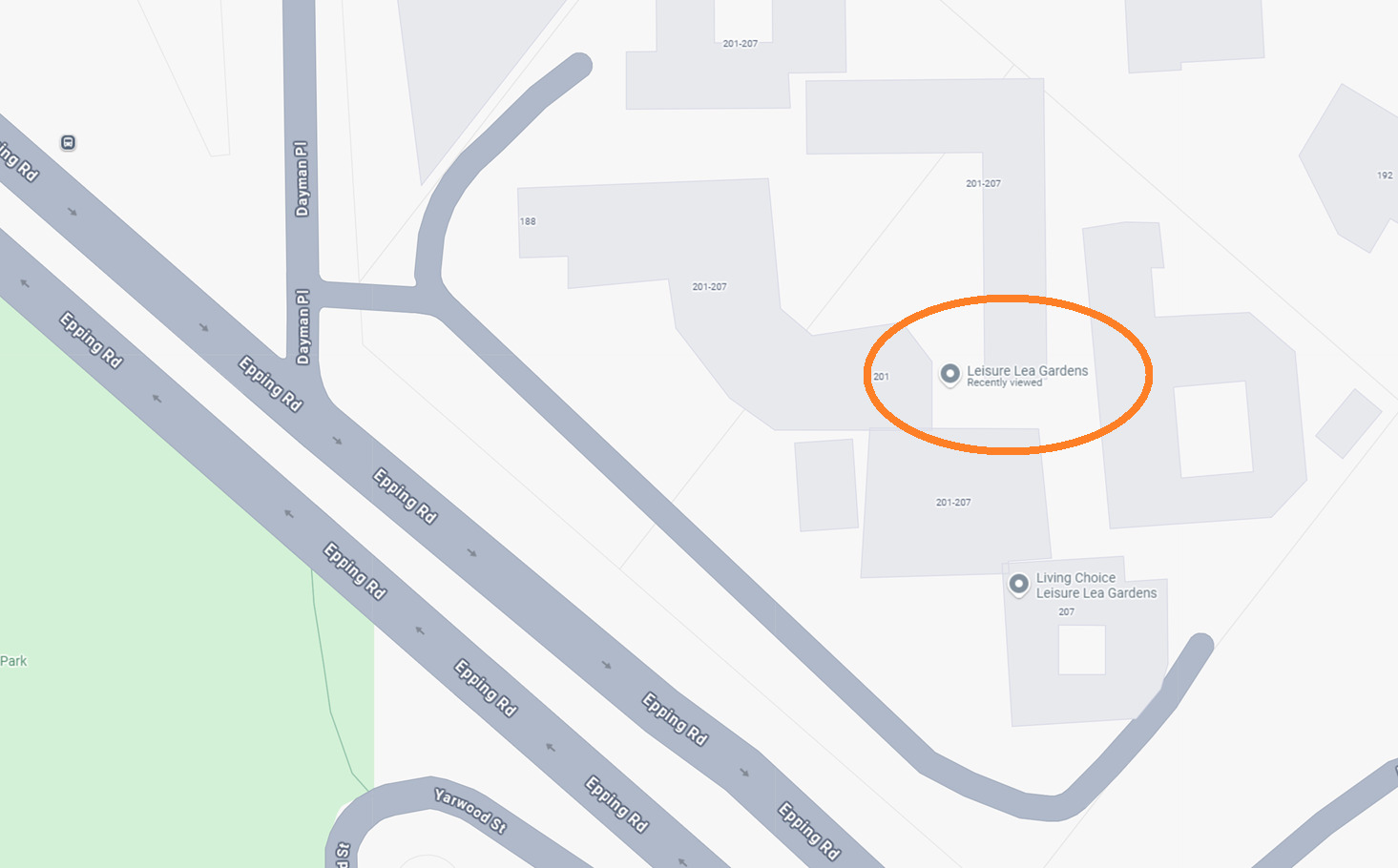
Steps to reproduce this issue:
In Waze production app (not website livemap):
- Search destination “Leisure Lea Gardens” (place in Marsfield, New South Wales, Australia).
- Choose “Show routes”
- Pan and zoom to end point of route
- Actual behaviour: end point of route is shown on Epping Rd.
- Expected behaviour: end point of route is shown on private road connected to Dayman Pl
Counfounding factors:
- “Leisure Lea Gardens” is an alternative name for “Living Choice - Leisure Lea Gardens”. Navigating to that name gives the expected navigation.
- Navigating to either place using live-map website also gives the expected navigation.
Permalink:
https://waze.com/en-AU/editor?env=row&lat=-33.77279&lon=151.10171&marker=true&zoomLevel=19&venues=99026358.990263583.39940853
Are you using scripts? Which ones?:
N/A - Waze production client and Waze production livemap, not WME.
There is a Google POI with same name (same as the alternative name in Waze), and that is not linked as an external provider. If you link it, the app will behave better.
That Google POI though, should be routing to the parking lot road, so I still see an issue.
Hello @TimAThing,
Thank you for your report. Is there any chance you can send your debug logs? Prior to that you might need to remove this place from your recent locations and then try to reproduce the issue. Can you try full search (enter the location in the search filed and hit enter) and autocomplete (enter the location in the search filed and wait for results to appear)?
I have tried reproducing this issue but I got only one correct result for both full search and autocomplete.
The new full search capability has not reached everyone yet, so I assume that this might be the reason why your results are different and incorrect.
Please let me know if you have any further questions.
All the best,
Olesya
Hi @YanisKyr,
Thank you for your input and the advice. I don’t see this issue in my Beta build. Can you reproduce this issue on your end as well? If so, can I trouble you to send some debug logs?
Best,
Olesya
I just tried to replicate, but now the problematic alternate name isn’t showing up in results at all, I only get the Waze primary place name. I expect the changed behaviour is because I’d followed YanisKyr’s advice above, so now both Google places are linked to the same Waze place.
This at least resolves the navigation issue for the UR reporter, because now they’ll get the Waze place with the correct navigation, whichever version of the name they enter. If we wanted to investigate why the routing wasn’t going to the closest road (the private road rather than Epping Rd) I’d have to unlink the second Google place and then wait for the map to update. Is that a useful thing to do for trying to uncover some deeper odd behaviour, or do we just let the corrected behaviour stand?
Regards
Tim
Hi Tim,
Thank you for your response. I’m glad YanisKyr’s advice has helped. I would suggest keeping it as is. However, if you see the same issue happen again we can then investigate it further.
I will also check if we have some similar bugs open in the meantime.
You can let me know in this thread and I will take it up with the team.
Kind regards,
Olesya
Happy this worked! That’s how the External providers are intended to work 
Once linked, the user should only see the Waze result even if they are searching with the Google POI spoecific name. And subsequently they should see Waze photos/opening hours/description/etc, as well as get navigated to the Waze POI’s entry point(s)