I know it doesn’t need to be said here, since I’d say the majority of people who edit and browse/contribute on the forums here know the best mapping practice guidelines, but we really need to help educate new editors (and apparently old editors) on the rules for the map editor. I am seeing A LOT of these edits pop up in the north Jersey area recently.
Yes, I’ve been trying to refer the editor, and those cleaning the mess, to the wiki as every single lane in a parking lot should not be mapped. Unfortunately, some of these editors may not know the forums exist.
Is there an opportunity to have an In-app alert to direct users to the forum?
There is no in-app alert. Part of our jobs as AM’s is to reach out to editors not following procedures, educating them, and escalating the problem if they are not adequately responsive.
Unfortunately, you are right. It’s all part of the community aspect of this–AMs and other users all have to band together to help out. I always PM people I see and help them with any map issues I may see, and (almost) always get a positive response from them. There’s always a few (some of the users I cited in this post for example) that never respond or are negative about it.
We’re all volunteering here because we like what Waze is doing and we want to make it better. The community aspect is what makes this strong, but with that sometimes you will have situations like this. Luckily, we have some great regional and Waze Champs that help in situations like this that need to be escalated, and it’s generally taken care of real quick.
I would focus on around the main roads that would affect routing. You can take your time on the parking lot roads. Also, red roads won’t show on the map until they are confirmed.
Understood. I posted a request in the unlock forum, but if a level 3 or higher can get to it, by all means do so. It’s a major route and missing a left turn so help would be appreciated to correct it.
Here is why:
I thought the same thing but, how do you explain this?
There were 2 editors… One of the editor, left most of those roads red. The other editor created/confirmed some of his and some of the other editors roads.
Take a look at these images.
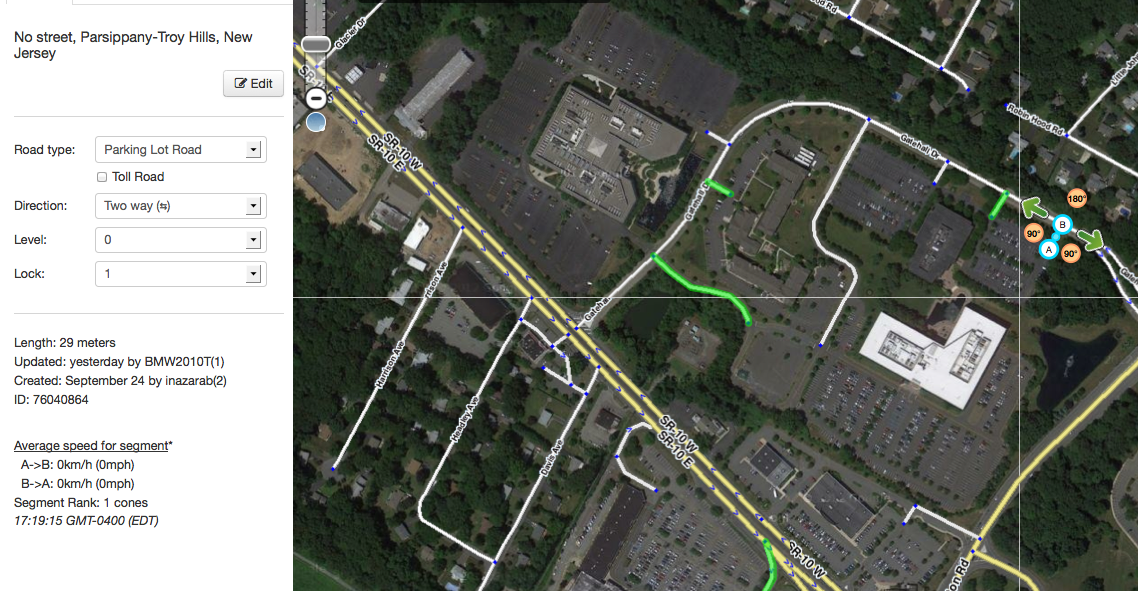
This one from the WME: (unavailable attachment: Screen Shot 2013-09-27 at 10.27.56 AM.png)
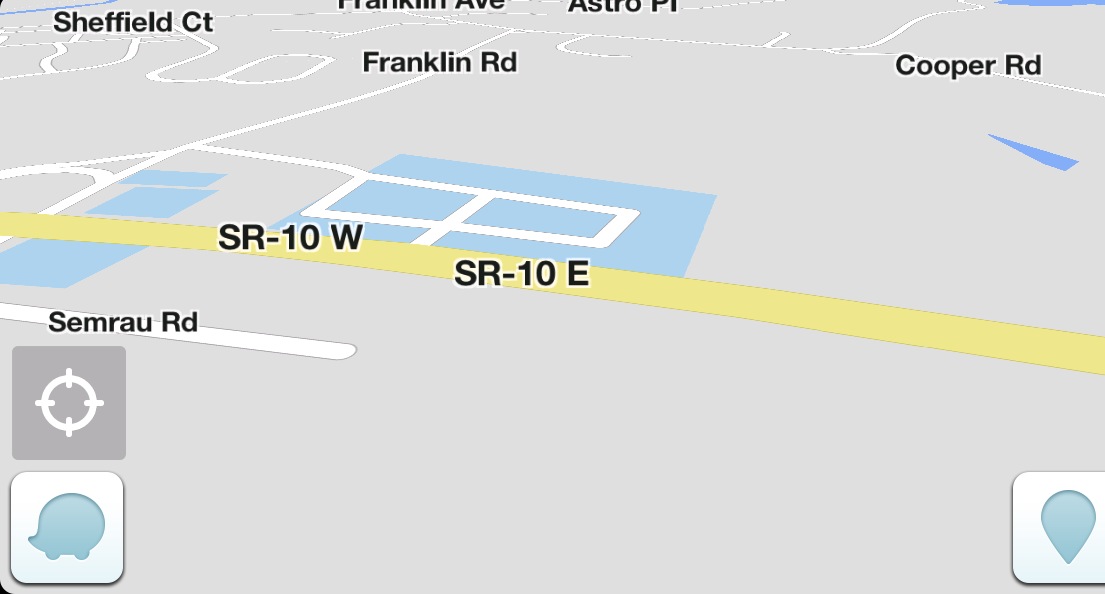
…and the other one is from the Client:
According to the WME image, these roads are Created/Updated: September 22 by the same user and they are still red.
Yet, the very same roads won’t show on the Client. I believe, the second editor confirmed those red roads by putting the city names.
This is what’s left:
You can see both editors name in the left panel. One of them is created and the other one is updated. These are Created: September 24 by inazarab(2) and Updated: yesterday by BMW2010T(1)