- Find an existing place
- Copy and paste a new primary name
- Copy and paste a new alternate name and click apply
- The new primary name reverts to the original name
Screen capture:
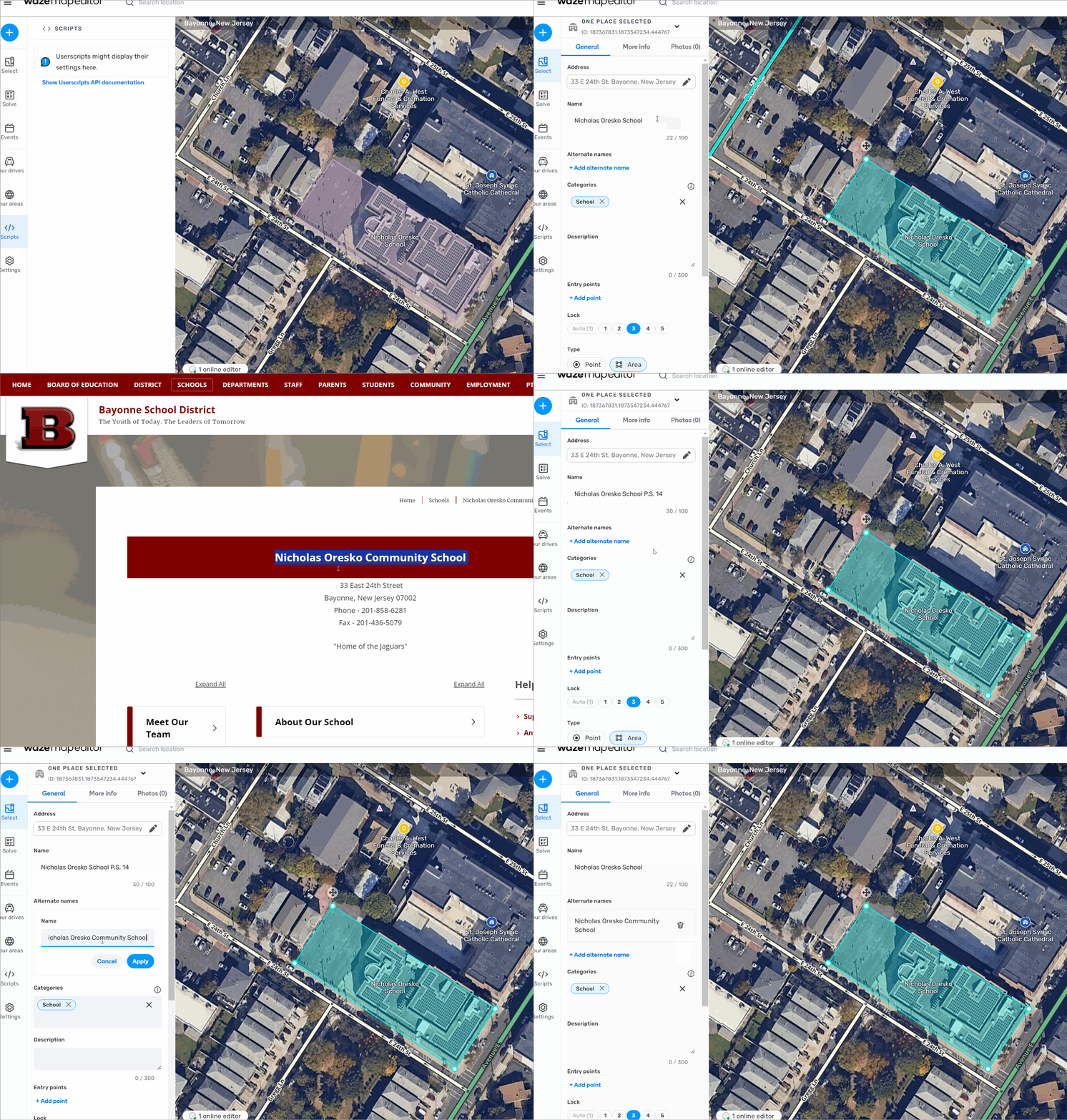
Screen capture:
I’m not seeing that on my system, the primary name remains what I set it to. I have seen other changes revert, but I can’t reproduce it consistently.
And that PL is a prod WME link, not a beta link, maybe that makes a difference.
This behaviour is not caused by the copy/paste, it is caused by the move to another tab of the browser.
I can reproduce with this procedure:
At that moment, the wme forgot that the primary name had been modified. It should create a modification under “save”, but it does not.
If you skip steps 3 & 4, it does create a modification.
I keep trying to reproduce this and sometimes it works and sometimes it doesn’t, but I created the issue anyway because there is something going on regardless. Thanks.
I can reproduce 100% of the time following the steps by Fkzy
I am sure that the issue is that since you have never left the name field when switching tabs, WME hasn’t registered that there was a change.
You will also notice in my video that when I create an alternate name and apply it, the primary name reverts back to the old name since the new name hasn’t been registered. My gut feeling is that this is WAD but I am not the dev 
I can reproduce this as well.
Also with the phone number and website field at places:
You can find a Video here: https://drive.google.com/file/d/1PE3gSPKAAlm1m-2G4mgm4VEnrac0xSwS/view?usp=sharing
Hi, this bug is now reproducible in Prod WME so the post has been moved to the WME Production Bugs forum
Thank you @BeastlyHaz / Harry for moving the bug.
Edited: @BeastlyHaz / Harry, could you please share the steps to reproduce the issue? I tried a few flows but couldn’t recreate it.
Regards,
Nataliia