Life is life 
Batman!
1 Like
I would like to change visibility of different road types according to zoom level. Can these settings be added? For example I can see dirt roads at higher zoom levet, but streets are not shown…
That depends on what the editor loads at different zoom levels. It’s weird but that’s how it works.
But standard WME (experimental) roads layer shows both at this zoom.
It does, but you can’t do anything with them - they’re rendered only in the static bitmap tiles used for the native road layers, the corresponding segment data that WME (and SVL) requires to let you actually edit the segments isn’t however loaded until you zoom in a bit.
It would be possible to hide dirt roads, Parking Lots, etc at zooms where streets aren’t included in the vector data. Then it would at least be consistent.
Sent from my Nexus 4 using Tapatalk
may i suggest that page one (first post especially, edited with the link of available version)
thanks
i loved this script a lot
Hmm. For me streets disappear at zoom 3. But dirt roads only at zoom 4. At zoom 3 dirt roads ARE EDITABLE and selectable.
It might be fixed in 1.2.7 (I didn’t try it :mrgreen: )
I’m thinking about adding a visualization for speed limits.
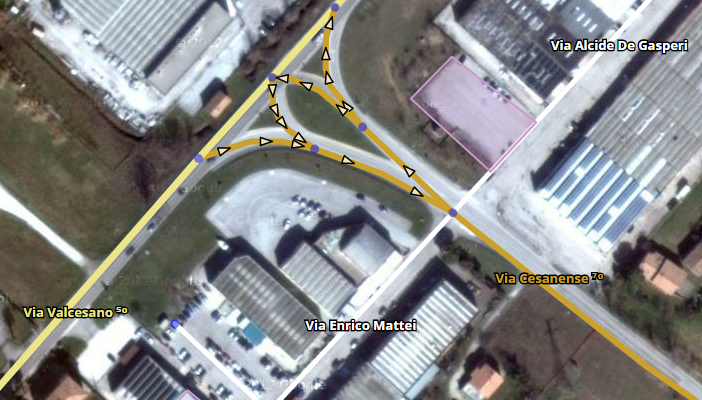
Here are two options:
- Small numbers:
- Big numbers:
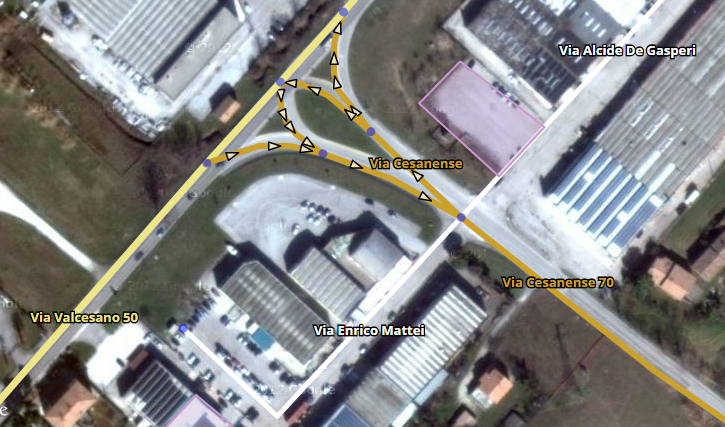
What do you think about it? Any suggestion?
I like more the small numbers. Some cities have numbered streets and there the big numbers would be confusing.
Anyway, I think this should be optional (guess is your intention) and does not replace a color coded speed layer.
Papo.
Did anyone already implement that?
No, or not that I know.
I think I did see some discussions on the issue though (sorry , I cannot search for it right now).
I think it could be an useful feature.
- What is the maximum speed limit in mph? In Km/h I’ve counted 150km/h and therefore placed the limit to 160 (just to be safe).
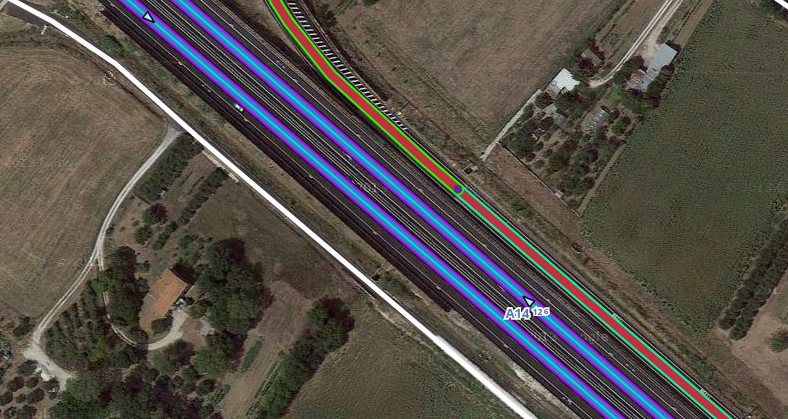
Colour coded example (I guess won’t be nice for color blind people though)
Quote: “I won’t say I’m in love”
That was fast…
What is the thin line? toll road? Those highways with three colors…
May be an option to show only the speed limit color?.. just wondering… don’t want to bloat the add on, nor abuse your dedication…
Like this: “Via Cassanese [70]”? 
Hello,
Excellent work.
Yes, good idea and color you could change would be good ( if possible ) .
Script updated to version 1.3 (requires preferences update)
Changelog
Speed limits!
- See new options in the Speed limits section in the menu.
- Show the segments’ speed limits using colors
- Show the segments’ speed limits appending it to the street names (this method supports showing two different speedlimits A->B, B->A)
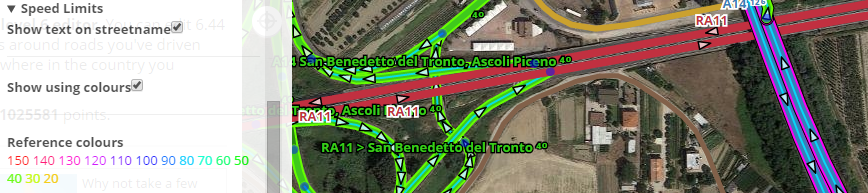
I don’t understand what is after the road name on th map …
…
https://www.waze.com/fr/editor/?env=row&lon=2.33524&lat=48.80298&layers=4065&zoom=8&segments=67265900