Hi,
It seems that the MTE selection is limited and doesn’t show all events anymore.
Cheers,
Eddy
I believe it is supposed to only show MTEs that overlap with the currently set date range.
WME Advanced Closures does keep crashing WME on me… BUT I have noticed it crashes much less if I keep the scripts sidebar tab open as default.
What are you doing when it crashes? What exactly do you mean by crash – is it the left panel going blank?
Was that always the case? I experienced it as it was showing the same list as with a ‘normal’ closure.
Yes, it’s the left panel blanking out. I know that that is a flaw in WME itself, but Advanced Closures triggers it often.
It happens at the end of saving a closure. But it seems to happen less often if I start with the Scripts panel open.
When using a sheet is marks closures for removal and not add. Only one of the lines show add. 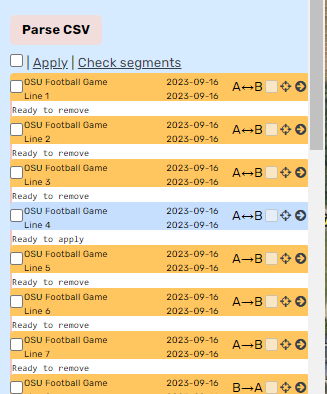
The “remove” functionality has not been working for some time. I’ll admit I have never seen the UI show Ready to Remove. I did notice the dates in your listing are in the past.
If you send me the CSV, I can try to figure out what is happening.
You know what. I didn’t realize that. But did update the csv. Maybe Excel wasn’t saving it.
Hello 
Oh noooo  Advanced Closures is down with the new WME version.
Could you help us ?
The France Team Closures use it all days…
Advanced Closures v 2023.11.22.01 is now available and fixes it to work with the latest WME.
Dave
Hello,
is it work for you ?
For me no 
Ça marche pour moi, mais j’ai dû mettre à jour manuellement.
Ici: https://greasyfork.org/en/scripts/370072-wme-advanced-closures
Yes, it is working for me and I believe others.
Can you tell us where the problem is? Is it loading OK and its tab appears in the user script panel? What are you doing when it fails? Are there any errors in the debugging console?
Dave
Updated & working fine here.
Hello,
I updated and emptied the cache, nothing… No “AC” tab or on the segments…
I reinstalled the update just now and miraculously, it reappeared.
Possibly some issues with this tool after the latest WME update. Unable to set up advanced closures. Shows a message “Repeat must be greater than duration”.
Anyone else having issues? Hoping it isn’t me doing something silly.
It’s still working for me. Can you share a screenshot of the params you’re using?
It’s not just you, I’m also having issues.
-
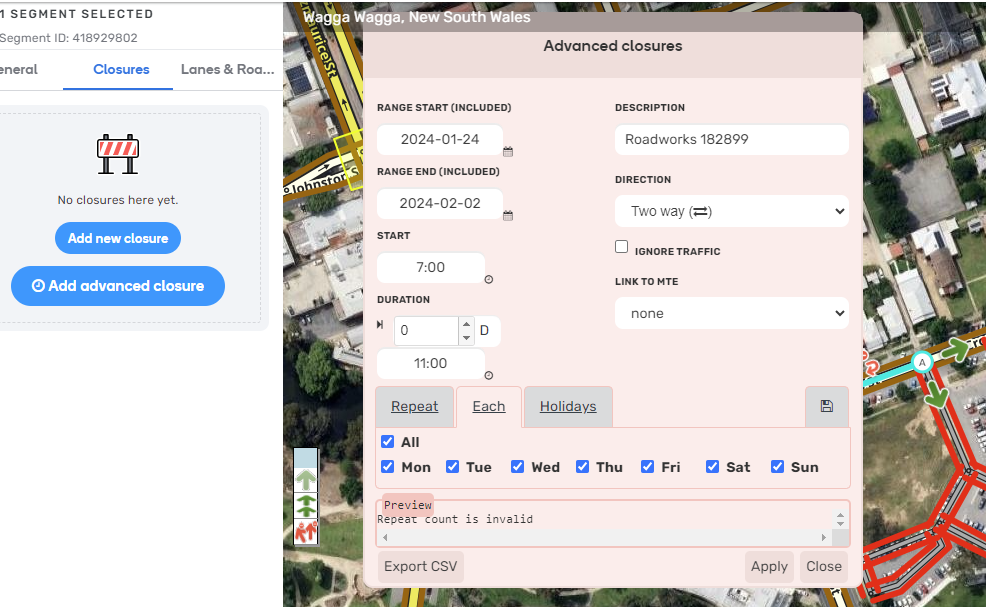
Preview panel displays “Repeat count is invalid” with valid entries. (Screenshot 1)
-
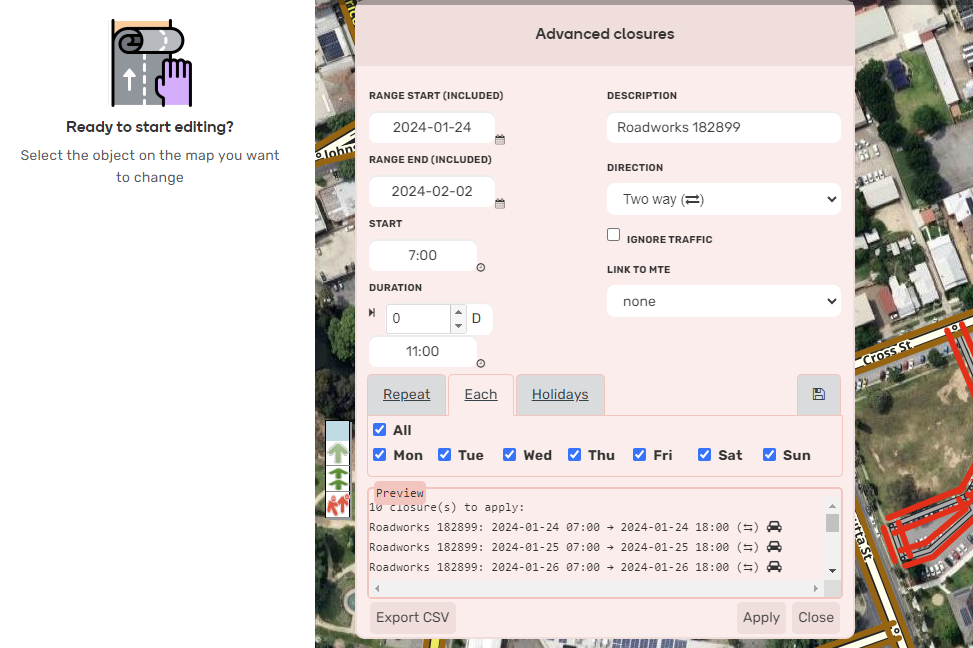
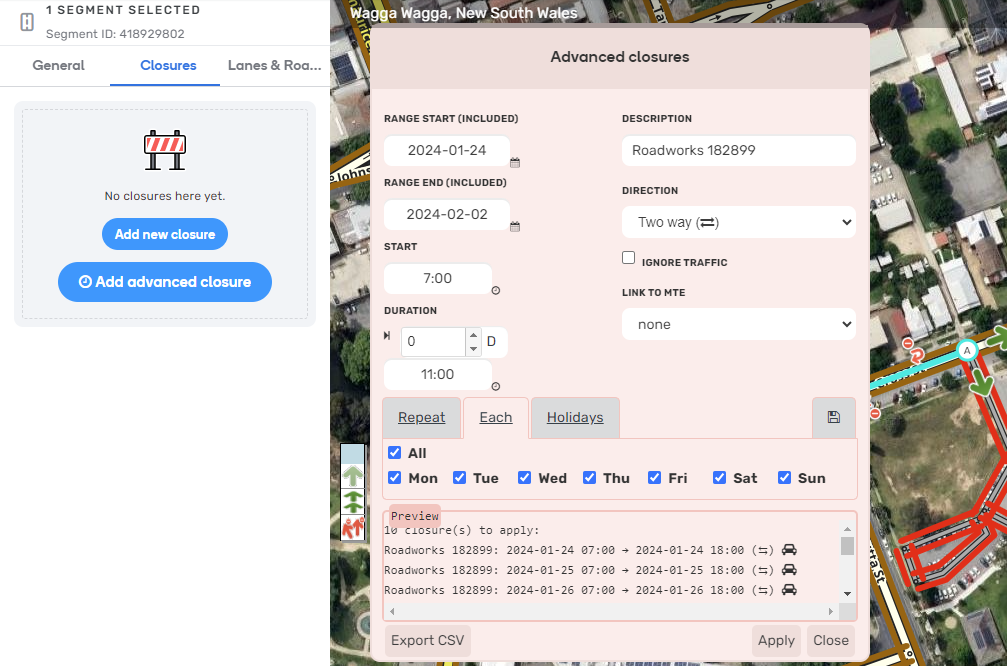
If I deselect the segment while still having WME AC open, then Preview panel now looks correct. (Screenshot 2) But if I reselect the segment and then Apply, nothing happens. (Screenshot 3)
-
Close button also not working. The only way to close WME AC panel is to refresh the browser tab.
Screenshots were taken with some other scripts active. I retested with all other scripts (plus WME Toolbox) disabled, results were the same. This example had only one segment selected, but I had the same problem with multiple segments selected.
Chrome 120.0.6099.225 (Official Build) (64-bit) on Win10 Pro
Tampermonkey 5.0.1
WME Advanced Closures 2023.11.22.01
Thanks!
Tim
That’s odd. I can’t replicate it (eg screenshot 1):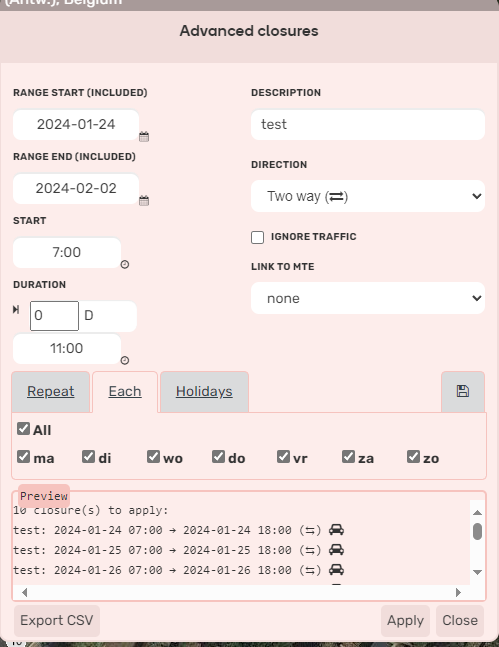
But I have version 2024.01.22.01 so I guess if you upgrade,it’ll be fine.