Description:
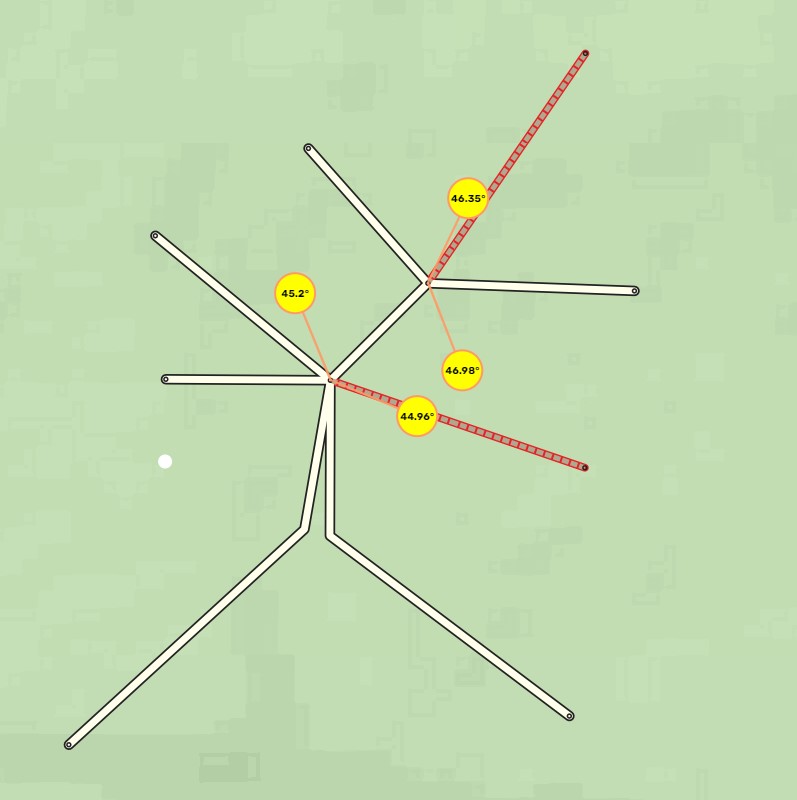
This userscript shows “Bad Angles” of all junctions in the editing area.
Bad angles are junction angles that can cause routing problems.
This script uses parts of the logic of the great “WME Junction Angle Info” script, thanks to the authors.
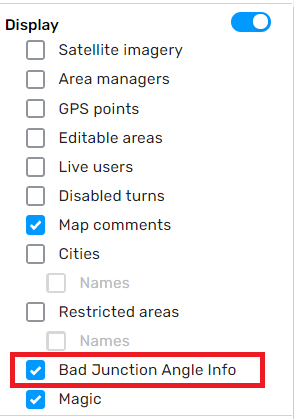
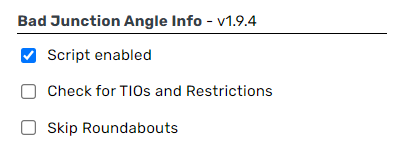
It cannot and does not want to replace “WME Junction Angle Info”, but it helps to find problems because it shows them in the WME window without having to select segments. Settings: You can enable/disable the script by enabling/disabling the “Bad Junction Angle Info” Layer in the Layer Menu Settings: In the BJAI Tab you can
Thank you … I was looking for something like this for a while
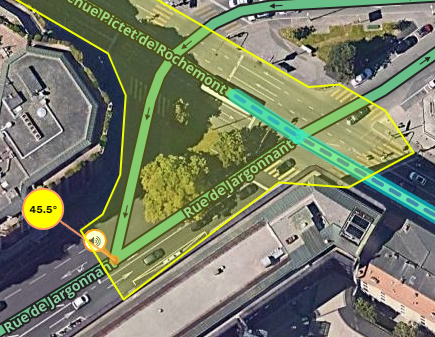
Is there a possibility to not show the error, if a TTS is forced on the node of the segments with the “45º”!? See this example. Because I’m overriding the instruction, there will no longer be a problem!
Also, a situation like this one shouldn’t be marked with error, because there is no possibility to make a route between them (from one segment to the other and vice-versa).
Overwriting a problem with an announcement (TIO) does not solve the routing problem. So the problem persists and is not resolved.
There are also incorrect exits at roundabouts, which are generated by the WME (rarely), but cannot be seen with JAI alone.
Bad Jai fixes this problem as well.
I guess I’m confused about the concept of this script. What makes an angle between segments “bad”? And what is the routing problem that can’t be solved by using a TIO?
I may be missing something because, for me, a Bad Junction Angle would result in a not clear instruction: it can be something like “exit right/left” or “turn right/left”. Because it is not clear if you will receive an exit or a turn instruction, it is needed to change the angle to something different of 45º!
Having this in mind, my suggestion was to put the script ignoring nodes where voice instructions would be already “corrected” by the editor, by forcing them to something different from the predefined!
Now I’m with the same doubt: if it is not only the voice instruction problem, so what is the routing problem?
What the above posters have said is correct. The only thing “bad” about junction angles near 45 degrees is that the automatic turn vs. exit/keep is unclear. If a voice prompt override (“TIO”) is used, there is nothing “bad” about it.
I agree with Sketch, to the best of my knowledge there is no unresolved routing problem. The only issue is with the instruction and when the angle can’t be increased or decreased (for whatever reason) then a TIO fixes that.
Also wondering about wether roundabouts should be marked or not however.
Thank you for the numerous responses.
Since there have been various questions about the script and about bad and good angles in the last few days, I want to briefly explain my level of knowledge and the creation of the script.
I learned the following from my mentors:
A bad angle can cause the following problems:
Unclear turning instructions
Suboptimal routes
To solve this problem we change the angle by adding an additional node( or moving existing nodes).
In order to find the bad angles faster and easier, I developed the script “WME Bad Junction Angle Info”.
Since we always fix bad angles by adjusting the angle, the script didn’t have to take any TIOs or restrictions into account.
Now I have learned that work is done differently in other countries and that there are additional requirements for the script.
I’m already working on the new version, which will also check and take into account TIOs and restrictions.
The new version will be available in the next few days.
Normally I try to implement this “way of doing things” in my editions, mainly because it is … let’s say … “more natural” (more in accordance with the reality on the vast majority of places).
In my opinion, this is what we should try to do first to solve this 45º issue, and only then, if for some reason it is not possible/enough, then the option to force the TTS instruction should solve it (to the best of my knowledge). This is the reason why I mentioned earlier that there is no need to mark such nodes
In what concerns roundabouts, I also don’t see the need for them to be marked :roll:
Thank you once again for your work: because of it, a new map is being unfolded before my eyes with a lot of yellow marks :lol: