Makes sense, thanks for clarifying.
I’m still seeing the bad junction angle warning on junctions that have TIOs.
Here is an example: https://www.waze.com/en-US/editor?env=usa&lon=-75.39206&lat=40.08592&zoomLevel=20
(unavailable attachment: Screenshot 2023-04-25 184338.png)
It looks like you did not check the “Check for TIO’s and restrictions” function: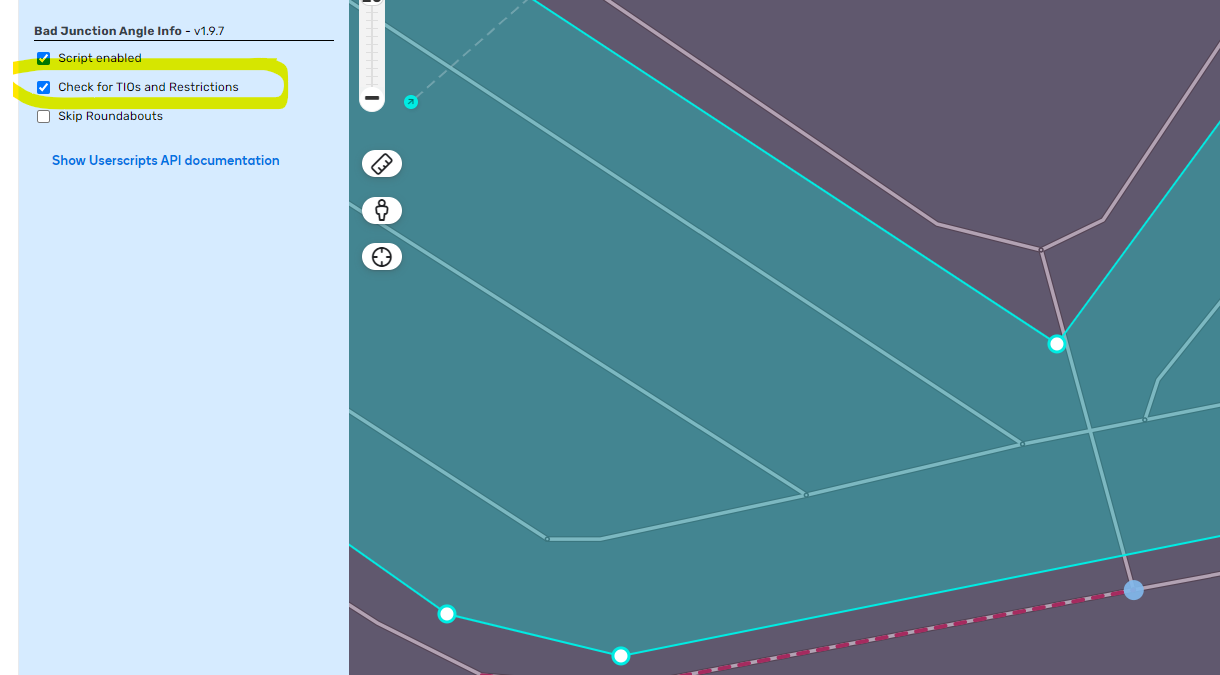
Thanks. I am finding many script settings are being toggled without notice.
Hey,
after the last hotfix for productive WME Bad JAI shows yellow angle while there is/are TIO.
Confirmed
I’ll try to fix it.
New version 1.9.8 is available!
Reason: Adjustments to the last WME update.
If you find problems let me know.
Hi @g1220k Gerhard, the error is back 
Thanks for the info.
At the moment I haven’t been able to reproduce the problem.
If the problem occurs again, please send me a PL.
Nice script! Love it! Really helpful.
Just a few thoughts:
-
It shouldn’t show bad angles on roundabouts, e.g. here:
https://www.waze.com/en-US/editor?env=row&lon=19.48299&lat=40.46486&s=7698221367294&zoomLevel=20&mapUpdateRequest=20122919 -
Should highlight disallowed turns, e.g. here:
https://www.waze.com/en-US/editor?env=row&lon=20.00173&lat=39.87442&s=7698221367294&zoomLevel=21 -
It would be nice, if yellow circles could be clicked to zoom-in to problematic junction, e.g. zoom level 20 (if not configurable)
Best Regards
Nice script! Love it! Really helpful.
Just a few thoughts:
-
It should not highlight bad angles on roundabouts, e.g. here:
https://www.waze.com/en-US/editor?env=row&lon=19.48299&lat=40.46486&s=7698221367294&zoomLevel=20&mapUpdateRequest=20122919 -
Should not highlight impossible turns, e.g. here:
https://www.waze.com/en-US/editor?env=row&lon=20.00173&lat=39.87442&s=7698221367294&zoomLevel=21 -
It would be nice, if yellow circles could be clicked to zoom-in to problematic junction, e.g. zoom level 20 (if not configurable)
Best Regards
Jump into the script settings 
- There is an option to skip roundabouts.
- Turning on “Check for TIOs and Restrictions” seems to fix problem 2 as well.
Regards
ag
As already mentioned by Age4670 you will find the solution for point 1 and 2 in the settings of BJAI: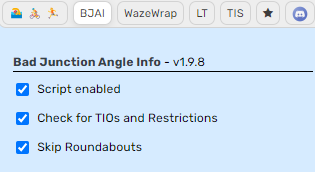
I like your “click and zoom” idea. I will try to find a solution for this.
Best regards
When “Skip Roundabouts” is selected, the script shows marks near roundabouts and then hides them. Is it possible not to show the marks from the beginning?
Hello
I mentioned / requested this in the past: it would be nice to also have the possibility to have those “yellow-green” angles marked by JAI - «Color for keep prompt».
These angles are also on the frontier of a correct / not so correct instruction … so it would be nice to have those marked on the map to alert us to evaluate if, in fact, the KL or KR instruction is the most adequate!
Thanks in advance.
Hi,
I’ve already tried to implement your request but because thats not only an angle (it’s dependig on driving direction and the angle of an additional segment) it is not possible to implement it without slowing down everything.
Best regards
Ok, understood 
Sorry to be talking again of the same :roll:
No problem, the idea is good but the implementation is difficult
New version 1.9.13 is available!
Reason: Adjustments to the new beta WME
If you find any problems, let me know.
I don’t recall this script highlighting bad turns on roundabouts before, but I am not perfectly sure.
If this works as designed, can we have the option to turn it off for roundabouts?
