That was added to native WME recently. It should be sorting by distance.
2 Likes
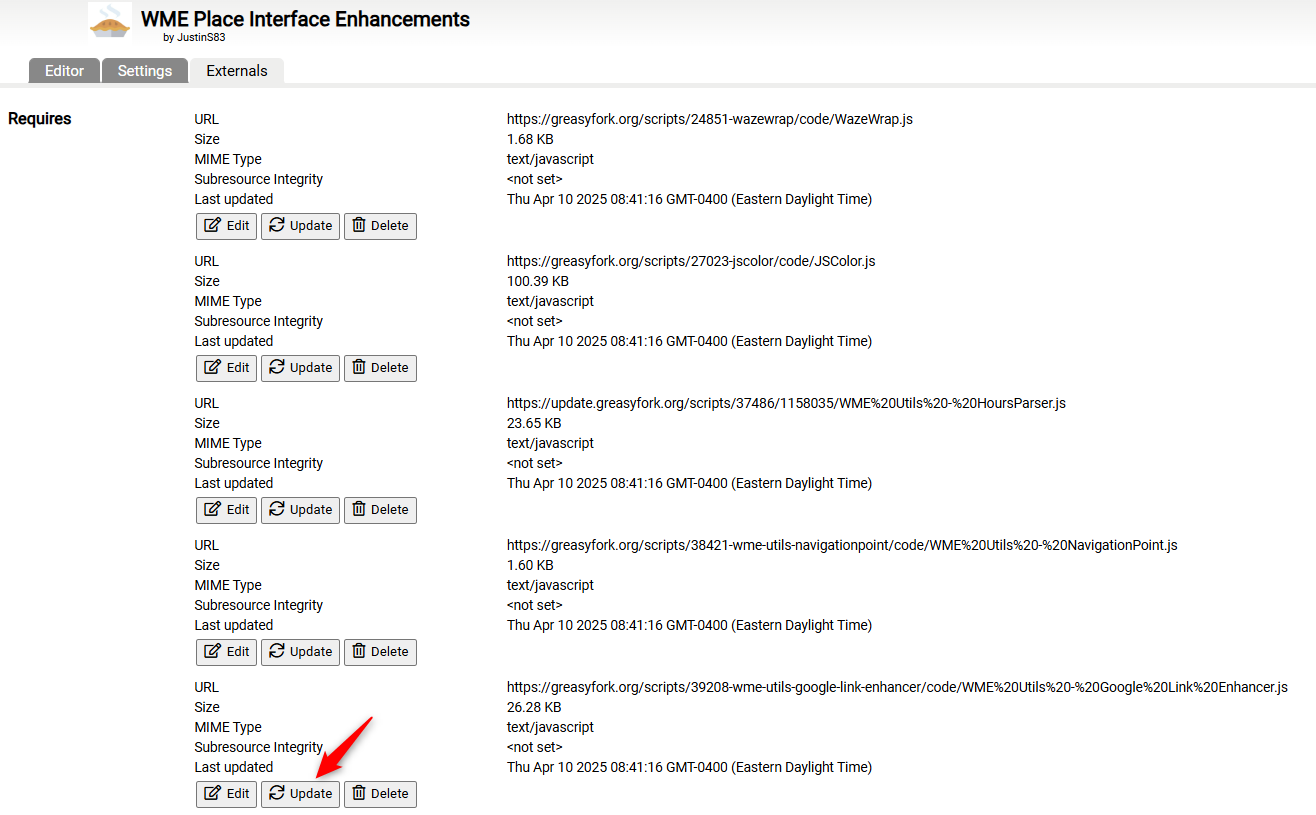
If the yellow dots aren’t showing when you hover over an external provider, try these steps:
- Open the Tampermonkey dashboard
- Open the WME Place Interface Enhancements script
- Go to the Externals tab
- Find the Google Link Enhancer file
- Click Update
- Refresh WME
6 Likes
I just wanted to check those settings, and went to the Externals tab as
you described. But the “Edit”, “Update”, and “Delete” buttons don’t
exist for me like they do on your picture. How do I get those to appear
(I have “Config mode” set to “Advanced” in Tampermonkey).
--Dave
1 Like
I noticed the first time I went to the page, those buttons weren’t there. They appeared after an F5 refresh. Not sure why…
1 Like
Huh, how strange… I tried that just now, and the buttons still don’t
appear. Well, hopefully I don’t end up needing them.. 
--Dave
1 Like
If you select several segments, it unfortunately no longer recognizes the tool - this only works with one segment. Unfortunately, this only works to a limited extent.
1 Like
This script does not do anything with segments. I believe you have commented in the wrong thread.
Yes, that’s right, I had the wrong one open sorry
1 Like
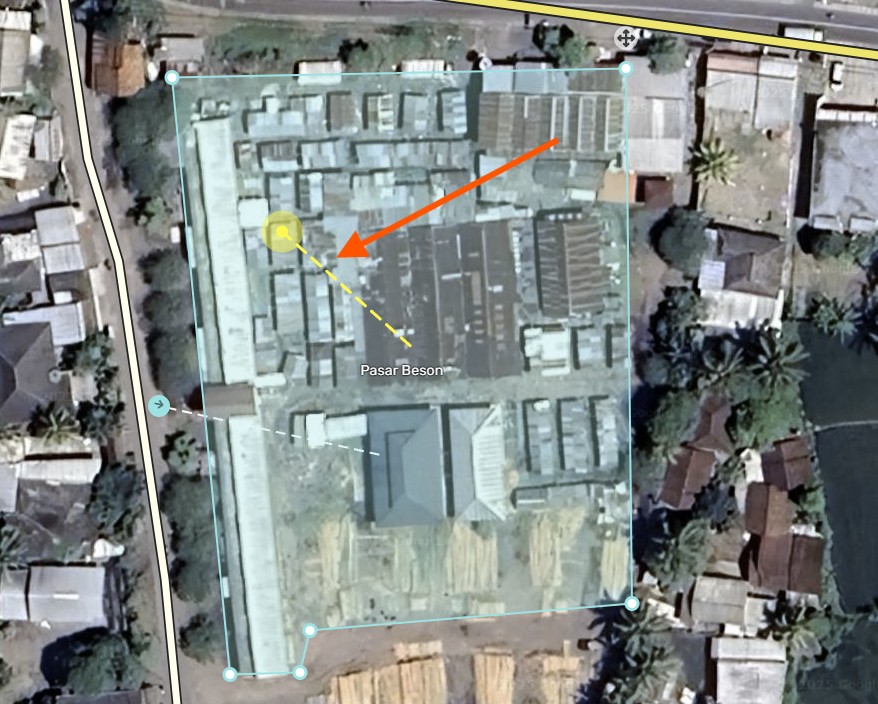
Hi, @MapOMatic , just checking—what’s the current status of the “yellow dot and yellow line” feature for showing external providers? Is it supposed to be running now? I’ve noticed that sometimes it works, but other times it doesn’t seem to show up.
1 Like
I’ve found that in many cases the yellow sign and line only appear after I modify a place. Usually I change the lock level and then click Undo.
1 Like
Yes, but the script owner mentioned that it’s no longer available, as per Waze’s request. Honestly, I really liked that feature—especially when the link pointed to a location more than 300 meters away. It was genuinely helpful!
1 Like
On April 10, MoM stated he was able to partially bring it back
1 Like
@AndyLaode Did you do this procedure? I updated all those listed in this list of external scripts. It is working normally here.
2 Likes
Yes, many people are reporting that the yellow dots don’t work at all or are only partially working. Updating the external library (steps sulstore mentioned above) has worked for people. I’m still not sure why that library didn’t automatically update with the last PIE update. Hopefully it was just a fluke this time.
1 Like
Thank you for your guidance. I have now completed the steps as instructed. To confirm my understanding, does this mean that upon successful implementation of the adjustments, the yellow dot and yellow line indicators will now function consistently and as intended
1 Like
They should work consistently (after completing the steps and refreshing WME). If not, please report it, along with details like what other scripts you have installed and any errors you may see in the console.
1 Like
Yes, I can confirm the current behavior is consistent but differs from the previous implementation. In the prior version, the yellow dot and line would appear instantly in the dropdown menu when adding a Google Place link. Now, these visual indicators only appear after completing the full sequence: (1) adding the Google Place link, (2) saving the changes, and (3) hovering over the specific external provider entry
Anyway, I am happy it is still there.
1 Like
Correct, it doesn’t work on the search dropdown anymore, unfortunately, but it should work immediately after you add the external provider link. It seems one of the latest WME releases broke that, so I’ll need to investigate. As a workaround, you may be able to deselect and reselect the place (save not necessarily required).
1 Like
Even though it doesn’t display the yellow dot/line on the search dropdown items anymore, I was able to help the Waze devs find a method to sort the list by order of distance, so the first item should be the closest to the Waze place. That should greatly reduce the need for the yellow dot there.
1 Like
This is really helpful. It can be frustrating when adding a place location (PL) and the first few results are in a different prefecture—or even a different island. In Indonesia, where there are thousands of islands , it’s common for mosque names to be shared by hundreds or even thousands of mosques.