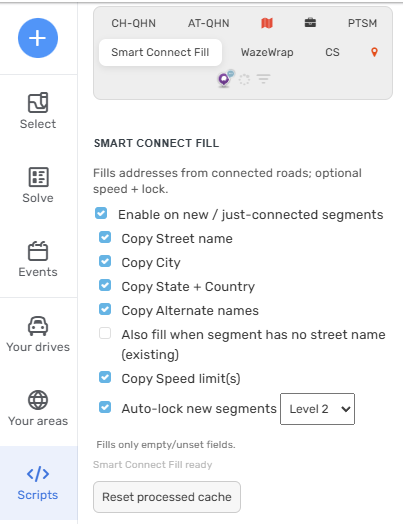
A lightweight helper that copies address data and speeds from connected segments to new (or just-connected) segments. Optional auto-lock for freshly created segments. Localized UI.
What it does
On new/just-connected segments, fills only empty fields using the nearest connected segment:
Primary street, city, state & country
Alternate street names
Speed limit
Road type
Optional: auto-lock new segments to your rank (or a chosen rank).
Small side-panel with toggles
Supported regions
Works in all WME regions (no country-specific data needed).
UI language auto-detects
Installation
Like other WME scripts, install via Tampermonkey.
Simply use the Install button on the script’s page.
Usage
Open WME and go to the Smart Connect Fill tab.
Enable the script and choose what to copy (Street, City, State+Country, Alternates, Speeds, Auto-lock).
Thanks for the helpful script! Would it be possible to also copy the “Unpaved” checkbox? That would help when mapping areas where most roads are unpaved.
I also noticed a couple bugs trying out this script.
If you add a new segment starting from an intersection between a Street and Off-road segment, it will mark the new segment as Off-road. If you then try to change the new segment to Street, it will automatically switch it back to Off-road.
If you then try to press the Undo button to revert the changes, the road type will again automatically be applied, “undoing” the undo (the undo count will, for example, drop to 10, then jump back up to 11).
I’ll try and add “Unpaved” checkbox state to be copied.
As for the other 2 bugs:
This sounds like a behavior when “Also fill when segment has no street name (existing)” is enabled. It will always try to copy everything when clicked / active.
EDIT: I was able to reproduce your issue even when “Also fill when segment has no street name (existing)” was disabled.
Thanks, I just tested and it looks like it works now! For “Unpaved” checkbox, I just noticed that WME Toolbox’s “Copy segment attributes” has an option to copy all “Flags” (unpaved, tunnel, etc.), so maybe that would be the best way to do it (instead of handling “Unpaved” as a special case.
I was thinking about what will most likely be used often and widely of these flags. And only Unpaved seemed necessary in my opinion.
Unless you or someone has a good example of where you have to use the other flags very often, I’ll leave it out of the code for now
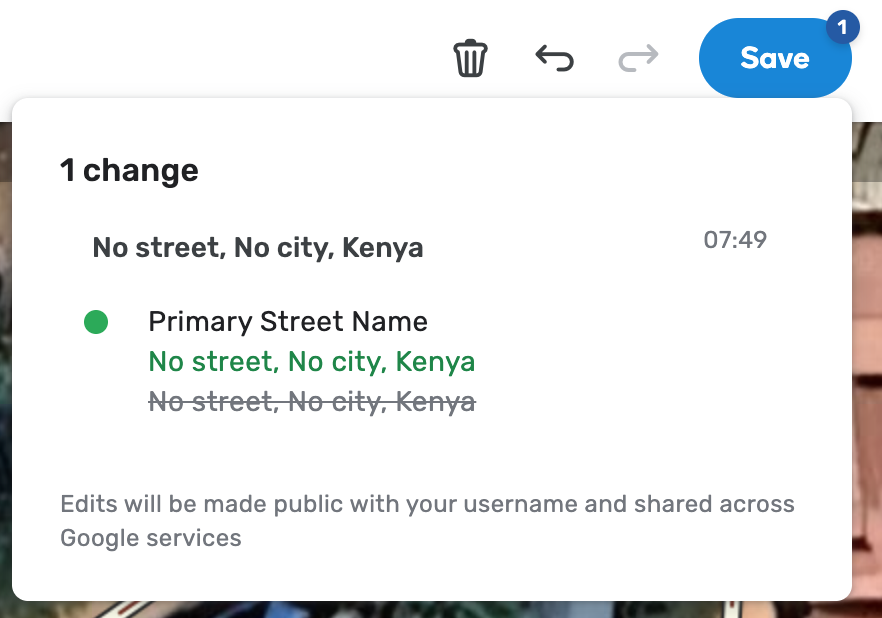
If I change a segment from Street to Off-road (not making any other changes), two changes are queued up to be saved. One is the change I made, and the other is a change of the primary street name from the current name to the current name (both the old and new names appear the same).
If I add a new segment to the end of an unpaved Street, it shows the selected new segment with the Unpaved checkbox checked. But as soon as I save, the Unpaved checkbox is unchecked for the saved segment (and I have to manually add it again).
Sadly this time I can’t reproduce neither of your 2 issues you’re still having. Also when looking at the code it looks like it should handle these situations properly.
Hmm, strange. Here are some videos of me reproducing the issues. I disabled all scripts in Tampermonkey except for Smart Connect Fill and reloaded the page (and I’m using the latest version of Chrome).
That was a tough one. The Unpaved toggle has been fixed. I believe there is an SDK issue, as it is correctly set in UI but not saved. Its now simulating a click instead, which will correctly save the segment.
Changing street type shouldn’t trigger an update now.
Thanks for tracking those down, the Unpaved issue looks like it’s fixed! There are a couple issues still that I’m seeing:
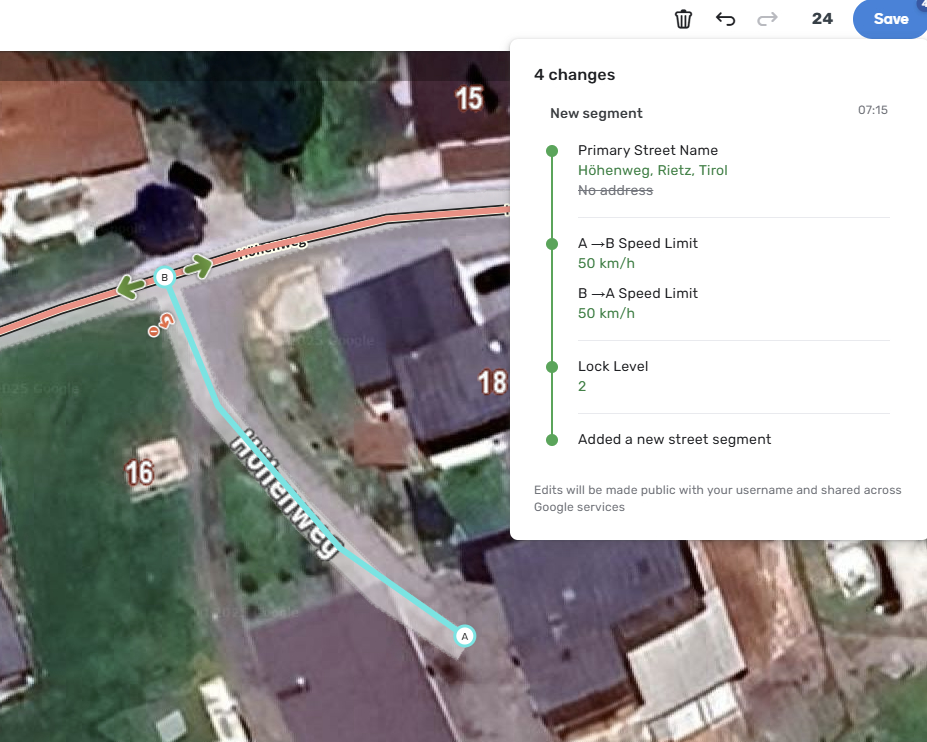
If you add a new segment to an unpaved street and save, it will immediately queue up a new change to update the street to itself (and the Save button immediately becomes active again):
If you add a new segment to an unpaved street, it will queue up 3 changes (added new segment, set unpaved to true, set primary street name to match). If you press Undo, it will remove the last change. But if you press Undo again, it will remove the last change and immediately add it back again (you can only actually undo your changes if you very quickly hammer the delete button).