[Script] WME Speed Display

:us:
Hello Wazers, how are you?
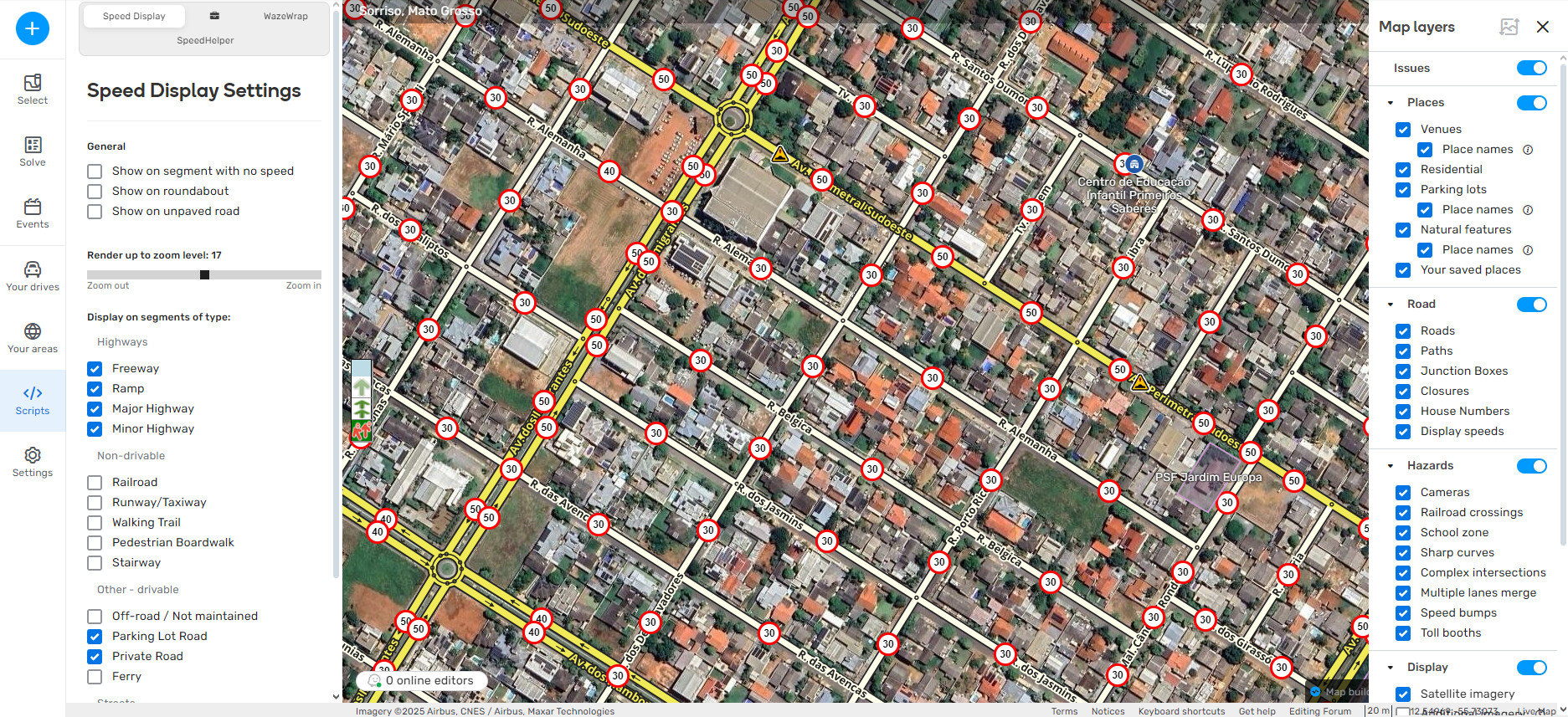
Over the last few weeks I have been developing my first script for WME to make it easier to view the speed of each segment in a simple and easy way.
I am leaving the link here so that you can download it, test it, give me feedback and also report any errors.
It’s simple, I hope it helps you and that you like it. :slightly_smiling_face:
(Link below)

:brazil:
Olá Wazers, tudo bem?
Nas últimas semanas me dediquei a desenvolver meu primeiro script para o WME para facilitar a visualização da velocidade de cada seguimento de uma forma simples e fácil.
Estou deixando aqui o link para que vocês possam fazer o download do mesmo, testar, dar-me feedback e também me reportarem qualquer erro.
É simples, espero que lhes ajudem e que gostem. :slightly_smiling_face:
(Link abaixo)

31 Likes

Hi,
Your script is great.
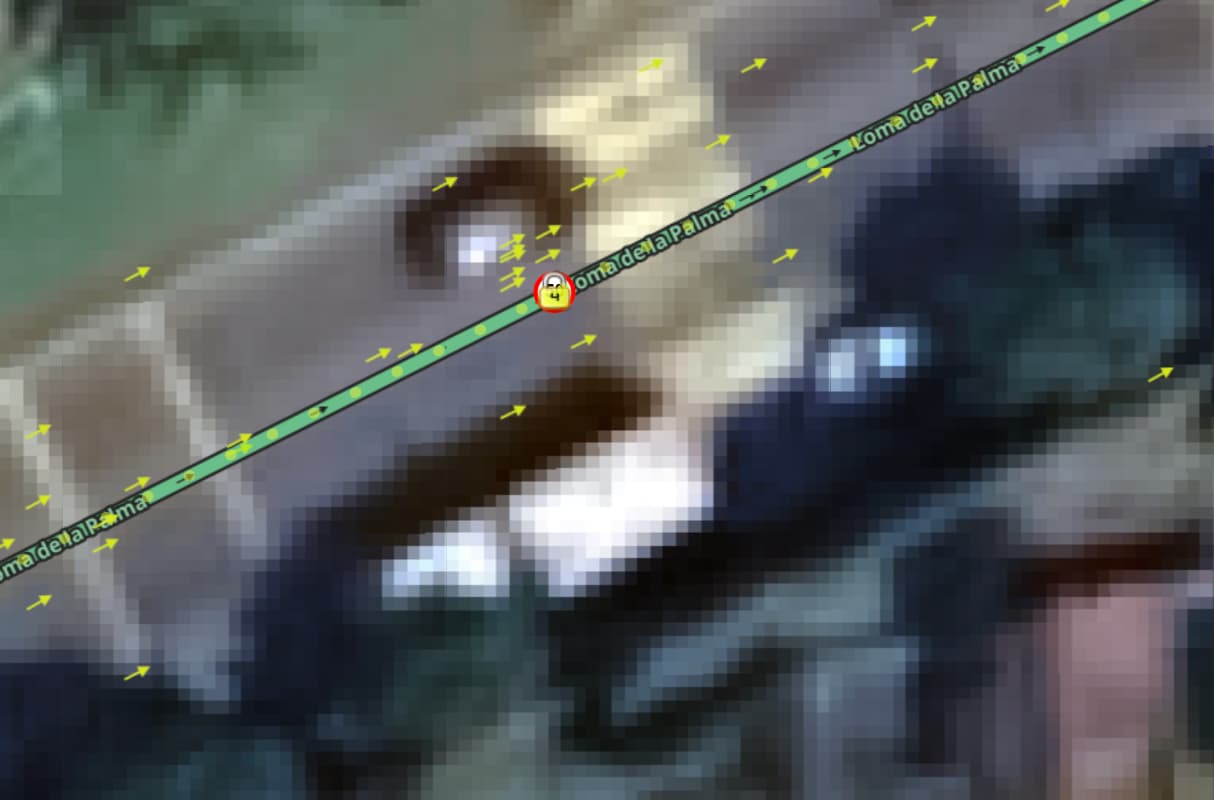
The only problem that I see is that when I have highlighted the lock level of the segment with Toolbox I can’t see the speed limit:

Thanks,

3 Likes

Thank you very much!
I understand your point. In this case, the correct thing to do would be to disable the lock rank highlight to view the speed.

It’s not the best solution, but unfortunately it’s what we have at the moment.
I might do something to try to get around this, but I can’t guarantee it.

4 Likes

Parabéns @luan_tavares_127, muito bom ver seu desenvolvimento pela mentoria e levando a comunidade brasileira pra o mundo!

Chega aqui @sulstore, arrumei um estagiário pra ti :grin:

3 Likes

Obrigado, @daviaraujo93 haha
Tamo ai. Nosso propósito é ajudar o máximo de pessoas possíveis da melhor maneira que conseguirmos haha :grin:

Chega aqui @sulstore, arrumei um estagiário pra ti :grin:

Eita ahaha :laughing:

3 Likes

Very good, congratulations! @luan_tavares_127 I’m happy that there is another person interested in this area!

5 Likes

Thanks, @sulstore haha

3 Likes

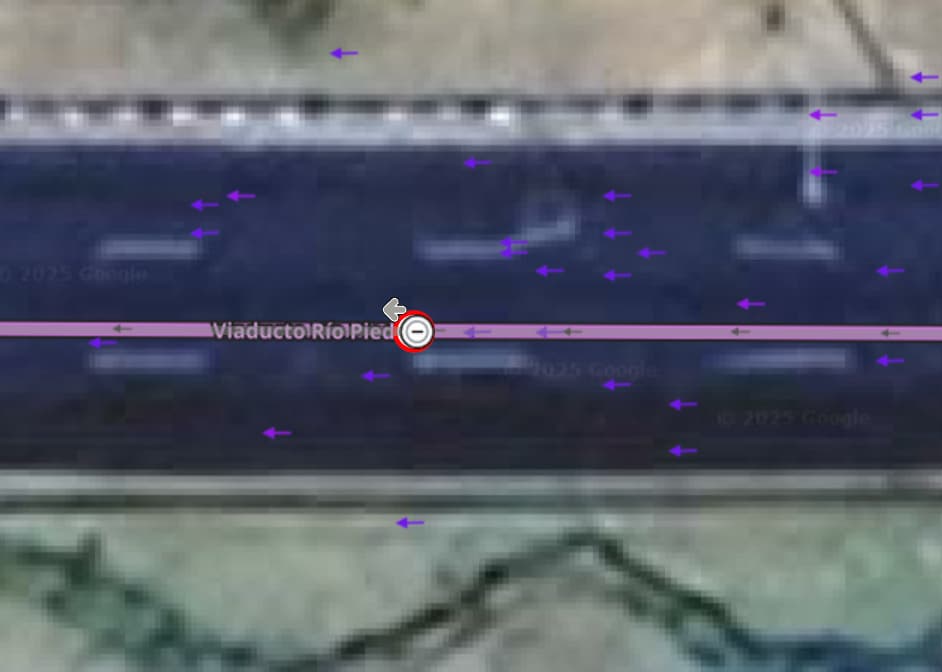
I know that it must be the same limitation, and just for your consideration, it also occurs when there has been a closure in the segment:

Btw, I am loving your script so much.

Best,

1 Like

just a request if it is possible. instead of putting the “speed display” in the median between geo nodes, is it possible to put it on geo nodes instead?

Hello. Positive, I’m working on an update, I’ll probably bring a “solution” for this.

Thank you for using and loving my script. I hope that it is helping you. :grin:

Cheers.

Hello. Thank you for your feedback. :handshake:

If I put it in the middle of each geo node, I will pollute the screen too much and it will also be quite heavy to render the speed in each segment.

I did it this way to be more simplified, objective and clean.

In some places it gets quite polluted when there are several short segments close together. :confounded:

3 Likes

Could you please add a switch to the script panel to enable/disable the speed indication? I find the script usable sometimes, but in many cases the speed marks cover too many details of the map.

2 Likes

Hello.
Thanks for using my script and for your feedback.
The script already have this feature.
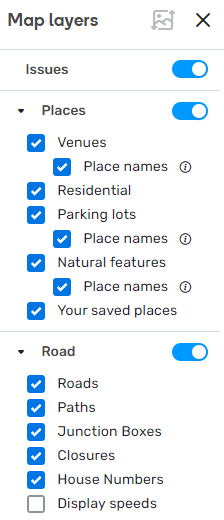
You can enable/disable it in the Map layers tab, in the Road section with the name Display speeds.
You can enable/disable it using shortcuts too, just pressing shift + alt + S. You can see the shortcut in the shorcuts dialog :grin:

3 Likes

great! this on/off option via the layers menu made the script even more useful!

this way we can easily toggle any overlapping layers

1 Like

Yes.
The idea was to try to make the script as natural as possible for those who are already familiar with the WME interface. :laughing:

3 Likes

i see… thank you then. yeah i think it will be too many things to display on a segment and will be bad idea for simple one segment since the geonodes is also junction nodes, bad idea from me to implement on this script, although many have used this middle segment, LOL, such as toolbox and closure, and we need to choose which information we need to display on a segment. anyway, it’s okay, layer management will do.

by the way, out of topic, are you able to create a script that will show geo nodes without mouse have to mouseover on top of segment? it will be useful for align geometry of side by side divided road.

Thank you for this useful script. Anyway what’s the shortcut for MacOS? Shift + Alt + S doesn’t seem to work for me.

1 Like

Hello, Wazers.

I made an update to my script, hope you like it:

What’s News:

  • You can now see a warning about how to toggle the visibility of the script layer (@lg1992 and others);
  • Can’t see the icon? Try changing the layer depth (@velezss);
  • Do you have too many icons next to each other due to the size of the segments? No problem, just filter the segment size (@YUL);
  • Want to find segments with specific speeds? Just use the filter (@witoco);
  • Want to return to the script’s default settings? Just click the button at the bottom of the settings tab.

Fixes:

  • Fixed shortcut to toggle script layer visibility on Mac computers (@micwkong);
  • Removed display filter for pedestrian segments, which had no speed;
  • Other code fixes and improvements.

https://greasyfork.org/scripts/526702-wme-speed-display

3 Likes

Hello. I made an update.

Since I don’t have a Mac, I’d like you to test it for us and see if it now works with Option + Shift + S :sweat_smile:

So, I won’t promise you that I will do it, because my life is very busy. I apologize for that. :confounded:

1 Like