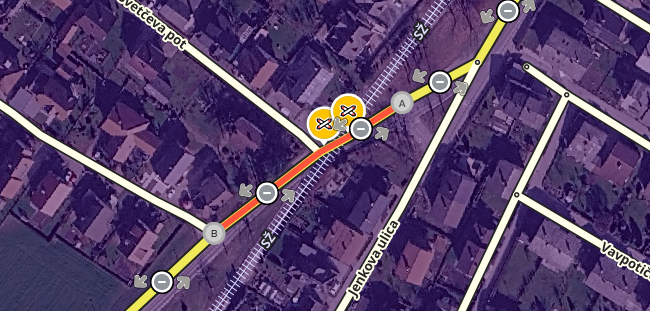
Steps to reproduce this issue:
I’ve enterd a marathon event with related closures.
Some segments (altough entered) are not shown as closed on the events site
Event: 1.1.69069bf8-b651-404e-bd82-3bdd56793fda
Similar situation:
https://beta.waze.com/sl/editor?env=row&lat=46.20893&lon=14.53338&zoomLevel=17&segments=241683570,243254499
WME Beta Permalink:
https://beta.waze.com/sl/editor?env=row&lat=46.21779&lon=14.60225&zoomLevel=18&segments=237651860,237651904
This bug occurs in:
ROW
WME Beta version number:
not visible
Are you using scripts? which ones?:
Toolbox
2 Likes
The closures are entered in WME, but I don’t see any events to be able to check this, likely because I don’t have editing rights there.
Does this also happen in prod WME?
2 Likes
I think the issue is in the events viewer site.
But, the prod WME is showing the closure on those segments.
2 Likes
The issue does seem to be with the event viewer, staff is able to duplicate and is looking into it. Moved this to Prod Bugs since it happes in Prod WME as well.
2 Likes
Hi @gorankav,
Thank you for your report. An internal ticket has been filed to look into this issue and we’ll keep you posted on further updates.
Thank you @RussPA for moving this bug.
Best regards,
Olesya
Hi @gorankav,
I’d like to let you know that the team has addressed the issue and the fix is available in production. Closures on segments with no address should no longer be skipped in the UI when viewing the Events page.
I’d appreciate it if you could verify this on your end whenever you get the chance.
Thank you and regards,
Olesya