Is this a…:
Standard bug
Steps to reproduce this issue:
Hi there 
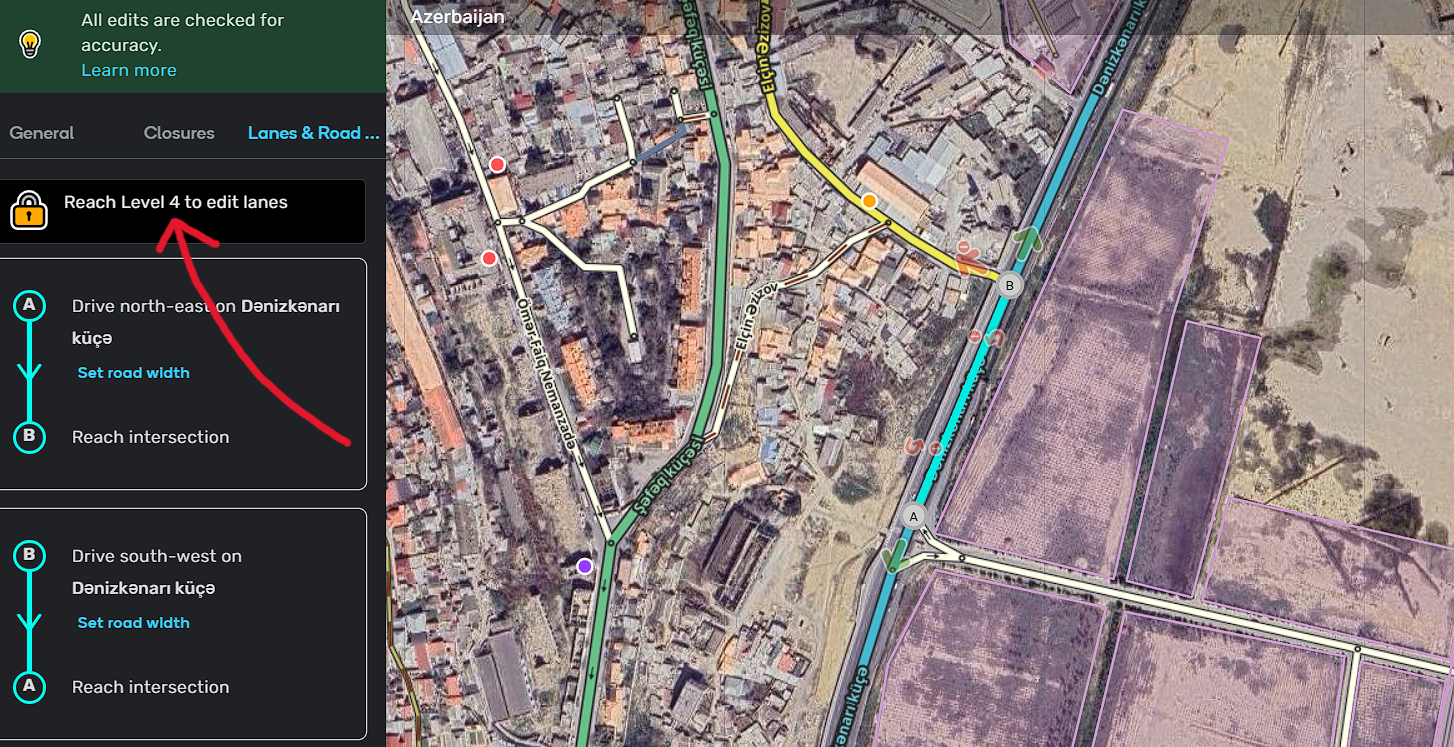
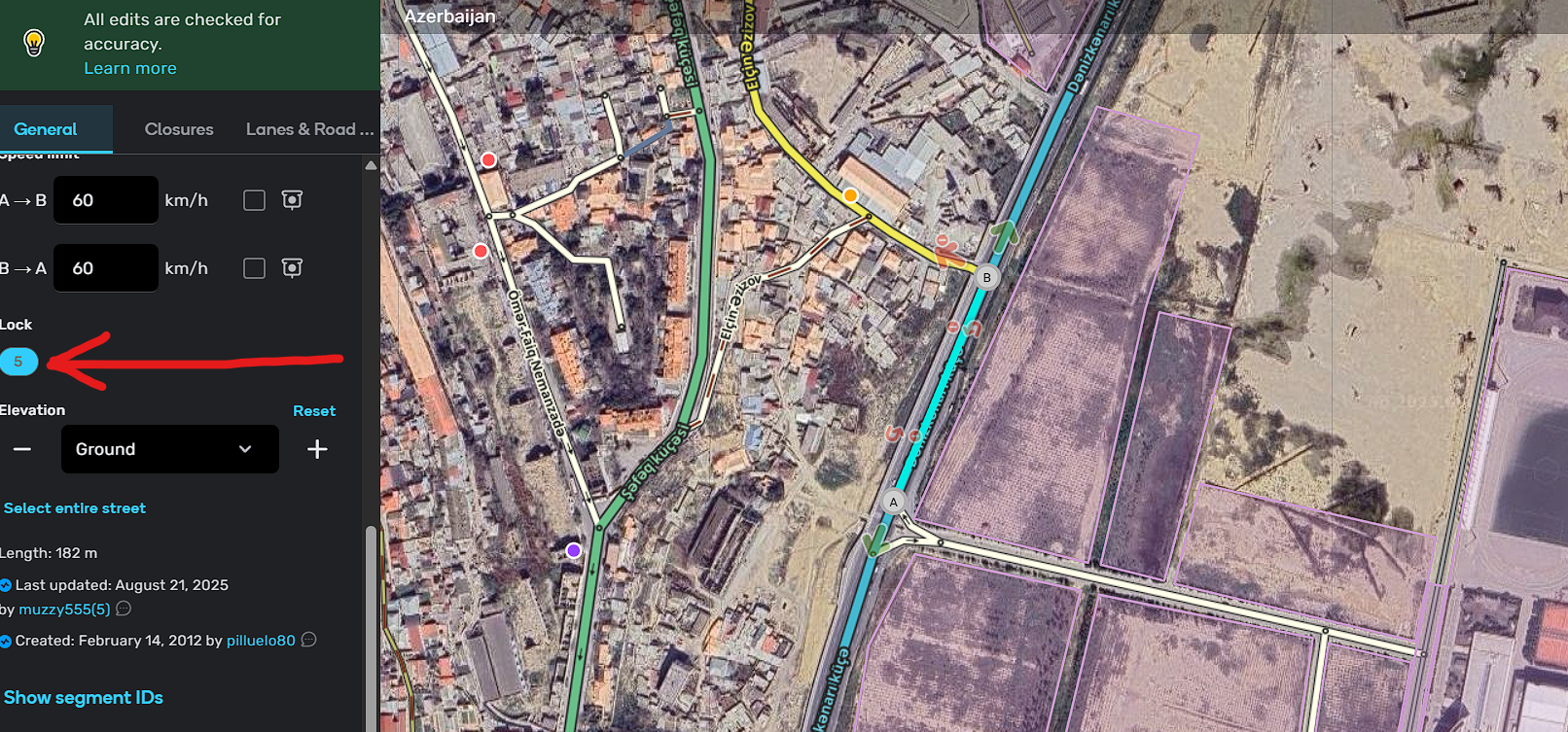
This is a very low-level bug, a harmless one that only has the potential to cause misunderstanding. Set a road level to 5 or higher. Then check the “Lanes & Road Width” menu. (Important note: Considering that I am level 4, it is wrong for this sentence to appear there.)
Thanks in advance!
Environment where the bug occurs…:
All environments
Permalink:
https://waze.com/editor?env=row&lat=40.32267&lon=49.82339&zoomLevel=17&segments=244873138
Browser name and version:
Google Chome vs. 140.0.7339.186
Are you using scripts? Please detail which ones.:
I don’t think this error is related to any script. Additionally, as far as I could check, when all scripts were closed, the error still remained the same.
Hi @Max_Booster,
Thanks a lot for your report!
This issue has been raised internally, I’ll keep you updated on further updates.
All the best,
Olesya
1 Like
Is this a…:
Standard bug
Steps to reproduce this issue:
I am an editor level 4.
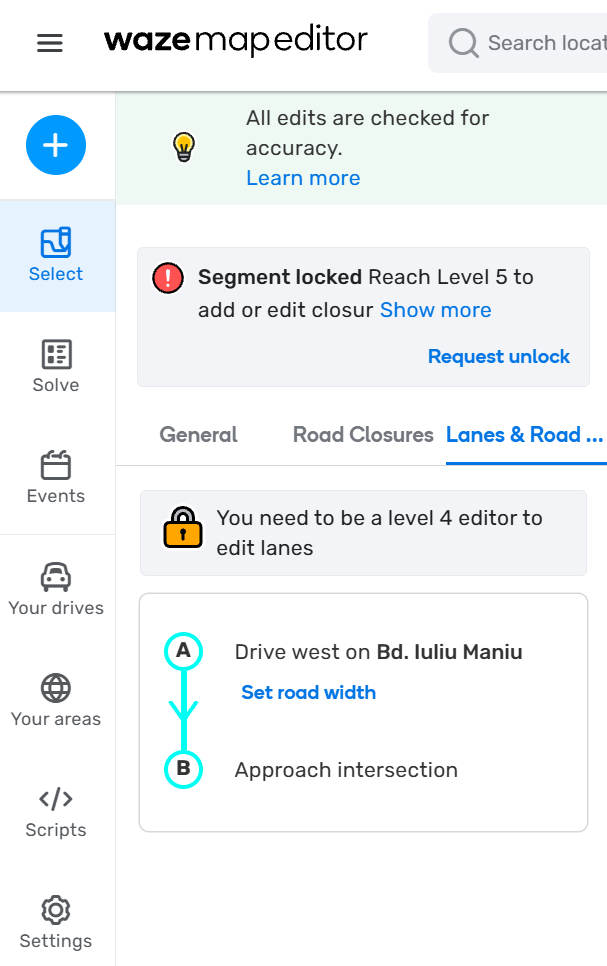
Select a road segment locked to level 5.
Select Lanes & Road Width tab.
WME shows the message “You need to be a level 4 editor to edit lanes”
The message should say that the segment is locked to higher level.
Environment where the bug occurs…:
ROW
Permalink:
https://waze.com/en-US/editor?env=row&lat=44.43414&lon=26.03569&zoomLevel=20&segments=59072168
Browser name and version:
Chrome Version 143.0.7499.194 (Official Build) (64-bit)
Are you using scripts? Please detail which ones.:
yes, several, but I doubt they influence this part
1 Like
Is this a…:
Standard bug
Steps to reproduce this issue:
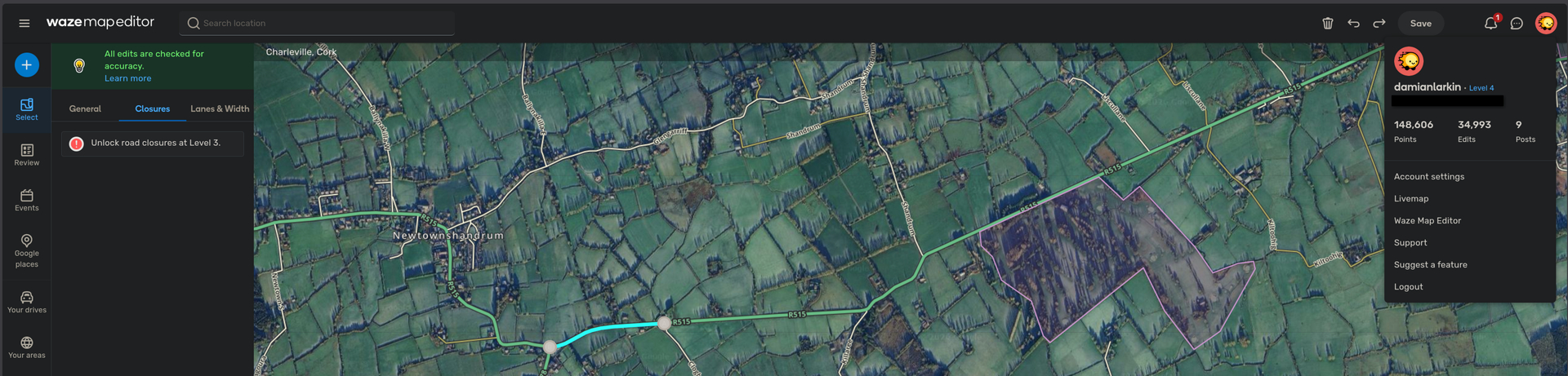
When I select a few random segments, WME is treating me as a lower level, showing the “All edits are checked for accuracy.” popup, and “Unlock road closures at Level 3.”
I’m L4. Can’t see other segments doing this, just a few at the permalink.
Environment where the bug occurs…:
ROW
Permalink:
https://waze.com/en-GB/editor?env=row&lat=52.33860&lon=-8.72762&s=10975830998119815315454&zoomLevel=15&segments=381861999
Browser name and version:
Brave 1.91.168 (Chromium 149.0.7827.54)
Are you using scripts? Please detail which ones.:
Yes, but same behaviour noted with all scripts disabled.
2 Likes