When searching for a Google place WME checks names of Google places on one language only

Is this a…:
Standard bug
Steps to reproduce this issue:
I saw the problem for one Google place, but I guess it’s generic. The Google place is named “Daniel Halls”, but searching with this name fails. Only searching with the Hebrew name “אולמי דניאל” succeeds.

Environment where the bug occurs…:
IL
Permalink:
https://waze.com/editor?env=il&lat=32.49480&lon=35.49792&marker=true&zoomLevel=18&googlePlaces=ChIJPeDotU9fHBUREiCMPk2YASM
Browser name and version:
Chrome 150.0.7871.129
Are you using scripts? Please detail which ones.:
Reproduced in incognito mode.

Hello @lg1992 ,

Thank you for sharing this issue.

I was able to reproduce it on my end too. I have logged an internal ticket for the team to look into the problem and I will let you know once I have any updates.

Kind regards,
Kasia

I’ve met another example: https://waze.com/editor?env=il&lat=31.59390&lon=34.78182&marker=true&zoomLevel=18&googlePlaces=ChIJ05hFddOTAhURmif1AHuh5rs

The place has two names, “אגוז בכפר” as English (American) and “חברת ששון ושות’ (פירות יבשים) בע"מ” as he. Only the second name works in search.

1 Like

Hello @lg1992 ,

Thank you for sharing this example. I have added it to the internal ticket.

Kind regards,
Kasia

Hello @lg1992 ,

Could you please confirm whether the permalink to the place you shared is correct? When we do the search, it points to the place on the other side of the אהבת ישראל street.

So, it would be helpful to confirm which point is correct.

Thank you,
Kasia

The permalink is correct. The problem is that the Google place isn’t shown and therefore isn’t selected. Search for אולמי דניאל to locate the place.

Hello @lg1992 ,

Thank you for the reply.

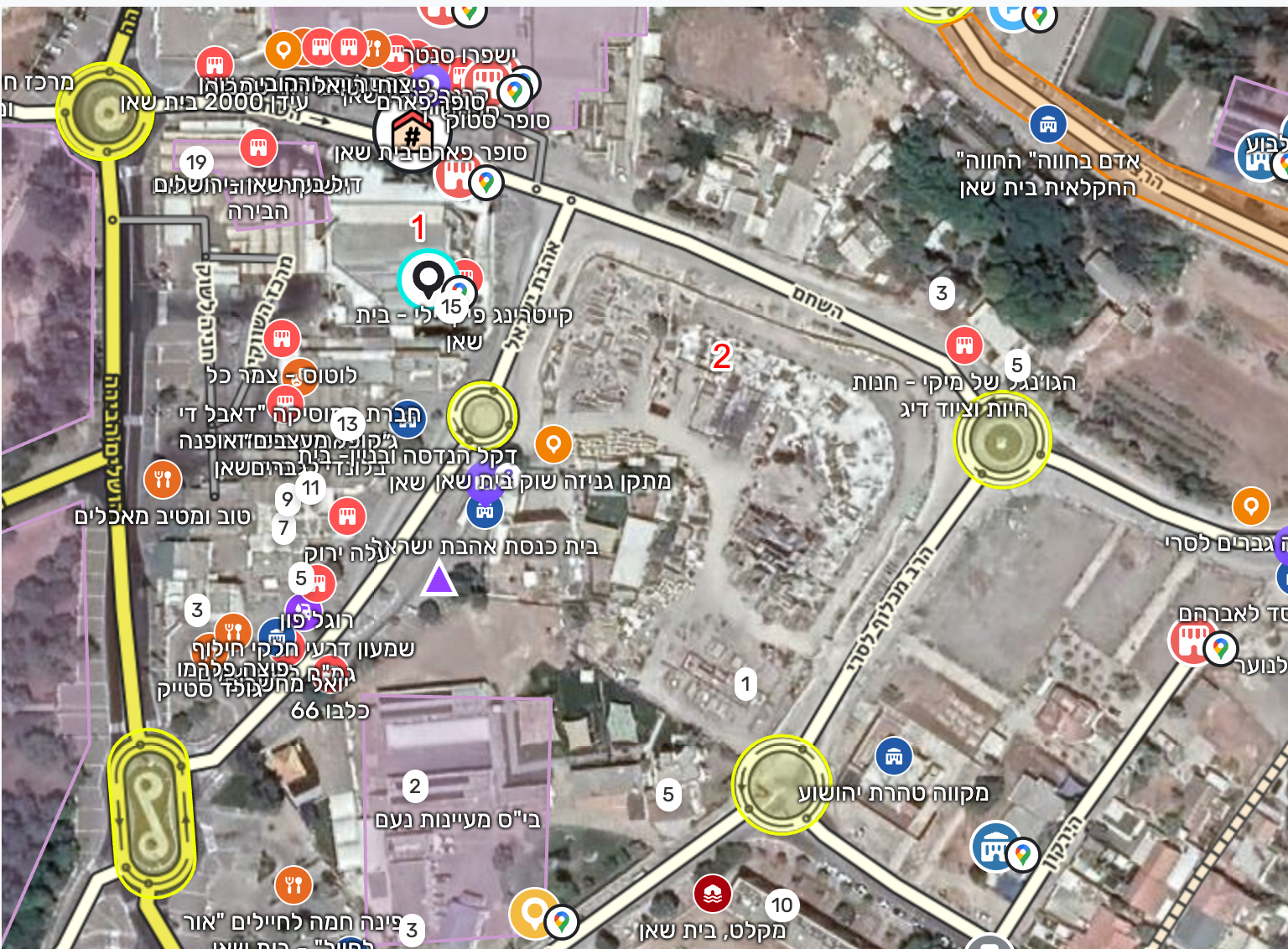
I tried searching for ‘אולמי דניאל’ and found the place marked with ‘1’ on the screenshot but the permanent link I shared points to ‘2’:

So, could you please share which location is correct? I’ll discuss that with the team further.

Thank you,
Kasia

Here the URL also refers the Google place, but it isn’t shown when the URL is open. The marker shows coordinates included into the URL instead of the Google place.
1 Like

Hello @lg1992 ,

Thank you for the information.

I would like to confirm please whether the link should point to where ‘1’ stand on the screenshot, right?

Thank you,
Kasia

Correct.

1 Like