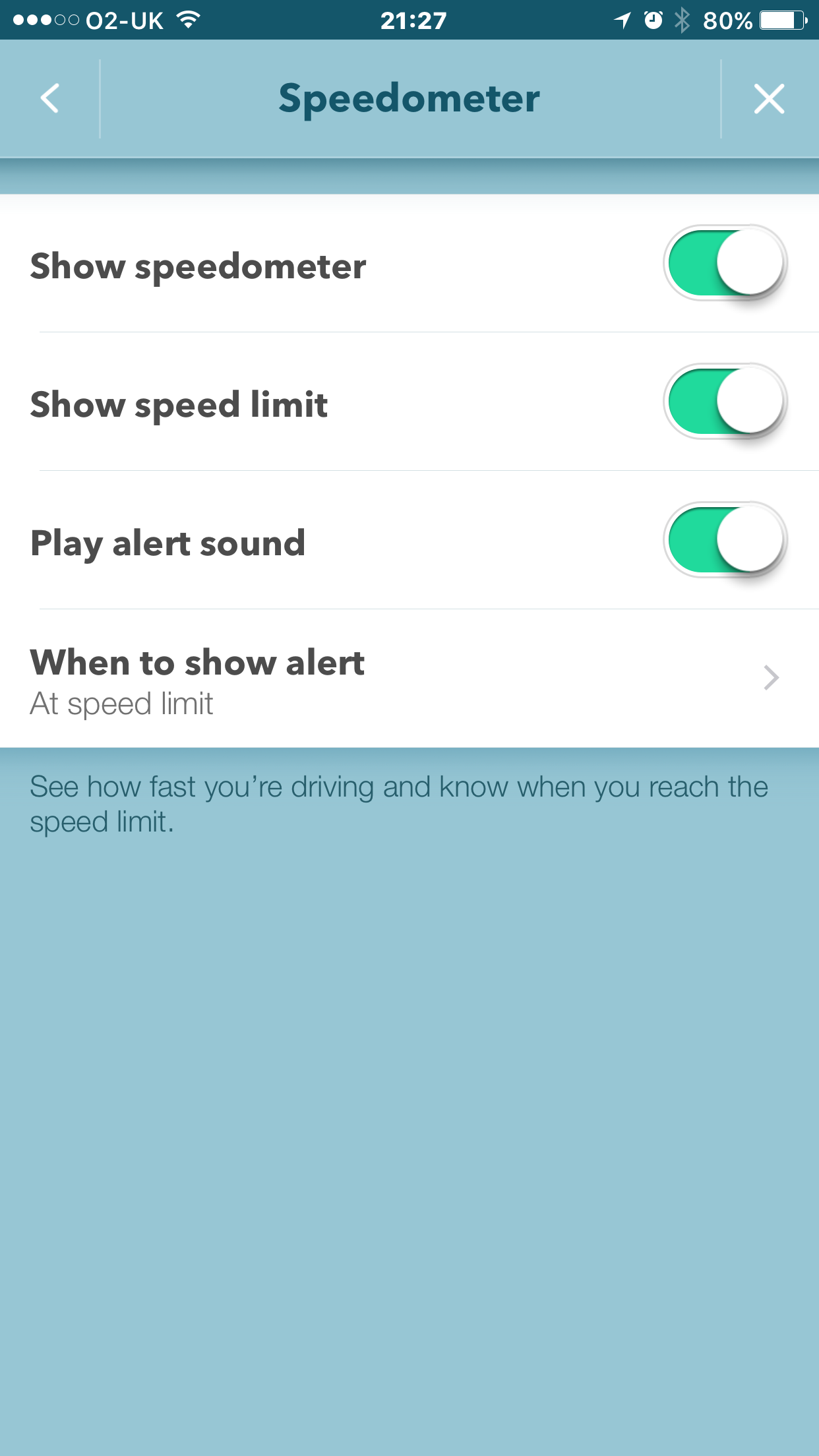
Have you got these settings showing for Speedometer?
Have you got these settings showing for Speedometer?
Nope I’ve not got them in my settings,
I’ve only got a on/off slider.
Setting>Display & Map>Speedometer.
I’m sure I’ve been through all the other options to see if I can find them but having no luck.
What route through the setting pages do you use to get there?
Thanks for trying to help 
Phil
Shame there’s not an option to always show the speed limit.
Would make it much easier to spot any segments that need updating.
I guess I’ll just have to speed everywhere so that it displays :shock:
Waze > Settings -> speedometer
You definitely running the latest version of Waze? 4.6.0.0
I agree. I expect Waze are concerned about using too much screen real estate for non map data.
Try ##@debugspeed. Although it may still be true that it only works for Beta testers (of new app versions). In which case, you could always volunteer for the Beta test programme…
Thanks; that code worked for me and I’m not a beta tester (although I did apply a short while ago)
Does the circle not fill up as you speed up for you guys? Where it is safe to do so, I would check if a speed limit is 30 by doing 15 and checking that the circle is exactly half full. Similar thing with checking NSL. If I was speeding up to 60, I would hold on 45 for a few seconds, then glance at the circle to check it is exactly 3/4 full, etc.
The raw app function is fine for it’s primary purpose of displaying actual speed and alerting drivers when they go over the limit.
But as an editor trying to check that the speed limit is set correctly, I found that staring hard at the little corner of the app to determine my speed as a proportion of the set speed was taking my eyes off the road for dangerously long. The ##@debugspeed setting enables me to see the set limit speed at a single glance.
I’ve also found the speedometer on waze is not as accurate as my own in-car speedometer. Standing stationary at traffic lights with the handbrake on, the speedometer thought I was still travelling at 4mph. Also at 30mph the waze speedometer was already reading 32mph. (And yes before someone points it out, I do have a relatively new car (with an as-new calibrated speedometer)).
Ian
When cruising down the open motorway at a steady speed, most users will notice that their car’s speedometer will show that they’re going about 2-3 mph faster than a GPS device/app does.
Two important things to remember regarding speeds:
the speedometer on your car will probably read higher than your actual speed, so that manufacturers are not sued for incorrect speeding tickets, and also to account for tyre wear and the like.
the [straight-line] speed shown in Waze will be the actual distance covered over a period of time, and so should be more accurate. However, any errors in your GPS position will be compounded, so the speed may be inaccurate at slower speeds, on roads with bends or amongst tall obstructions. There is also a small lag in the GPS speed as it’s calculated as an average from previous readings, rather than being an instantaneous reading like your car’s speedometer.
A man with a speedometer knows how fast he is going. A man with two speedometers is never sure.
There was a discussion about this in another thread/forum and there is some regulation that means a vehicle speedometer must not read [under], so generally all cars will display speeds 2-3mph above the actual vehicle speed (ie 30mph reading is 27-28mph actual). I couldn’t quickly find the thread but there were a couple of UK AMs involved.
I believe you are referring to this thread?
Thats the one, I can never find them when I’m looking for them, even when I post on them… :lol:
I’ve tried that but it doesn’t appear to work for me? Do I need to do the debug code with 2’s in as well?
Martin
I wouldn’t have thought so.
I’m not sure what the problem is. At one time, I thought ##@debugspeed was restricted to people on the Beta testing list, but others not on the Beta list seem to have got it to work. You’re beyond my expertise; hopefully someone else will be able to answer here, or you could try searching forums for other posts on the subject
Sorry not to be more helpful,
Ian
Thanks Ian. There is a comment on the search codes page of the wiki that it only works for beta testers as of February. It looks like the live Android version is now the same as the currently available beta (I am on the list) so I might switch to that and see if it’s better.
Cheers
Martin
Last I checked with ##@debugspeed worked well in iOS, did not work well for Android. If you see it working in Android, let me know o_o
I can also confirm ##@debugspeed is working well in iOS and I’m not a beta tester (yet…)
I also hadn’t managed to get it working on Android 