So I travel this route fairly often. A few times a week, maybe more.
Twice now in the past two weeks its wanted me to get off the main highway and take a side road, Chestnut Dr. Nothing I can see on the map editor why it want me to exit ???
https://www.waze.com/livemap?zoom=17&lat=44.78381&lon=-63.10117
I think the reason being that the traffic data available for detour showing as 2 seconds faster, most likely as an error but I think I have a way of fixing this.
Please try this again in 2-3 days and tell me if this is resolved.
It looks like the traffic data erroneously suggests the average speed through the “detour” segment is impossibly fast at 83 km/h:
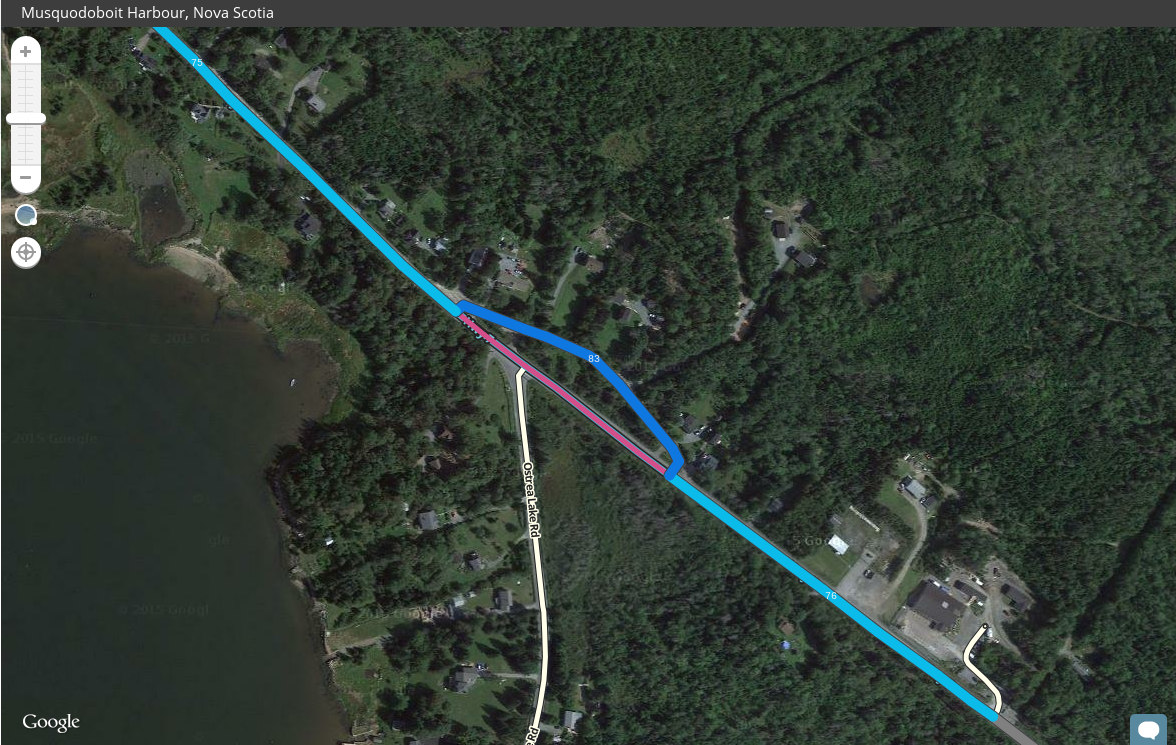
I assume the proximity of the road to the nearby highway led to incorrect data being picked up.
What if we delete and re-create the “detour” road to reset the speed data?
C
that would make sense. I know when I drove past it, I stayed on the highway, yet it put me on the side road.
I assume that what happened there is that before the segments had any speed data Waze suggested the small detour through Chestnut Dr and because obviously all drivers ignored it and drove on Hwy 7, Waze was thinking they took the detour and because of the proximity of the two roads it did not suggested a detour and built a wrong speed data for the segment.
On long route I’m quite sure the segment will be ignored due to it type, but I can see this being an issue on short routes.
A couple of weeks ago I tried a method that would reset the traffic data on the segment but I see it not being very helpful.
I don’t want us to start deleting segments for the sake of resetting the traffic information, so I will send a request to Waze to do this for us.
Please be patient as it may take some time, but I will reply when I hear back from them.
what about changing the side road speed limit? It is only a dirt road.
Speed Limit is only for display of warnings, it has no affect on the routing server.
Someone need to manually adjust the average speed limit on the side road and only staff has access to this.
Request sent. I’ll let you know when they get back to me.
Surely in rare instances this might be a pragmatic approach, though?
Another solution, and probably not a generally good one, but one that might work in this specific instance: insert a tiny dirt road (or even PLR) segment in the middle of that loop. That will trick the routing algorithm into assigning a high penalty for the “detour”.
We don’t delete segments to rebuild the stats. Period.
Adding a PLR or dirt road will do the trick but it is considered hacking the map.
It isn’t critical and we can wait for the Support team to find the issue and help us solve it.
Sounds good. Sure would be nice if there were an easy way to reset traffic stats.
That side road is a dirt road through, gravel, not paved lol.
I didn’t look at GSV. If it is unpaved you can mark it as dirt road.
ok. Are you changing it, or should I?
and seems to have worked. no detor when I went by today
