Hello
One of my contacts lives at “Rue Edgar Degas, 33270 Floirac”.
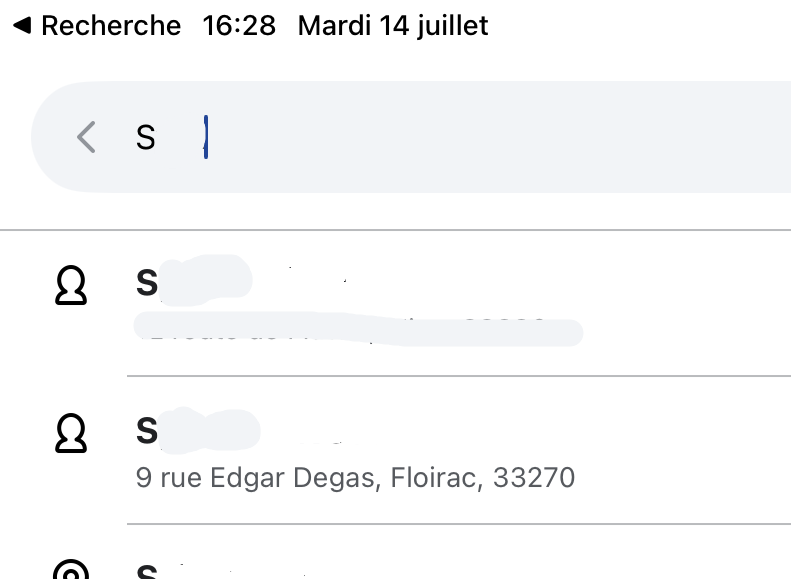
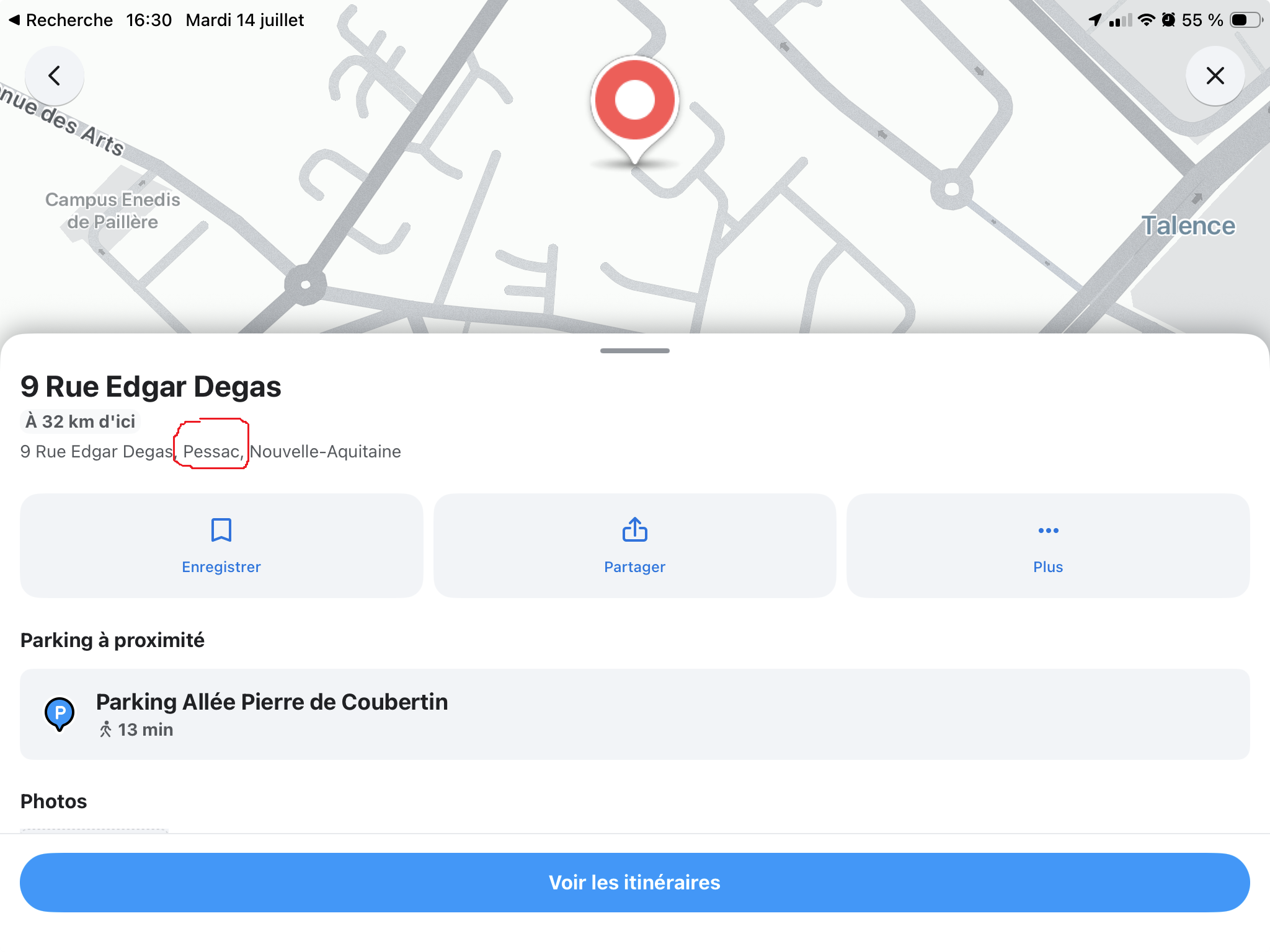
Each time I search his name in Waze IOS App, the proposed destination is “Rue Edgar Degas, 33600 Pessac”, not the good city.
I knwow the way to go, Only want see traffic conditions.
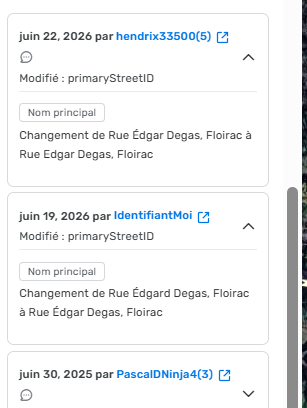
Some time ago, I noticed that there was a spelling error for the street name at Floirac.
I corrected it
But IOS App stil propose me go to Pessac, when I search py contact name.
However, if I search by adress, it’s now OK.
What else must be done to have the good destination when I search bu contact name?
Thanks
Bonjour, Hi.
I have forwared your message to local French editor,
Bonne route, Have a good day,
Thanks, I wasn’t sure of the right place to post
Hi
Waze doesn’t handle navigating to just a street name very well
You just need to delete that address from your history and favorites and search again with the house number
No problems there
Thanks for the reply.
I’d already tried that.
And since I have the account on an iPad and an iPhone, I even cleared the history on both.
Nothing works; when I search by name, the app correctly displays the number, street name, and town, but suggests Pessac instead of Floirac.
If I type the number, street, and city, it’s fine since I corrected the spelling (there was a “d” at the end of Edgar).
And plus, even before typing the full name Edgar, Floirac appears in 2nd place, while Pessac isn’t even shown. The first one is a third town.
It’s annoying; I don’t know the address by heart (well, I do now, as a result), and the point of being able to search through contacts is for the entered information to be used, not an approximation.
I just retested and it works with just the street name
Is that okay?
Hello
No, when searching by contact name, it’s still the wrong city.
Hello,
Have you tried deleting and then re-saving the address in your contact’s entry?
I’m not talking about the Waze history, but the address present in the phone’s contact entry.
Good evening
I just tried it and it’s no better.
Thanks for the suggestion
That’s weird, it works for me
You really need to delete this address everywhere in Waze, history included, because otherwise it will keep using the “old” address and not look for the new one
Hello
I deleted the app on the iPhone and iPad.
Then I reinstalled them; there is no history left on the devices.
I authorized searching in my contacts and looked for this person.
Still the same.
I took my son’s phone, which has a different account and who has never gone to this person’s place using Waze (or at least doesn’t remember doing so…)
I searched for her in the contacts and Pessac is suggested, not Floirac.
I wonder if somehow the wrong spelling of the street (in the Waze map data) is still being taken into account.
We can see in the history screenshot that I removed the extra “d” on June 19th and that Hendrix replaced the É with E a few days later.
In my contacts, the accent isn’t there.
So I added the accent in my contacts => same result, and added a “d” at the end => same result.
And since I didn’t confirm the trips, I don’t have any history on the iPhone.
Of course, somewhere in my countless trips on the website, there’s a chance it’s there, but I haven’t found a way to search through them and checking them one by one will take me forever.
Have you tried creating a dummy contact with this address and seeing what it does on your end?
Hello
Have you tried deleting all history this way?
Delete your entire navigation history
- Open Waze.
- Tap
 .
.
- Tap Settings.
- Scroll down, then tap Privacy.
- Tap Navigation history.
- Tap Delete all.
Have you also tried creating a new entry for this contact, with a different name to clearly distinguish it from the original, by manually entering all the information (address, phone number, etc.)?
Good evening
I deleted the history as you suggested; there wasn’t much on the iPhone after deleting and reinstalling the app, and nothing on the iPad.
I also deleted the recent addresses.
I created a brand new contact and it was the same.
Thank you for the suggestions.
Have a good evening