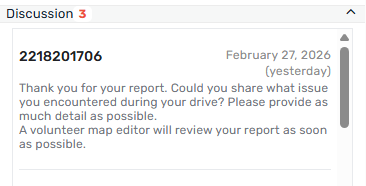
Cannot see Username on UR

Steps to reproduce this issue:
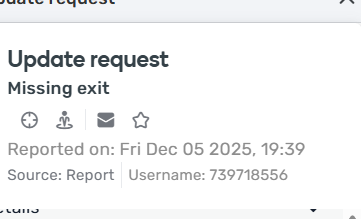
Sometimes cannot see usernames on URs. It is replaced with some number instead.
Not consistent.
Some URs usernames can be seen if clicked on UR again. Some can never be seen.

Can’t see username here
https://beta.waze.com/editor?env=row&lat=56.95336&lon=23.89419&zoomLevel=19&mapUpdateRequest=25353263

Can’t see here
https://beta.waze.com/editor?env=row&lat=56.93358&lon=24.38718&zoomLevel=19&mapUpdateRequest=25376905
if I click it one more time from the left list, username will appear

Very frustrating, as I need to contact users, and cant do it.

WME Beta Permalink:
https://beta.waze.com/editor?env=row&lat=56.93358&lon=24.38718&zoomLevel=19&mapUpdateRequest=25376905
This bug occurs in:
ROW
WME Beta version number:
v2.326-5-gb5354f7241 [ 2.1.2517.0-b4647885b ]
Are you using scripts? which ones?:
DIsabled all


7 Likes

Additional info.
If I click on my own links - I can see the usernames. If I close UR then, and open it again from wme, I can’t see the name.

5 Likes

Hi @Olestas,

Thank you for your input!
As for this UR the long string you see is the actual username in the system - the user is not registered so this would be expected.
Can you provide any other examples where the username is not displayed?
Please keep in mind that this is also dependent on the Waze app version, so for older ones, the username will not be visible either.

Can you also check if this looks the same in WME production?

Thank you and regards,
Olesya

4 Likes

Hi, you are wrong, as I didn’t provide you screenshot with long string. As I reported, I don’t see username and PM ability when opening urs from wme.

4 Likes

I think what Olesya is saying is that users who are not registered with an account will show up as “Username 1447629508” or some other number since they don’t have a username and the system just assigns them a number. Same with users who are using old versions of the app, even if they are registered. So your first screen shot must be from a user who does not have an account.

3 Likes

Incorrect. Opening link by clicking on it gets username with pm option. As seen on screenshot.

3 Likes

Moved to Prod Bugs since this also exists in prod WME.

4 Likes

@Olestas I’ve opened an internal ticket to look into this behavior and will keep you posted on further updates.
@RussPA thank you for moving the bug.

Take care and regards,
Olesya

3 Likes

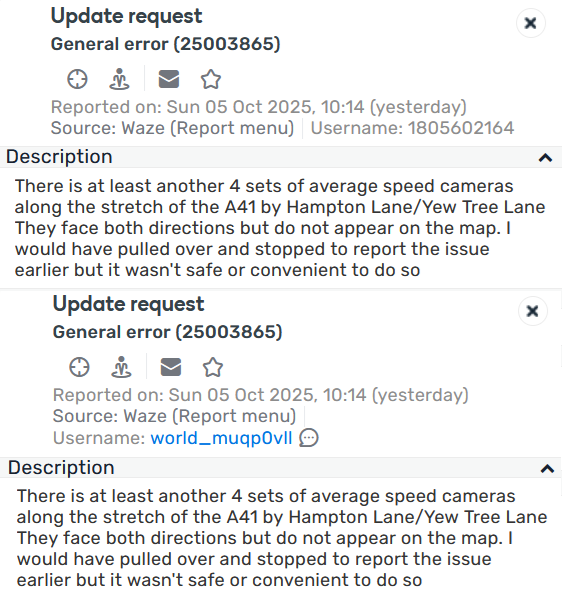
Sometimes usernames are replaced with numbers, and in this example, the same UR showed both number and username at different points

UR location: https://waze.com/en-GB/editor?env=row&lat=52.43104&lon=-1.76008&zoomLevel=18&mapUpdateRequest=25003865

5 Likes

That happens when reading UR replies from a known editor. The names appear after refreshing the screen

2 Likes

This problem is not linked with especially UR. We can see the same behaviour everywhere where WME shows nickname of editor (properties of segment/poi, pur, …). I saw the same a lot of times but it’s difficult to reproduce. It showing correctly after reloading page. For my opinion, in this case wme doesn’t download user model correctly before starting of showing data. The similar problem we can see with showing city in the left top corner - it present or not 50/50. This bug was reported also but there are not any solwing during several years.

3 Likes

Refreshing or doing something else and returning back to the screen makes the correct information show

5 Likes

It’s enough to click on the same UR one more time to see the user name.

5 Likes

This doesn’t seem to work for me, either the name is displayed or it isn’t. If this does work for you, it shouldn’t be considered normal.

4 Likes

Yep, clicking doesn’t always work, or doesn’t work at all.

3 Likes

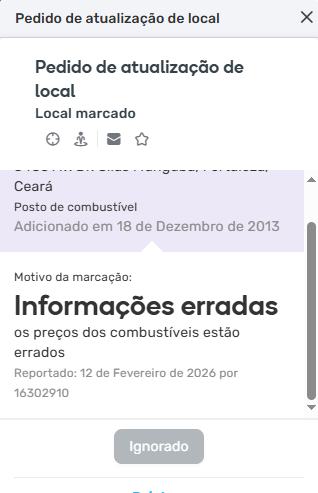
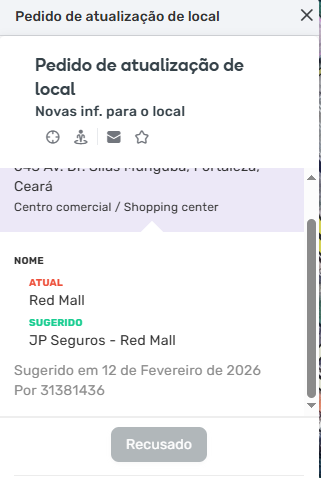
I Can t see Username in PUR too.

WME Prod

3 Likes

Is this a…:
Standard bug
Steps to reproduce this issue:
Open a UR and look at the discussion area. Occasionally some usernames get replaced with User IDs
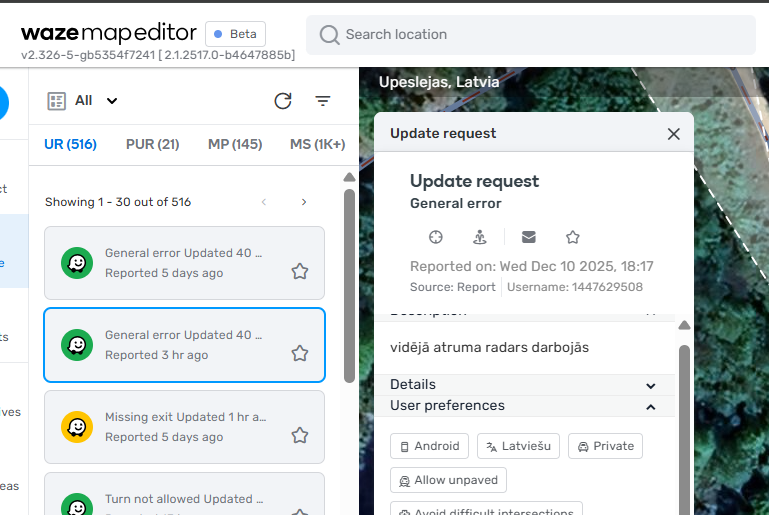
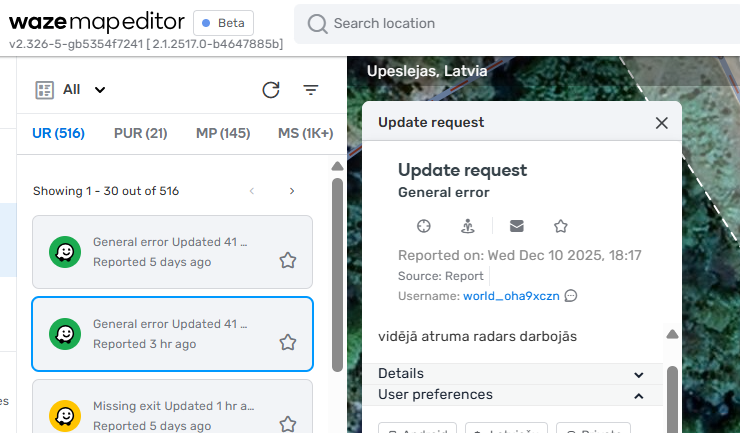
Environment where the bug occurs…:
NA
Permalink:
https://waze.com/en-US/editor?env=usa&lat=39.79737&lon=-86.04342&zoomLevel=12&mapUpdateRequest=12665642
Browser name and version:
Chrome 145.0.7632.117; Edge 145.0.3800.70
Are you using scripts? Please detail which ones.:
URC-E

5 Likes

Also, it can be mitigated by switching UR filter to only show around 30 URs.. then you see all username.

Usually my filters are set to show ALL URs, then usernames are damaged.

4 Likes

Only “30 URs” in within a screen? or overall?

4 Likes