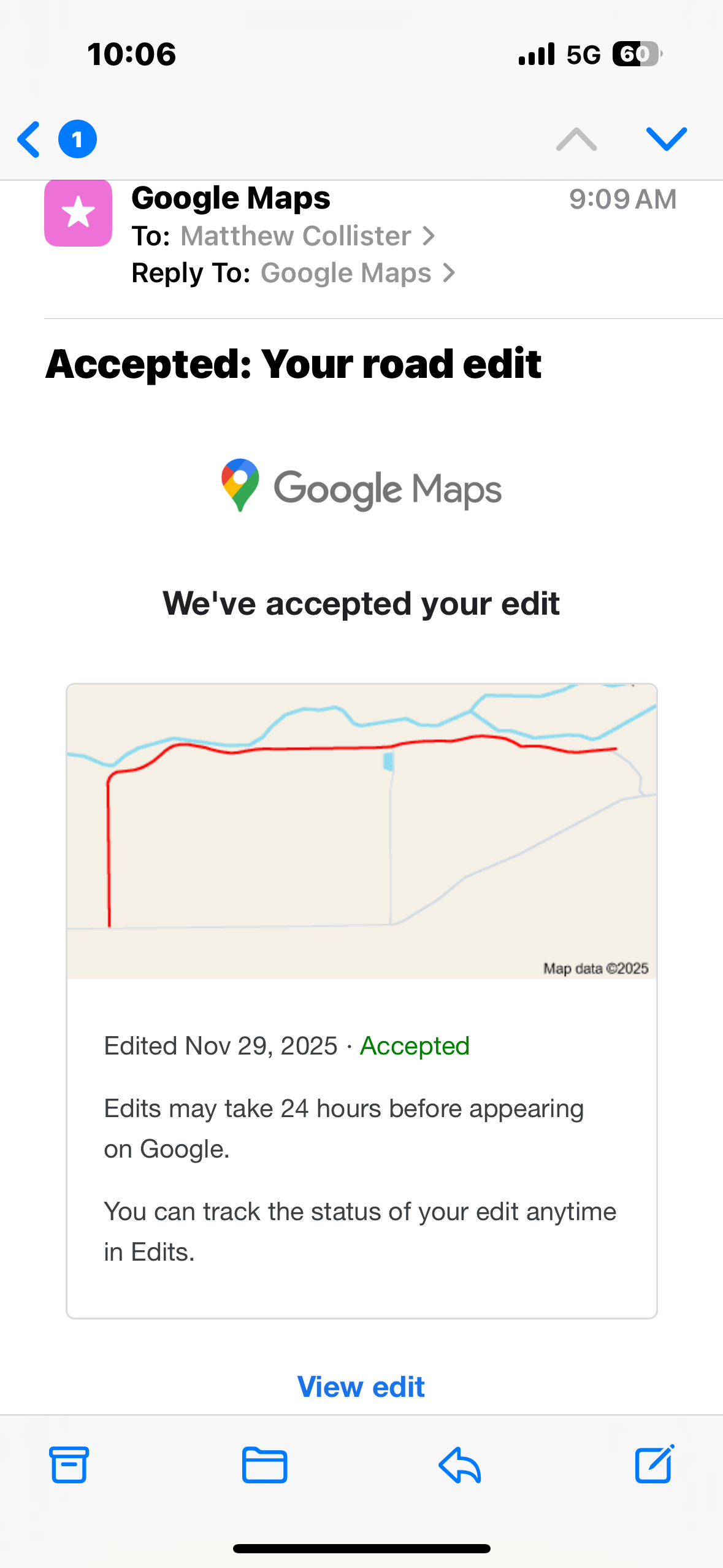
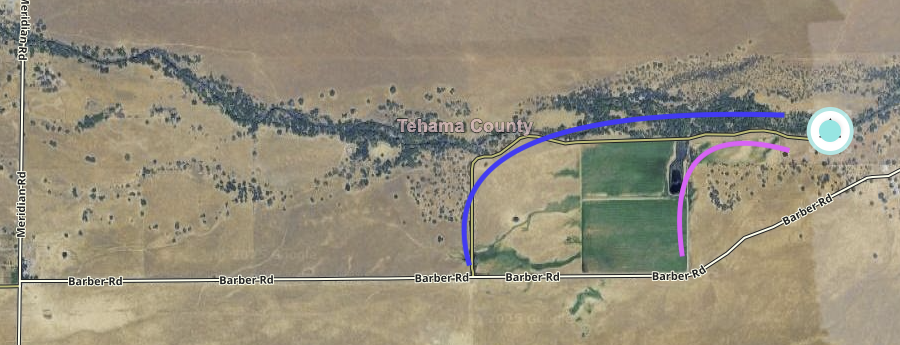
I am praying someone can help me fix a few problems to help Waze properly navigate to 30952 Barber Rd Chico CA. I finally was able to get this fixed with Apple Maps and Google Maps but since I am new to Waze I am not able to make the edits. I am including a screenshot below of the actual driveway that enters the ranch. Barber Rd dead ends .4 of a mile past the driveway at two locked gates. On the map it looks like Barber Rd keeps going, but that is the neighbors private property.
Thank you in advance if you’re willing to take this on!
Cheers!
I tried putting in a fix. Unfortunately, I cannot tell, from your screenshot, which is the correct route to your address - the blue line or the pink line.
Please let us know.
Oh my goodness, you’re so awesome! It’s the blue line.
It’s the blue line. Also, as soon as Barber Rd veers to the left (northerly)(and where your pink line intersects Barber Rd), that is where the locked gates are. And the beginning of the Roney’s ranch. So ideally that should be the end of Barber Rd. The highlighted blue section in the picture below needs to be deleted somehow. It is not a road. We have a right away through Roney’s ranch to access another section of our ranch to the east. So side by sides drive that section, so that’s the only reason it “looks” like a road from satellite images. Therefor all of Barber Rd that you see in the picture below is on the Roney Ranch. So that should be their driveway not a public road.
Thank you so much!!
Thank you.
I have made the changes and added your address. This should update to your device in a few days.
NOTE: Waze stores all destinations you had previously searched for and will show them to you again when you do a search. Therefore, you need to remove them manually.
On Monday or Tuesday or later, please tap the search bar, scroll to look for 30952 Barber Rd. Tap & hold until another menu pops up. Select “Remove drive”. Keep doing this until all copies of your destination in recent drives are removed.
You would also need to remove your destination if it is stored in Saved places, Home, and/or Work also.
Then, please tap the search bar and search for 30952 Barber Rd again. You should see a teardrop shape on the left. If not, please check your search history/Saved places/Home/Work again as the destination is still in your device cache and will need to be removed.
Thanks.
Well I can’t thank you enough for your help! In contrast to the three week ordeal with Google maps to get the same fix, what you did within one day was awesome! I am sold and will be switching to Waze 100%.
1 Like
I just did a search for “30952 Barber Rd” and Waze has updated the position and route. Please make sure to delete all previous drives and if you have saved the address in work, home or saved places, delete them also, before doing a search again for the address.