The pin for the Savannah/Hilton Head International Airport is located at the intersections of the two main runways! When navigating from downtown Savannah, GA, it wants to take me to the closest road to the middle of the airport property - NOT the terminal address of 400 Airways Ave. I can’t edit anything that will make the directions go to the ADDRESS rather than to the PIN POINT. Someone with the editing skills and access level, please fix this!! Permalink
I can’t permalink the directions, but do a from/to Savannah, GA to Savannah Hilton Head Island International Airport to see what I mean.
Kiktok43210, I’m check on this , why are you adding the island in the search name ?? the savannah airport does not have that in the name and when you add that, it looks to show more stuff from the hilton head airport in SC.
I try finding the wrong search result that take you to the center of the runways. ( that is the google marker ), but every time I search on APP I always get the correct waze marker at the entrance of the airport on Airways Ave, the one on the screenshot that Driving79 posted earlier.
can you recheck the search you are using and let me know again , so i can take a look at that.
P.S. I rename the waze area place to Savannah / Hilton Head International Airport ( SAV)
do notice the spaces before and after the / this is the waze. the google one does NOT have spaces.
follow up.
i search today. I notice that this time both the waze and google show up on the list. waze was 1st google one was 3rd on the list. but when I selected the google one, it still took me to the waze destination marker, so it looks like waze is overriding the google one now. this could have been since i updated the name.
Please try it and let me know.
thanks/
Gerry.
As of this moment, on the desktop Waze Map Editor, when I set directions from downtown Savannah to Savannah airport, it still takes me to the middle of the runway.
I’ll try later today to see what happens when I set the destination from the mobile app.
Other airports have the pin located at the terminal rather than the geographic center of the area. I tried to recommend this change to Google, but they haven’t changed it. But, Google Maps doesn’t mess up the directions.
This is still a problem. Lyft starts in Savannah today and Waze is the preferred Nav tool. It will be estimating prices based on the wrong information.
Attempts to fix this have seemed to work for a short period of time, but as you can see, from down town to the airport (identified as being on Airways) takes you through to the middle of the airport rather than the terminal.
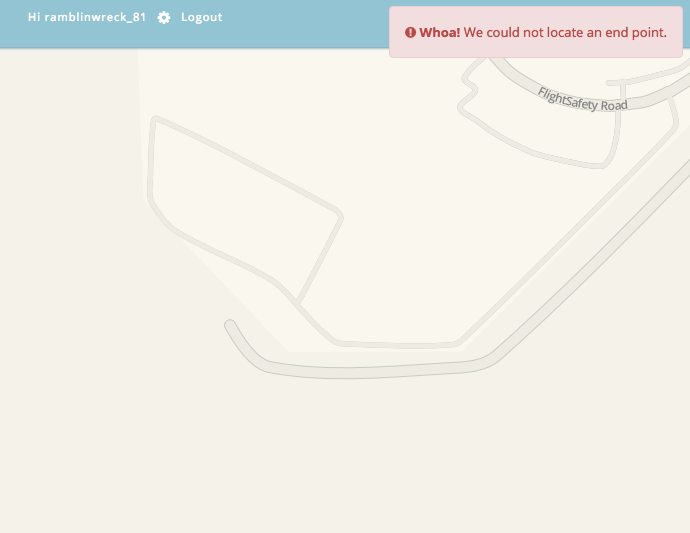
1st pic is the return after trying to navigate from where I am to savannah airport using same search address as tiktok4321 did. says it can’t find that location.
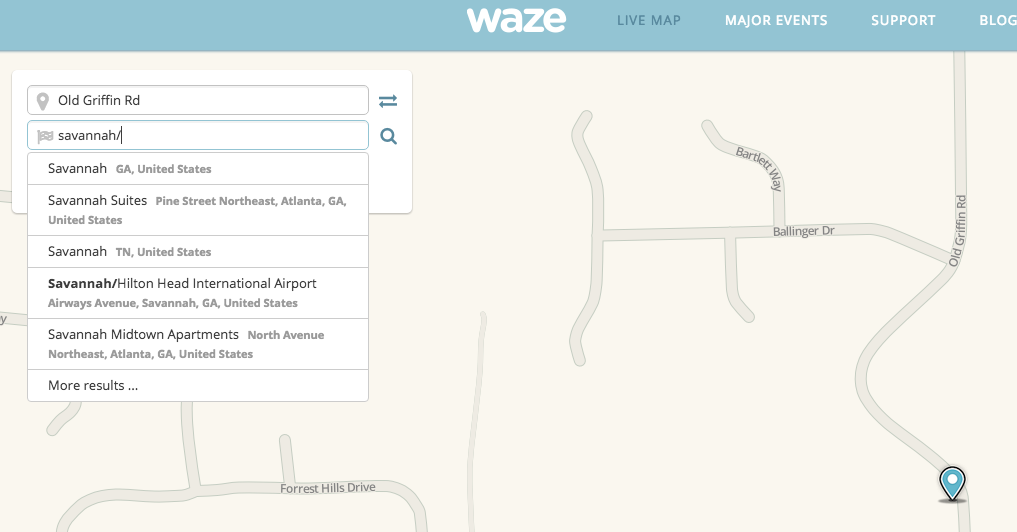
2nd pic shows how I entered the search criteria
3rd pic shows that if I go to savannah and enter same criteria, I get a return.
Yes - that is the problem. Google has the definition of the airport to be in the geographic center of the property - not at the terminal. I asked Google to change the pin location to Airways (the official address of the airport) but they refused. Because of that, Waze is routing through Robert B Miller Jr Rd, into Flight Safety International, and out onto the runway. Rarely do any drivers need to be routed to the middle of the runway intersections.
Yes, it does. The issues is not navigating to an address, rather it is about navigating to the most common entry (both Waze and the airport terminal) used to get to the airport.