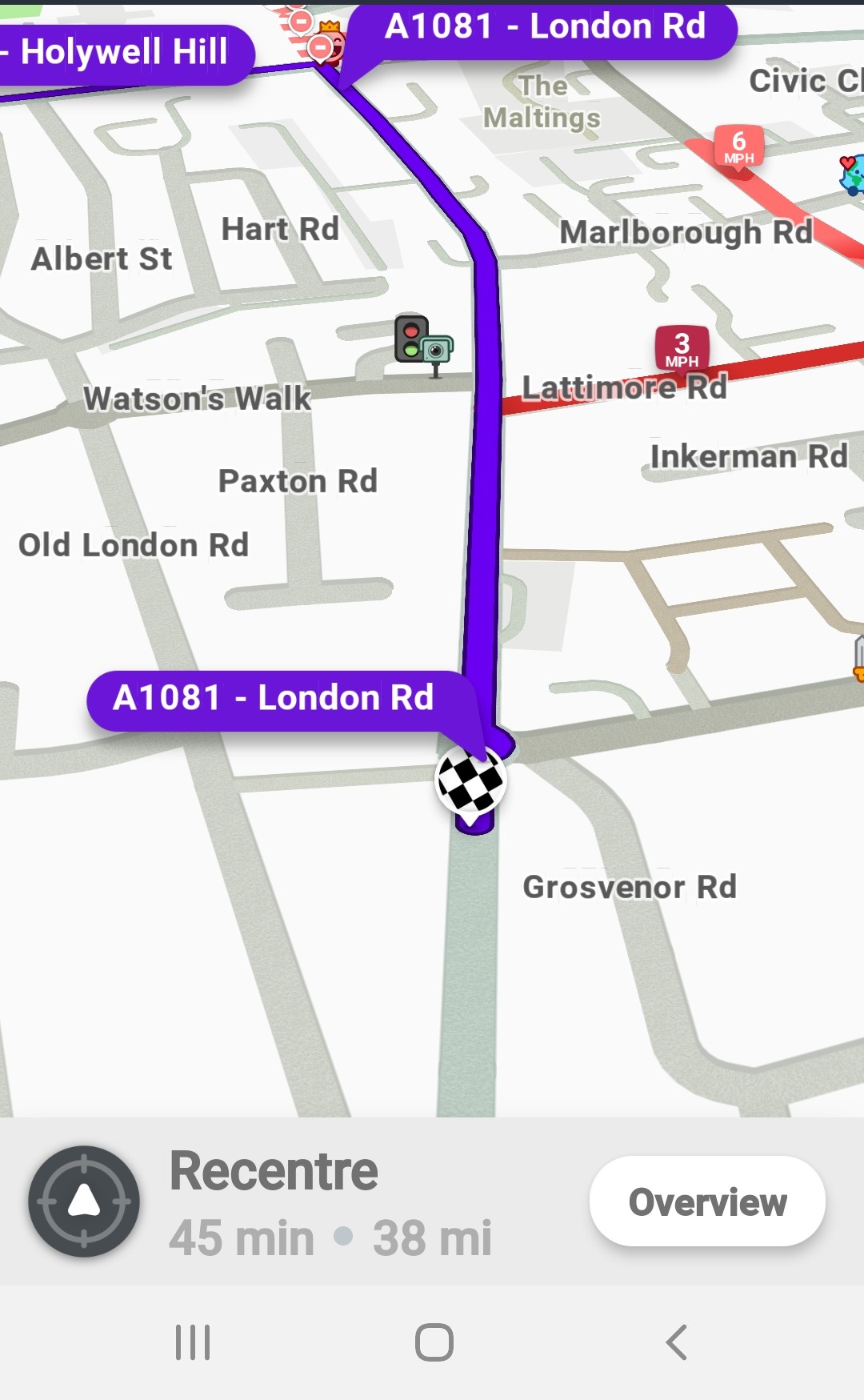
I have a UR, which is complaining that a specific house number is across the other side of a duel carriageway. The house number was been correctly located on the correct segment, which has a road number as well as the road name. Waze is still directing the driver to the side street that the road name without the road number:
Now, I’m trying to figure out what’s best to fix this. May be an alternative (road) name, or RPP? Any other suggestions?
This is a reoccurring issue and it appear to be cause by the way Waze translates Google addresses when we have a classified road (A & B) mapped with an unclassified road mapped adjacent with the same name. To fix the issue you will need to add RPPs as all other attempts have so far failed.
I was planning to submit a bug via centre code… if you’d like to do it instead do feel free. You’ll note that it will navigate to the classified segments if the house number is far enough away from the unclassified segment, this is approx 100m based on a quick test by Chris (Twister-UK).
I’ll report back on my finding in a couple of days.
I also noticed when I search for 660 Warrington Road, which is on the corner of Warrington Road and Knowsley Road, the route given actually finished on Knowsley Road, not Warrington Road. So it’s not only effecting addresses which have the road name without the classified number opposite, but also those close to side streets with a totally different name.
Hi.
I can see that Centercode bug report has not been answered for a while.
But, was there any solution or workaround for this problem that worked for you?
I see that somebody tried creating a residential place points, but that did not work for me.
Oh, that’s really weird
I just downloaded Play store Waze on a device that never had Waze.
And I still get this issue.
Well, if I do a full search, then there is a result “184 A1081 - London Rd”
If I choose that, then it works.
But from the quick search, it always goes to Old London Road.
Steve, are you using a routing beta server or something like that?
This does route correctly because of the RPP mapped on 5th Feb 2020 by yourself. Tested on RBS and PRS.
As for the bug affecting house numbers on classified roads… no, nothing has changed, it has not been fixed. With the upcoming [no known timescale] change to how road numbers may be mapped on segments I have a feeling HQ aren’t rushing to correct this.


 After adding house numbers to Pedestrianised Areas, the routing still ends on the non-classified road opposite.