Hi
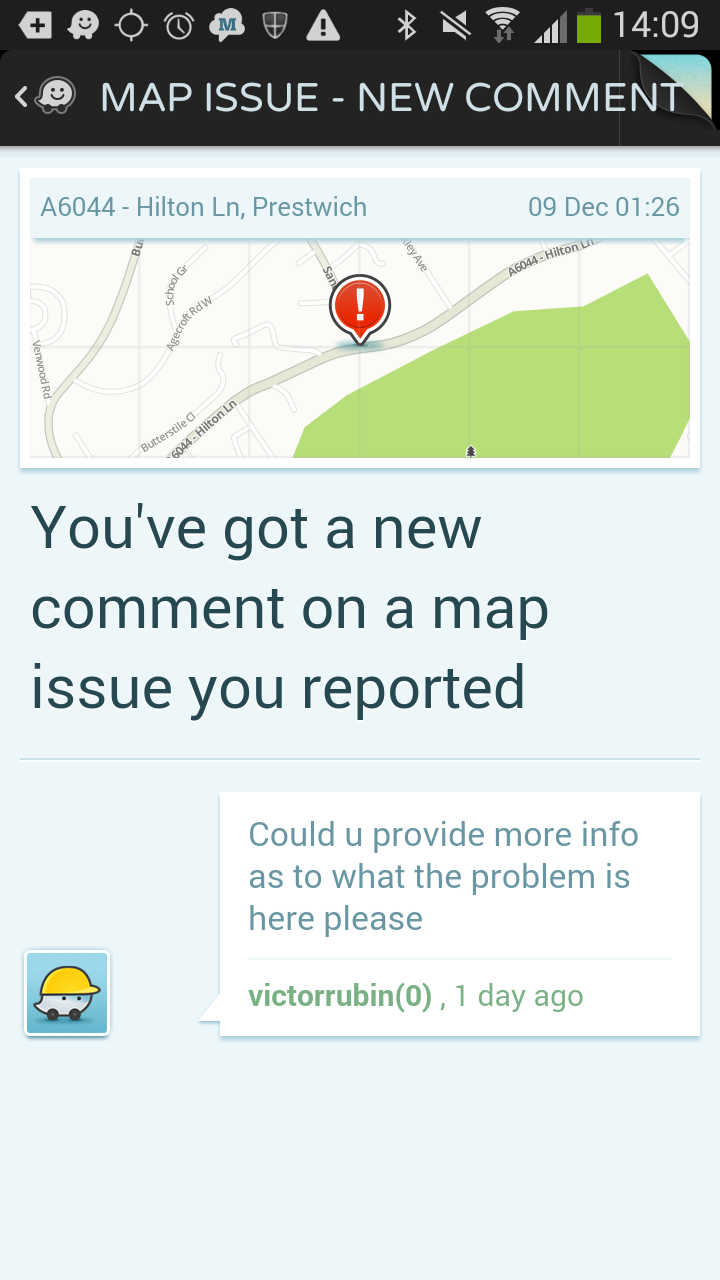
I’ve received a comment on a map issue (from user victorrubin) asking for more info about a map issue I reported. I want to reply to victorrubin to give more info. Is there a step-by-step guide for how to do this on the web interface? The email notification I received, links to the online map editor. This shows the area where the issue was reported, but doesn’t appear to show an inbox or any private messages.
In the meantime, maybe someone else can help with the edit. The message I’ve received reads:
“Could u provide more info as to what the problem is here please”
The map issue I’m reporting is that a junction has recently been marked as a “restricted turn” when in fact there are no restrictions. The section is currently locked, so I can’t do the edits myself, but hopefully someone will be able to do these.
The junction is between Hilton Lane and Sandy Lane, and appears here:
https://www.waze.com/editor/?zoom=5&lat=53.519843&lon=-2.28398&env=row
Thanks in advance,
Tom
If you check on your client, you will find you have an unread message in your Inbox. You can reply from there. This dialogue is visible in the editor in the conversation drop-down on the Update Request you created, and you can add comments there too.
Unfortunately, I can’t help with the correction of the issue, it’s outside my editing area. You might like to go into the client and reply to victorrubin from there first, so he can make the corrections for you.
Regards
Hi there. It looks like your map issue has already been cleared. I hope whoever did that didn’t mark it as “solved” as they didn’t fix your problem. :roll: If the issue has been closed, you will have received another notification (in the app & by email) and you will no longer be able to reply in the app.
Only a level 5+ editor could have fixed it anyway, as Hilton Lane was locked at level 5. I’ve corrected your issue and reduced the locks in the area to a more sensible level.
Hi Iainhouse and Woodvale,
Thanks so much for fixing the problem!
In terms of replying to messages ---- Weirdly, I couldn’t see any way to reply in the app. I guess that may be because of the issue being marked as closed, as you mentioned (although I didn’t receive the usual “the map issue you reported has been fixed” email or notification that I’d normally get if this was the case").
I’ve put a ticket in with Waze support, but haven’t got a response after my initial reply. Here’s a screenshot of the app, showing the message view screen. I tried clicking everywhere and hitting the menu button, and simply couldn’t see any way of replying. Is there anything I’m doing wrong? Any advice much appreciated: