Level5→L2 Unlock: Narrabundah (B23 - Monaro Hwy,Monaro Hwy,E

My Level: 2
Reason for request: Fix angle to remove the Turn right

Can you please unlock so I can remove the 1 degree angle between the ramp and the freeway which appears to be generating a Turn right instruction?

It might also be because of the Alt name match ‘B23’ on the exit. ( but step by step ) before setting an override.

Permalink

You may be getting a “keep right” prompt but you wont be betting a turn right prompt there. At what point is the “turn” prompt generated?

You didn’t follow the example I posted for you. :wink:

Your right Glomp as always.

The Keep right is being generated between the ramp and the freeway.

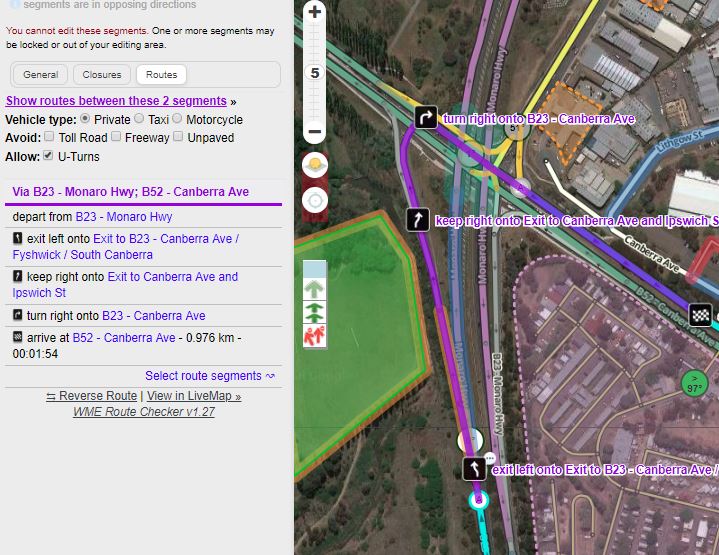
Current Live Map lookup for the exit has
B23.JPG
But it appears to now have an override “Exit Left”

Just double checking your example

Your example

example.JPG

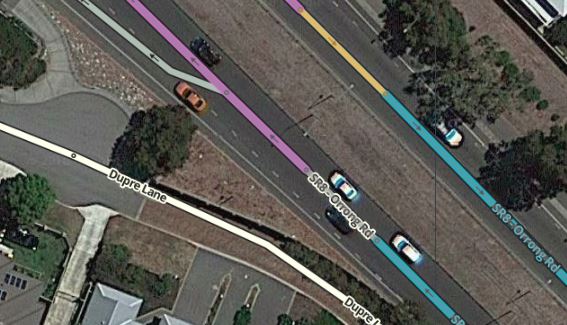
Two short sections:

  1. 14m Ramp
  2. 16m Freeway
    between the Major Highway and the Freeway

Straight through traffic staying on the Major Highway to Freeway have 0 degree deviation between MH, Ramp, Freeway, Freeway - No instruction is generated during these transitions
Traffic exiting have 0 degree deviation between MH, Ramp, Freeway. Followed by a 23 degree exit angle onto the exit Ramp - An Exit Left instruction is generated between the Freeway and the exit Ramp

MH to Ramp has three matches name matches Primary and both Alts
Ramp to Freeway has a name match on Alt “SR8”
Freeway to exit Ramp also has a match on Alt “SR8”
Freeway to Freeway has three matches in name too.

I am happy to implement the changes by adding the extra Freeway section and straightening up the angles. Rather than jumping straight to the Exit Left Override.
I didn’t look closely enough at your example when I was trying to copy it.

Dropped, I don’t know who added the TIO but it wasn’t me. I always use the same exit angle for all exit ramps and know that they will generate a “Exit” prompt with this angle.

Done,

My short sections are a few metres longer but I have the extra segment and the angles and the Names matching now.

Thank you ready for Relock as you see fit.
Permalink

Still ready to Relock.

I have just tested the instructions here.

The continuation onto the freeway now doesn’t produce any instructions.

Where the Exit Ramp splits it doesn’t meet the wiki guidelines of 90 degree angles.

Does this need modifying? The current instructions are:

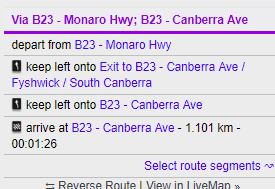
Exiting and turning Left produces
Turn Left.JPG

Exiting and turning Right produces
Turn Right.JPG

Relocked. I would leave the angles as they are, it is more logical to get a keep left/keep right prompt whle you are on the off ramp and then a turn prompt at the road you need to turn at.