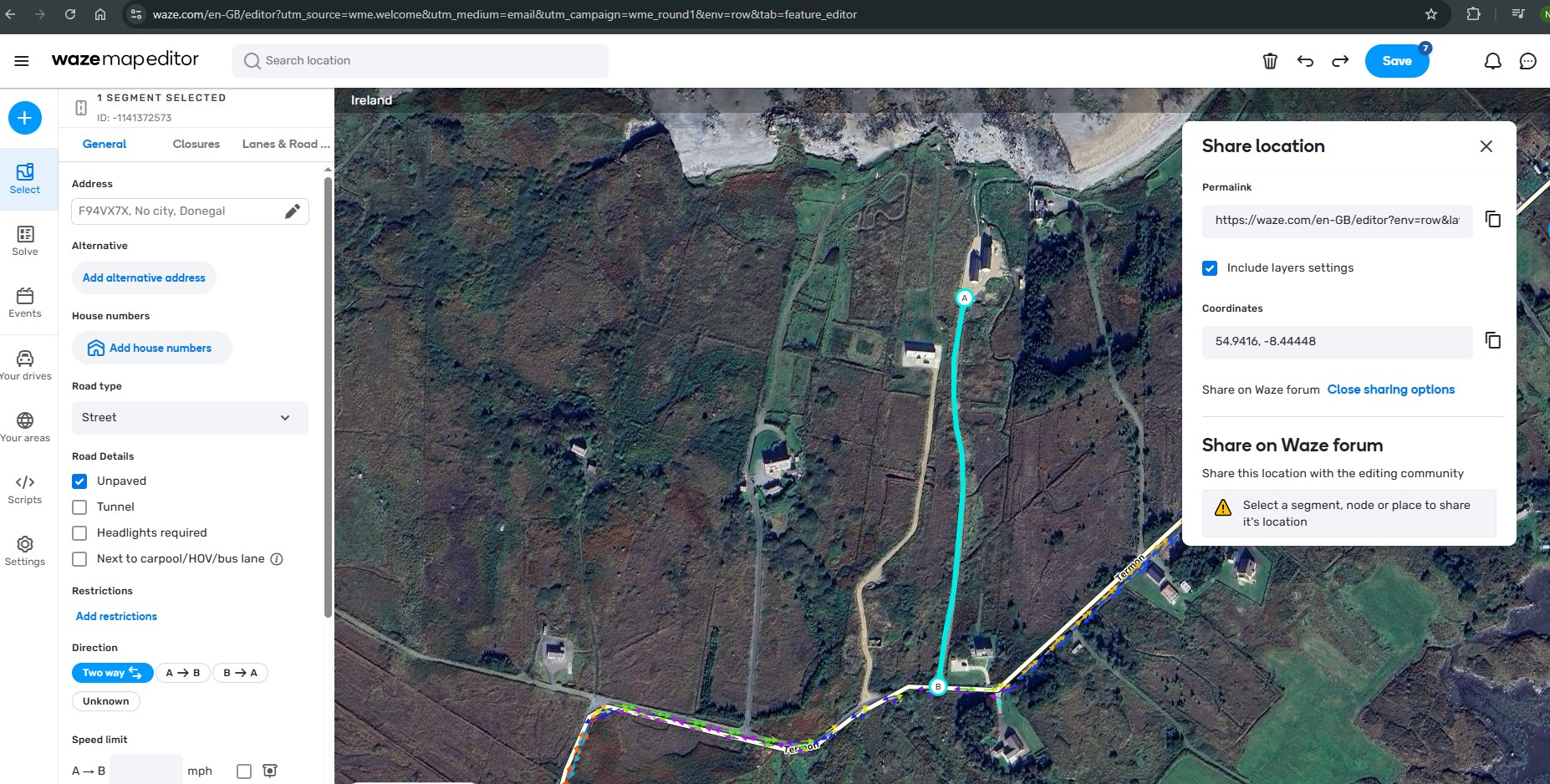
https://waze.com/en-GB/editor?env=row&lat=54.94160&lon=-8.44448&s=9407839631629878427646&zoomLevel=17
There is a new property at this location.
Eircode / ZIP Code is F94VX7X
I have added the new road segment.
I can’t save changes as I am not a community editor.
Neither am I allowed to share via “Share on Waze Forum” options - it asks to select a segment, even though the segment is already selected
Currently Waze directs driver to the road accessing an adjacent property.
I fixed this in Google Maps by requesting a similar change - so hoping the Waze Community can fix this for me.
Thanks in advance
Neil
Hi Neil,
You should be able to save this change: just hit the save button (near the top right of your screenshot), and that should be all you need. Is it not working for you? If not, then I can do it on your behalf.
++David \ davidg666
Hi David
no I had tried saving and it wouldn’t permit the action.
Thanks for the help.
Neil
Strange. I’ve just added the road for you as a private road. See if you can make a minor change to the new road to see if it’ll let you save that.
BTW, we don’t normally map private driveways, except to fix routing problems, but this counts as a fix to a routing problem.
++David \ davidg666
Thanks David
I can now see your designation as a Private Road.
How soon would this changed be reflected in Waze Route search?
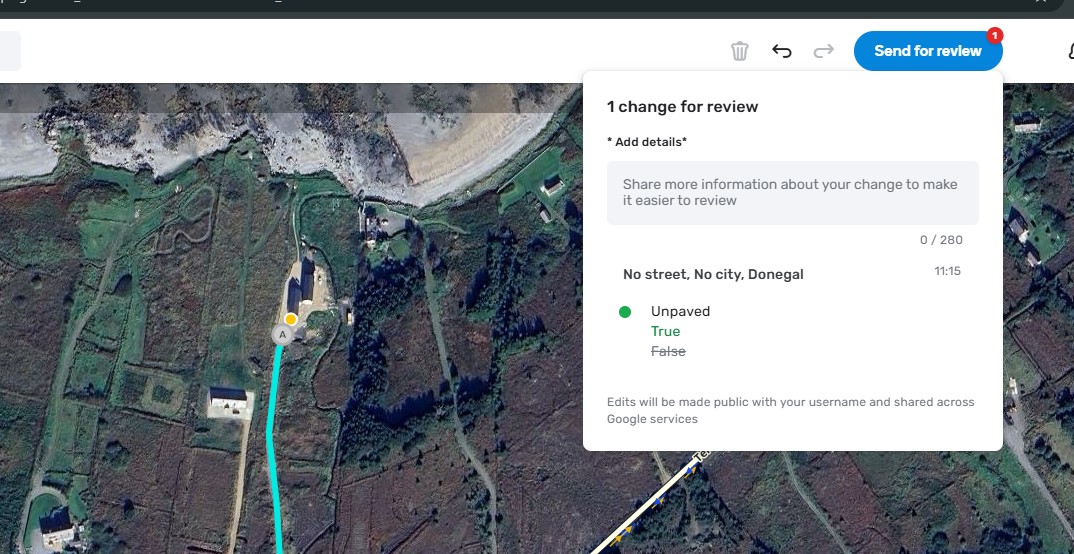
I can apply a change as you suggest e.g. “unpaved” road and I now see the option for “send for review” vs “Save” my changes. Would you expect this or a Save option?
Can I ask a folow on question.
In terms of applying Eircodes to the property, I didn’t see that option when looking at the option
Select “Place” => “Residential Place”
I was seeking to confirm location of Ericode or to apply that Eircode to ensure route planning followed the private road.
Hi Neil,
This road should show up on the Waze map in two or three days.
As for the “send for review”: you probably need to go through that for your first few edits. Another editor should see that, review it and approve for your changes to go into the map. After you’ve had a few edit-review cycles, you won’t need the approval any more. i’ll look out for your review request.
I added your eircode to the location (as an “Other” place; residential places need a house number, which obviously isn’t much use if you’re not a road with house numbers). However, we don’t need generally to add eircodes to the map: when you search for an eircode in Waze, it looks up the location of that eircode with the eircode database and that gives Waze the exact location on the map. That’s pretty handy for navigating to any eircode (so long as it’s near a road!): when you search by eircode, it’ll always take you to the nearest point that’s on a road. That’s why you weren’t getting good routes before: the nearest point on a road to your eircode would have been a bit further along the public road, so a bit to the southeast of that eircode.
++David \ davidg666
So once this road shows up on the Waze map, searching for the property’s eircode should take you to the end of the new road segment.
Thanks so much David. Appreciate the support.
Minor change submitted for review.
Hi again Neil,
I can see your review request, and I’ve just approved it, so that detail will also take effect in two or three days.
The “unpaved” setting won’t make any different to your routing, but it does make the map more correct overall.
++David \ davidg666