New Editor Version v2.69-3

Hi editors,

Hope you’re doing well.

A new WME version, v2.69-3 has been released.

  • Address formatting is missing spaces/separators in alt. street address- FIXED

  • No space in the feed btw title and days/hours and in lanes menu-FIXED

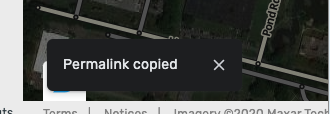
  • “Permalink copied” message- ENABLED

Screen Shot 2020-12-20 at 13.48.32.png

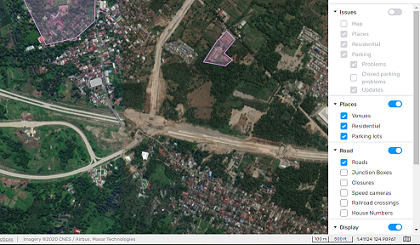
  • Updated notifications design (from red number to not red)- ENABLED

Screen Shot 2020-12-20 at 13.48.37.png

  • Updated translations

Wishing you and your families Happy Holidays! :!:

Thank you,
Maia

1 Like

Road are not visible, i can select them,edit them if selected, but they are invisible.

invisible road.PNG

invisible road selected.PNG

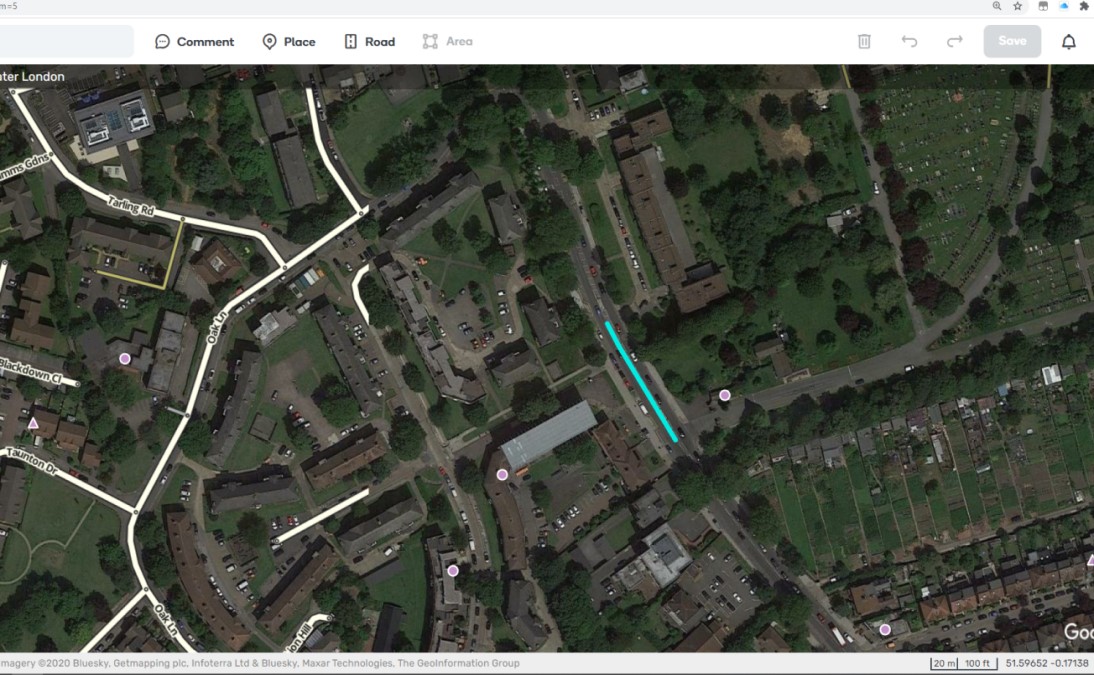
Road Layers are not loading properly
permalink of image below but issue is happening all over the UK

road layers3.jpg

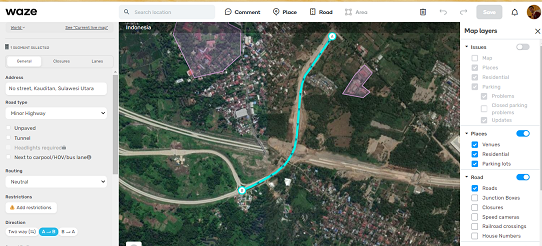
yes…same with me in Indonesia.

example permalink

In Brazil too!
permalink

It seems this problem is on the ROW server

This is a global issue that looks to be affecting the ROW WME servers. It’s nothing to do with the latest WME version. :wink:

It’s been reported in the global WME forum and staff were sent an SOS message a little over an hour ago.

Hi Ian…thanks for notify stadd and send an SOS message.

Hi everyone!

Thank you very much for reporting the issue, it should now be fixed.

Please remember that in this case, and for other serious issues, you can open an SOS.

Contact you CM if you do not have permissions to open an SOS.

Best,
Maia

Hello everyone

I’ve got an issue, similar to one on an old WME version.

If I move/zoom out the map, my area will not load properly. Screen stays darken.
This happens only if a segment or a place is selected. If I remove the selection afterwards, the issue is still there. I have to reload/refresh (button on WME)

Without selection everything is fine.

Example (INTL; Germany)
Permalink
cats.jpg

Best regards
Andy

Hi Andy_Na!

Thank you for reporting this.

Could I please ask you to try to reproduce it without active scripts and send us again a screenshot and the permalink?

Thanks in advance!

Same Problem as Andy.

Here’s a short video showing the problem
Link
Tested without scripts in a new & cleared browser window.

Location: Germany, Bavaria, Ecking (but not only here)
Permalink

Regards
Christoph

I’ve had the same issue, along with several others in the German community.

Refreshing the WME tab solves it for a short time.

Cheers

@Andy_Na
@ChristophGP14
@Thalibahn

I’ve been able to reproduce this in beta so I’ll open an issue for it and hopefully that’ll be fixed in 1-2 versions. I remember this issue from the past as well but couldn’t find any reference to a previous bug report in beta.

Hello everyone :smiley:

Greatings form Portugal.

Please see my message in: Editable area doesn’t refresh properly zoom/move etc…

Best Regards,
André Domingues

Hi André Domingues,

Im not authorised to read the forum, which you have linked. :slight_smile:
Therefore I can´t read your message. :?

Regards
Christoph

Hi @Christoph,

It was posted in the WME Beta section. If you would like to access this form please talk with your local CM.
The information can’t be place in a “public” forum. Sorry.

Best Regards,
André Domingues

Hi, I have notice since last week a problem in the prod version and in the Beta Version 2.71 of WME. If I select a segment the details of it are not appearing in the right pane to change for example Road Name or Speed, I used it on Chrome and on Firefox without scritps, somebody has the same issue?

I have not had this kind of issue

Please see this post from Nov 2020

I’ve seen this happening for quite some time. Usually if you have been panning around the map a lot. I assume because the road data hasn’t loaded properly. clicking Refresh button fixes it.