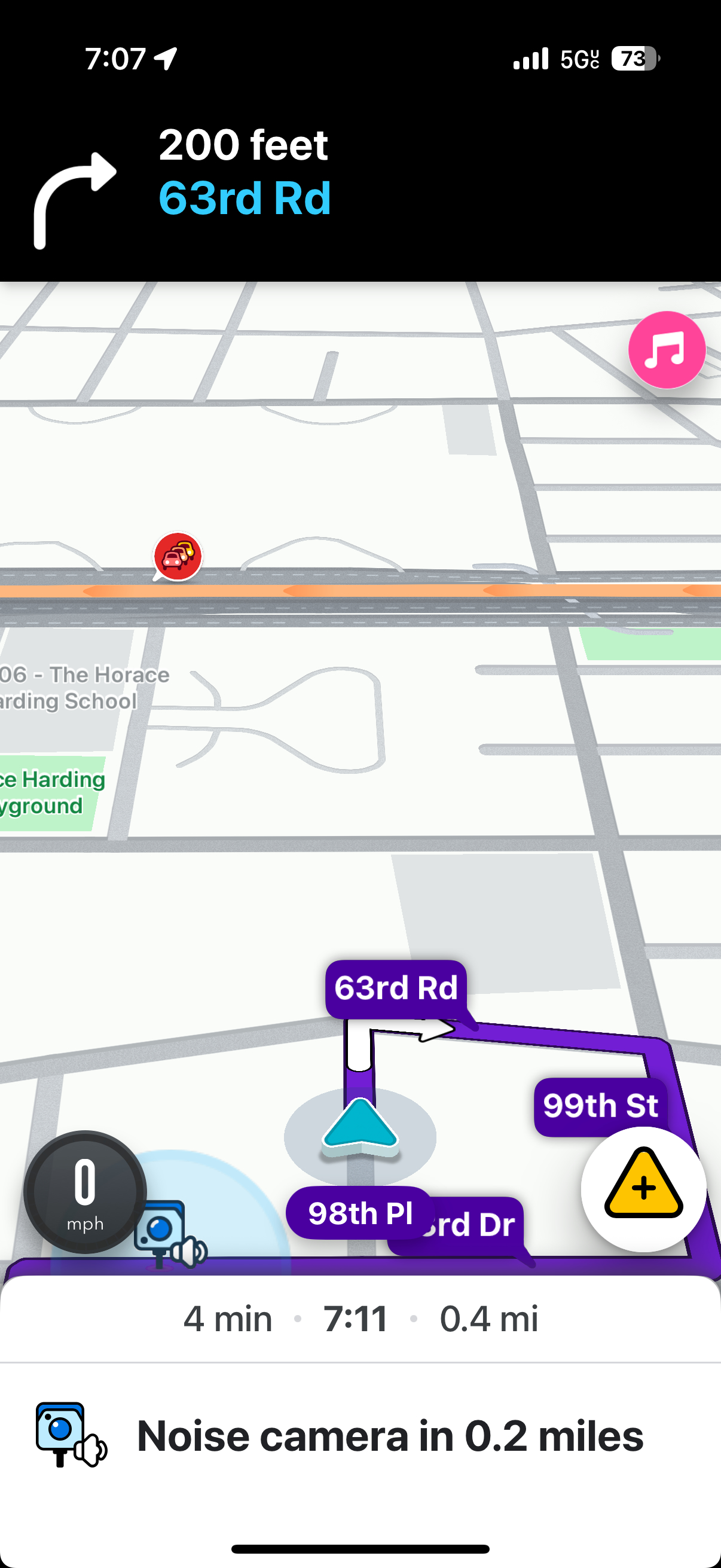
There is a new noise camera installed on 63rd drive between 98th place and 98th street.
I added it on the map myself but I don’t see it on waze at all.
Street view will not show the noise camera due to a truck blocking the pole and possibly an outdated photo from google street view.
So you did add the camera properly, but the problem is that there’s the speed bump just up the road only 250 feet. Basically, by the time the speed bump alert is finished, the app finds it’s too late / too close to alert for the camera.
Could you try driving a route down 98th Pl from 63rd Rd and see if it alerts there? That route would skip the speed bump and you would at least know the camera is working in general (when not lumped into the speed bump alert).
Indeed it shows when I am traveling on 98th pl.
Would it show if I am coming from 102nd street down towards 63rd drive, It’s really where drivers need to be alerted.
So based on the distances of the speed bumps and the camera from 102nd Street, the speed limits are probably going to block that camera from alerting. That said, the speed bump alerts should only pop up the first two times you drive through there, then shouldn’t alert for 21 days. When that happens, the camera should alert.
There’s nothing we can really do about that unfortunately, as those app behaviors are setup by the Waze staff.
I have updated the noise camera location, they removed it from the current spot and placed it on another block. I already found it today and updated the location.