New WME v2.326

Hello Everyone!

We hope you’re all doing well.

We’ve just launched a new version of WME v2.326 :rocket:

Below you can find a summary of the release.

New features/enhancements:

  1. WME upgrade: Draggable cards for a more flexible layout

We are launching the first phase of a major UI change aimed at increasing flexibility in the Waze Map Editor. This change is the first step toward a more customizable and powerful WME experience.

What’s new:

  • You can now click and drag cards anywhere on your screen.. Included are Turn Menu and Issue Tracker cards (URs, PURs, Map Problems, etc.)
  • The card designs are slightly updated to support this new repositioning.

For key interaction details, please refer to this doc.

Also, it is worth mentioning that this enhancement will fix a few long-standing Community issues:

  1. The Turn menu covers the Turn Instruction panel.;
  2. Turn pop up covers junction box routes while switching;
  3. Turn popup appears cut off when opening in Street view.

We encourage you to share your thoughts on more areas, panels, and windows where you would like to add the draggable ability, as well as any desirable related functionality.

2. Map suggestions/Performance: we have added a fix to prevent map lag, caused by an extensive calculation for suggestion previews that happened too early, by deferring this calculation to the moment you hover over a card.

3. External Providers: previously, the change log showed External Providers with unintelligible strings (UUIDs). Now, the save stack will display readable human-friendly names.

4. Suggest an Edit email templates: the UI of the templates has been updated for all response types.
Note: the new templates should be available later today.

5. SDK improvements: please refer to the change log to check the SDK additions.

Bug fixes:

We released 5 bug fixes:

1. Turns: three turn-related bugs were solved thanks to the implementation of Draggable Cards.
2. Events: rectified the error message in case the translated event name is missing.
3. PURs: resolved an issue where accepting a PUR for a flagged place would delete the venue.

Known issues:

1. Draggable Cards: turn menu window closes automatically when switching routes.

You can read more here.

We look forward to hearing your feedback! :envelope_with_arrow:

Thank you,
Olesya

34 Likes

Hi, I reported it in the beta release thread but there again doesn’t seem to be any note of any changes in the SDK changelog in this update. Did you manage to find out if this is actually the case?

6 Likes

Thanks for the info. The new version is not yet available for me (IL). However as I already checked in the beta version, the draggable cards are much better.
I hope that it will be also possible to drag the chat window, and even better if we can control its width and length.

5 Likes

Although being able to re-position the card is a great feature…

When you move to the next UR, it opens in the original position.

Can the new ‘preferred position’ be set as the default position for that card type?

Thanks,

Major

15 Likes

Hi @tbrks,

There are no additions in the current version, so that would indeed be the case. It’s worth having the SDK point listed just so you can check previously added items.

Thank you for being watchful!

7 Likes

Hi @yaacobyy,

Thanks a lot for your input!

It should be available in IL as well, could you please recheck?

Noted, I’ll pass your feedback to the team so it can be reviewed when expanding the feature to other areas.

Best regards,
Olesya

8 Likes

Yes. Now it is available.

6 Likes

Hello @majorjc_MS,

I have passed this feedback to the team working on the feature. :slight_smile:

Thank you and regards,
Olesya

12 Likes

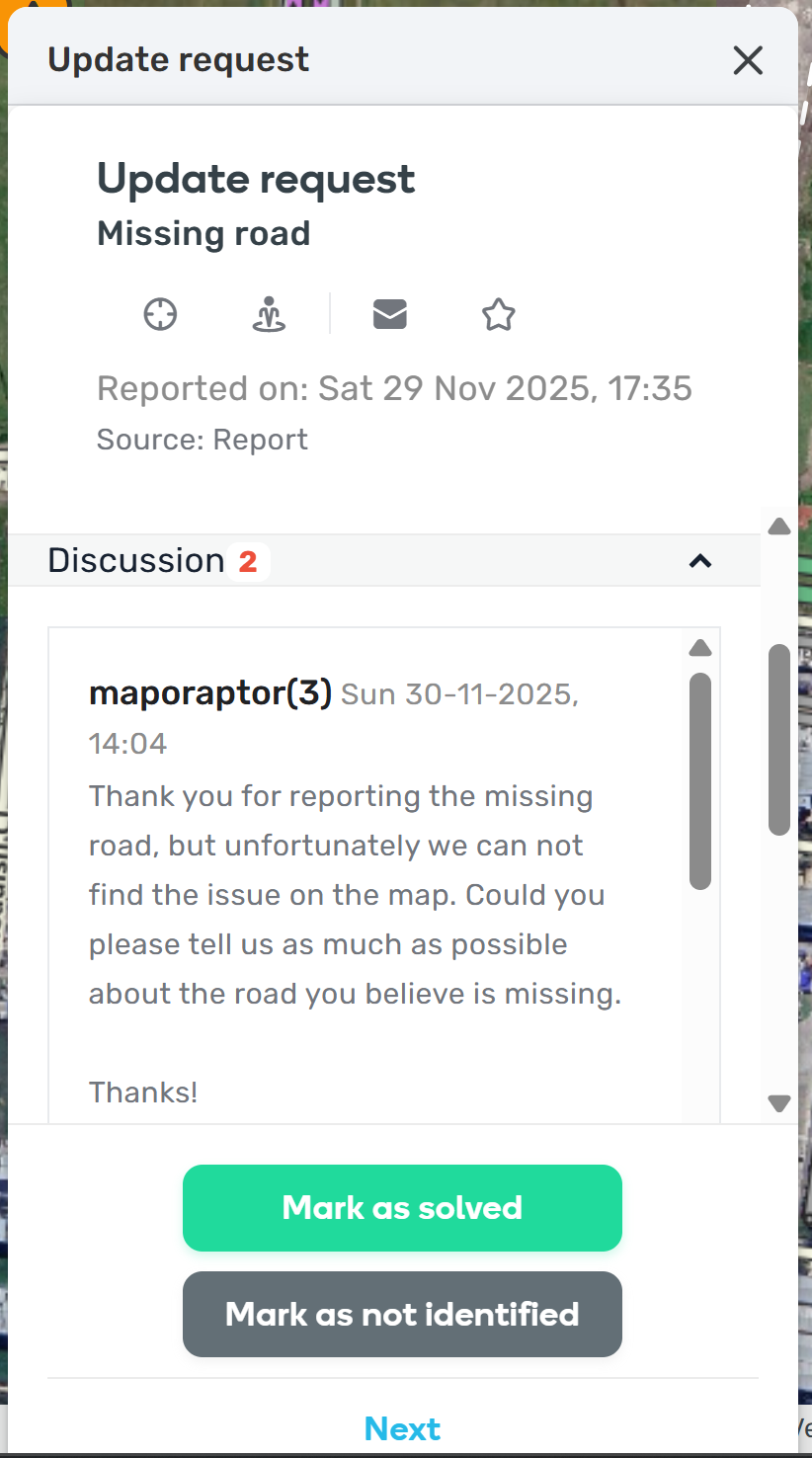
I feel that there is too much white space now…

  • Can you make the header neater? Seems all over the place. Like remove the duplicated “Update Request”. Only really need the top one. Source could go right next to the report type in brackets like Missing road (Source: Report).
  • Don’t feel Discussion needs to be put into a scrollable box. Just expand it to the end.
  • Mark as solved and Mark as no identified could be next to each other. Like have “Mark as: Solved | Identified”.
  • Also when dragging it locks the card to the top and I can’t move it up and down. Only left or right. This is pretty restrictive.
16 Likes


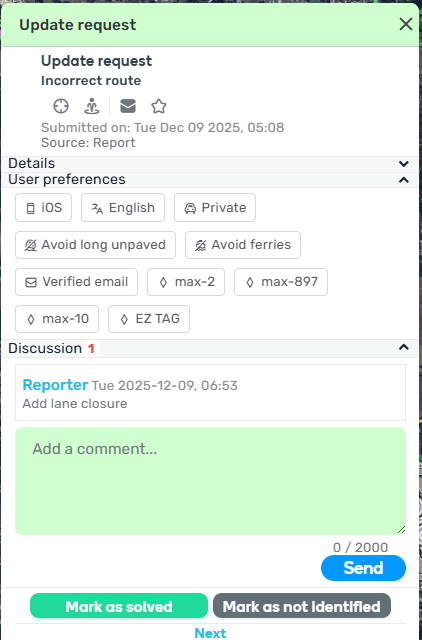
Example of a few improvements

12 Likes

That’s a no-brainer. I have no idea how they missed that.

5 Likes

I’m copying the same request I made in the beta thread but no changes were made before releasing to production:

The big request from me - WME should remember where I drag a card to. The way it works now I will have to drag the card each time that kind of card opens, when really I will generally want the card in the same position every time the card opens.

10 Likes

Hi @maporaptor,

Thanks a lot for your constructive feedback! I’ll make sure to share these points with the team (it is not guaranteed, however, that all of them can be implemented).

Take care and regards,
Olesya

5 Likes

Hi @ojlaw,

Thank you for your input!
We have highlighted this request internally and the team is aware of it - we’d relayed this feedback during the beta testing. We will underline the importance of the request this time round as well.

Kind regards,
Olesya

6 Likes

This is great! Now it will not cover up the SV button and can leave the screen in place! :heart:

6 Likes

Why was it not included in the production release today?

5 Likes

It is still in the works.

5 Likes


The existing problem has become two parts

4 Likes

thank you for the info

4 Likes

HI @casper7-21

This window splitting issue is due to an outdated WME UR FAST script; however, the fix has already been implemented and is just awaiting Google approval to go into production. You can either disable the script or wait one day for it to be updated.

8 Likes