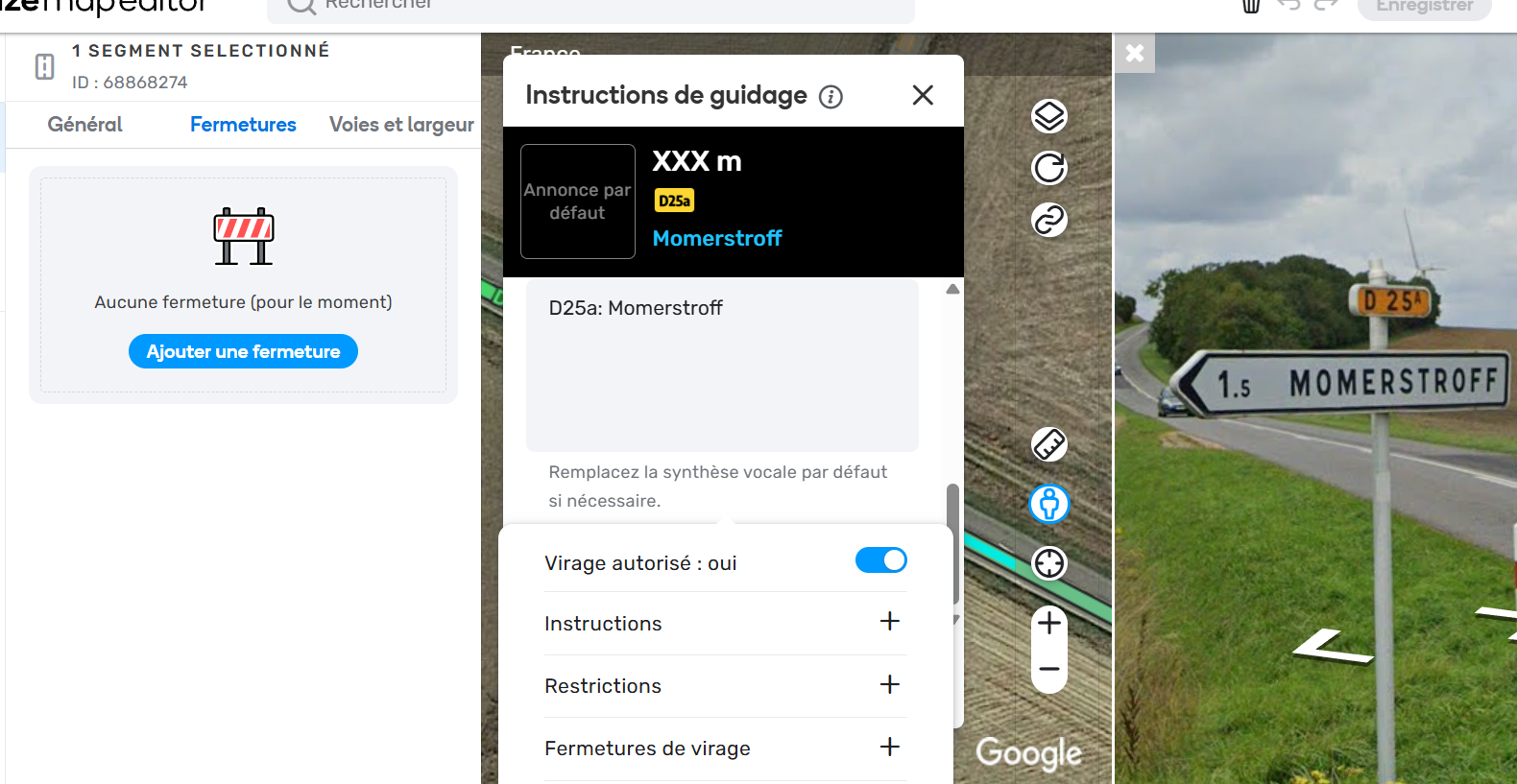
Steps to reproduce this issue:
I can’t validate the addition of visual instructions without leaving the segment, as the turn parameters are still displayed.
Permalink:
/
Are you using scripts? Which ones?:
No.
Steps to reproduce this issue:
I can’t validate the addition of visual instructions without leaving the segment, as the turn parameters are still displayed.
Permalink:
/
Are you using scripts? Which ones?:
No.
Hello @Rohann2609,
Thanks a lot for your input. We have an internal ticket open to address this issue.
In the meantime, you can try resizing the street view and then pan the map so the turn pop-up moves up.
All the best,
Olesya
Hello,
Your tip works, but the initial problem persists, and it’s still annoying. Thank you.
Hi @Rohann2609,
Thank you for your feedback! The problem is still being worked on, I will keep you posted on further updates.
Best,
Olesya
I experience this too and it’s very annoying. I have to keep dragging the map until it eventually disappears.
Hello @Rohann2609 @maporaptor,
The original issue has now been addressed by the Draggable Cards feature - you can move the turn menu and validate the addition of visual instructions without leaving the segment.
I will appreciate it if you could check this on your end.
Thank you and regards,
Olesya
Hello,
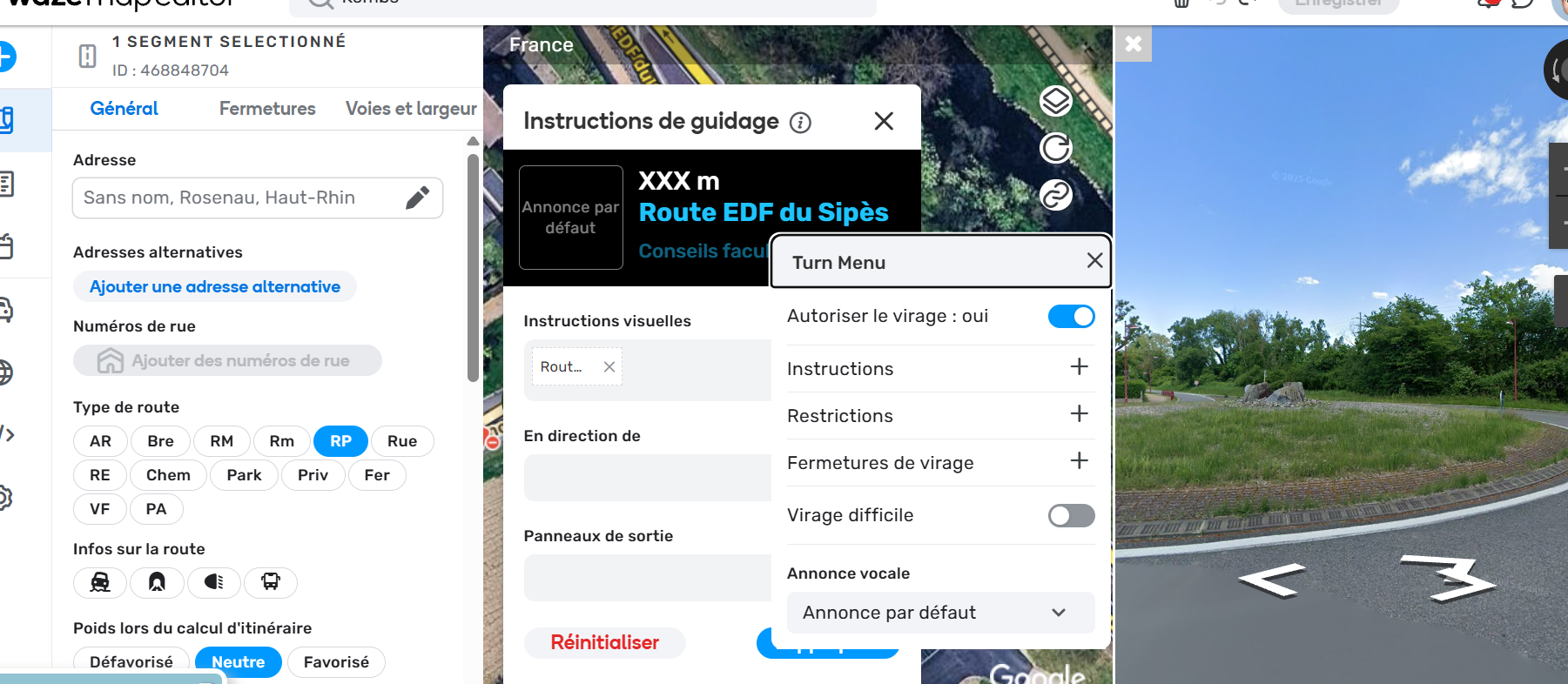
The problem is not resolved. As you can see in this screenshot, the turn settings panel is not overlaid on the Street View, so I cannot add visual instructions without closing the turn settings panel.
This wasn’t an issue before. Moving the turn settings panel window is not the solution. What’s needed (and what was in place before) is that on the map, you click the arrow > then instructions > and there you can edit (the panel didn’t stay displayed on the screen).
Hello @Rohann2609 ,
Thank you for getting back with the feedback and sharing the screenshot.
I have passed it to the team and we will look into the reported behavior.
Kind regards,
Kasia